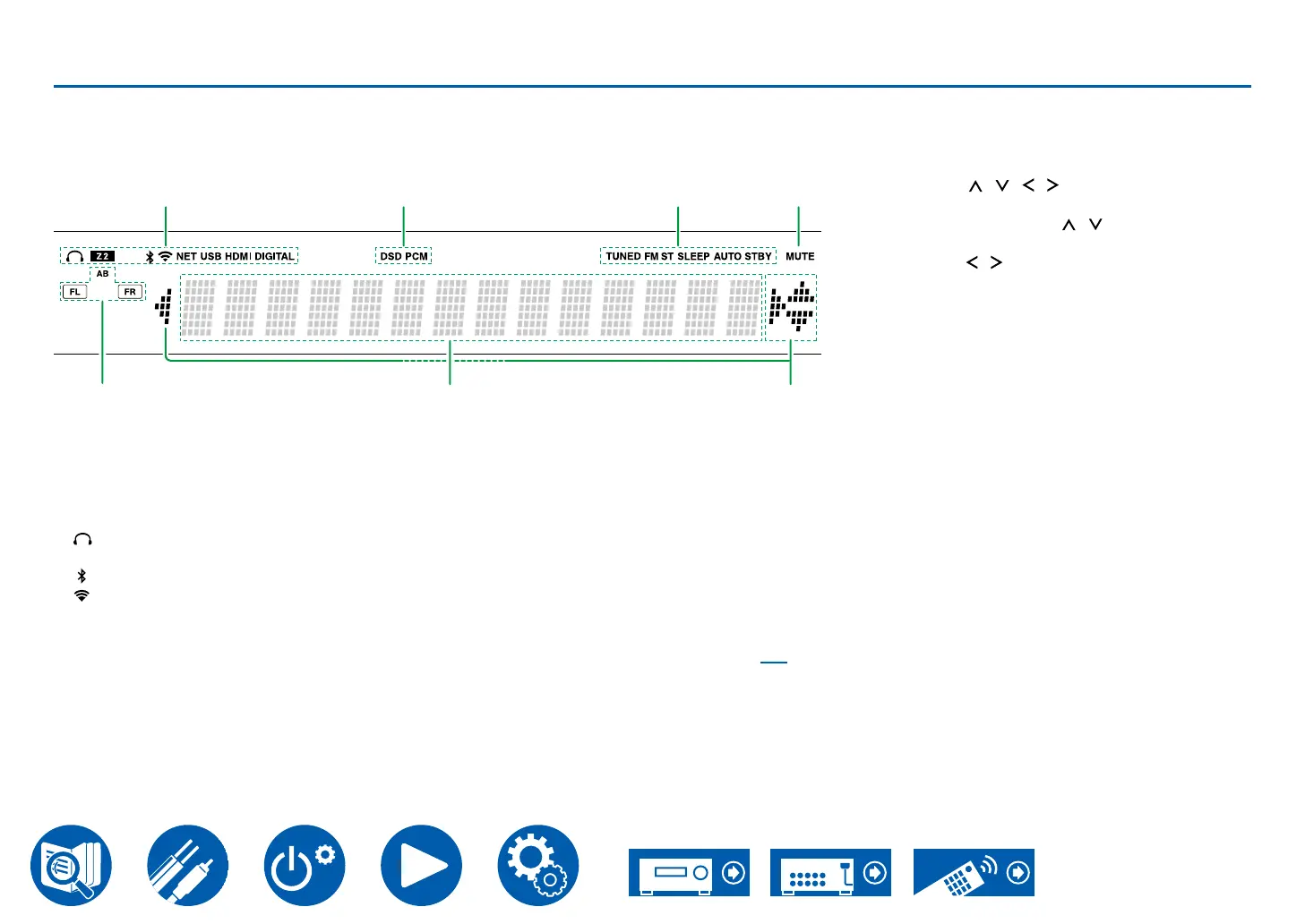
12
Display
5
1
7
2 3 4
6
A Lights in the following conditions.
: Headphones are connected.
Z2: ZONE 2 is on.
: Connected by Bluetooth.
: Connected by Wi-Fi.
NET: Lights when connected to the network with
the "NET" input selector. It will blink if incorrectly
connected to the network.
USB: Lights when the "NET" input selector is
selected, a USB device is connected and the
USB input is selected. It will blink if the USB
device is not properly connected.
HDMI: HDMI signals are input and the HDMI
input is selected.
DIGITAL: Digital signals are input and the digital
input is selected.
B Lights according to the type of input digital audio
signal.
C Lights in the following conditions.
TUNED*: Receiving AM/FM radio.
FM ST*: Receiving FM stereo.
SLEEP: Sleep timer is set.
AUTO STBY: Auto Standby is set. ( →p79)
*North American models only
D MUTE: Blinks when muting is on.
E Speaker/Channel display: Displays the speaker
channels being output.
A: When audio is being output from the
SPEAKERS A terminals
B: When audio is being output from the
SPEAKERS B terminals
AB: When audio is being output from both the
SPEAKERS A and SPEAKERS B terminals
F Displays various information of the input signals.
G Cursors (
/ / / ): These may light when
performing operations while "NET" is selected
with the input selector. / light when there are
selected. / light when text information does
6".



 To Next Page