32
Connections
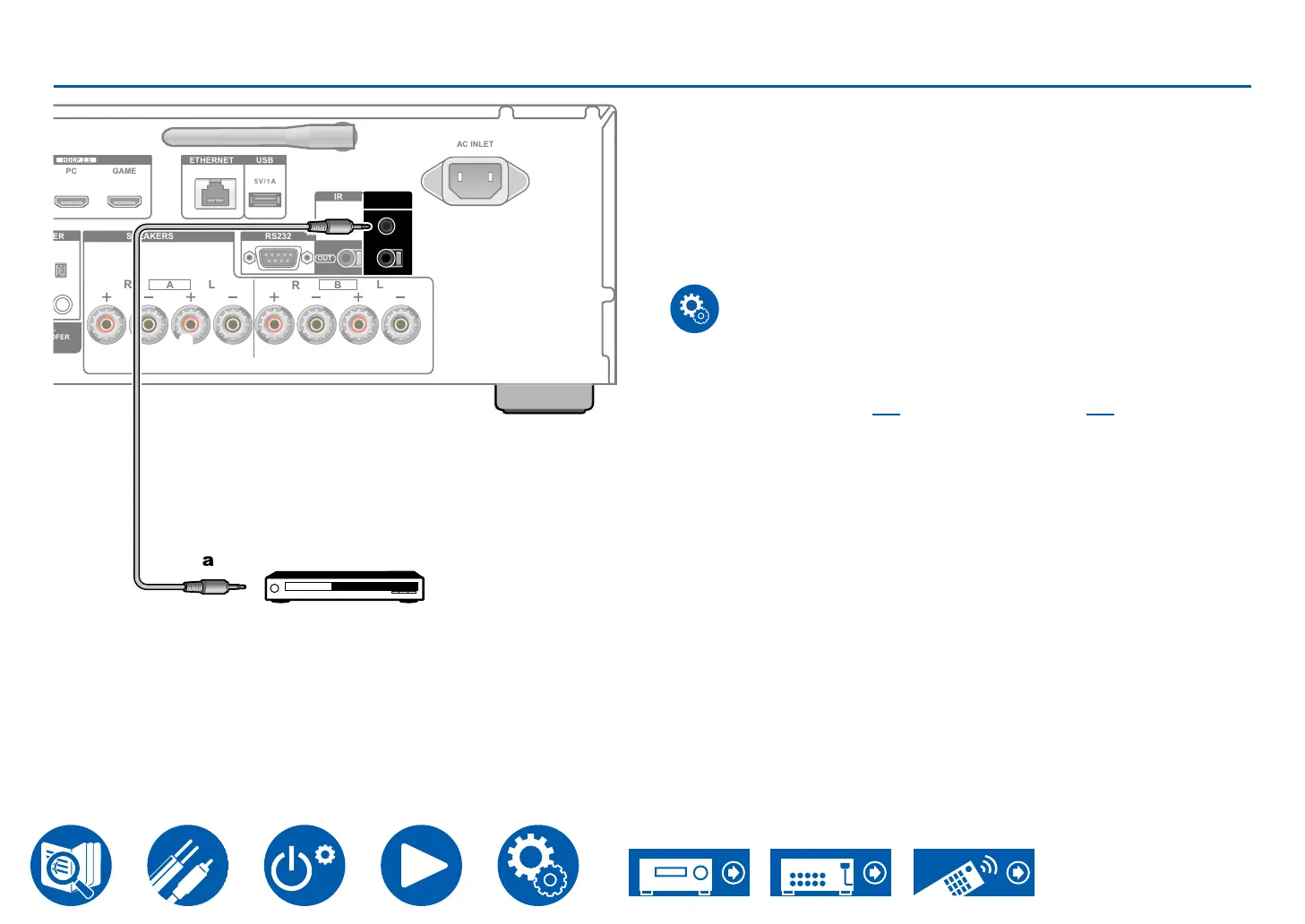
12V TRIGGER OUT jack
When connecting a device equipped with a 12V TRIGGER IN jack such as
a Blu-ray/DVD Disc player to this unit, the device can be turned on or set to
standby by interlocking the operation on this unit. When the desired input is
selected on the unit, power link operation will be activated with a control signal
of maximum 12 V/100 mA from the 12V TRIGGER OUT A jack or maximum 12
V/25 mA when using the 12V TRIGGER OUT B jack. You can select the zone to
output the control signal by setting each of the inputs.
•
resistance. Do not use a stereo mini plug cable.
Setup
• Settings are required to output control signals from the 12V TRIGGER OUT
jack. Press the Setup button on the remote controller, select the input desired
for "6. 12V Trigger A" ( →p86) or "7. 12V Trigger B" ( →p86), and set the
output destination for the control signal.
SPEAKERS
R L
A
L
R
B
ETHERNET USB
HDCP 2.3
PC GAME
5V/1A
AC INLET
RS232
IR
OUT
IN
12V TRIGGER
OUT
A
B
Blu-ray/
DVD Disc player
a



 To Next Page