165
APPENDIX
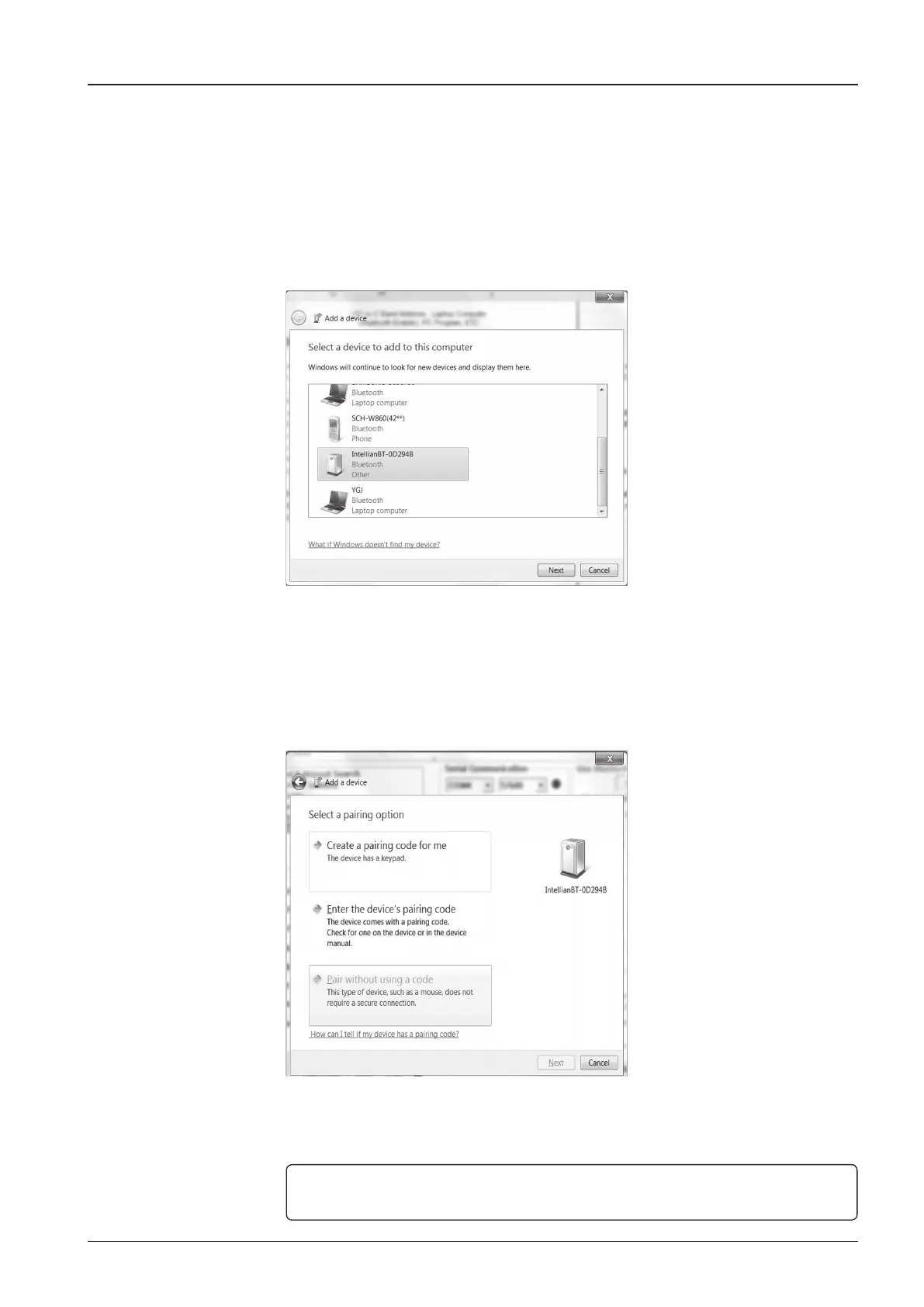
4. On the left is a window in order to run the setup wizard where you can add a
Bluetooth device. Find the IntellianBT-0D294B Bluetooth Device (0D294B may
be a different number depending on each user) and if you click next, then the
wizard will search for a Bluetooth device. The window for adding a bluetooth
device may differ by the type of Operating System being used.
5. Pair the device without using a code. Select "Pair without using a code" and
press Next.
NOTE: Some OS systems may not have an option to Pair the bluetooth device without
using a code therefore, go to the next step to enter a Pairing Code.


 To Next Page
 Loading...











