D-0116684-B – 2020/03
OtoRead™ - Instructions for Use - US Page 30
3.12 Performing a test
3.12.1 Selecting the Test Protocol
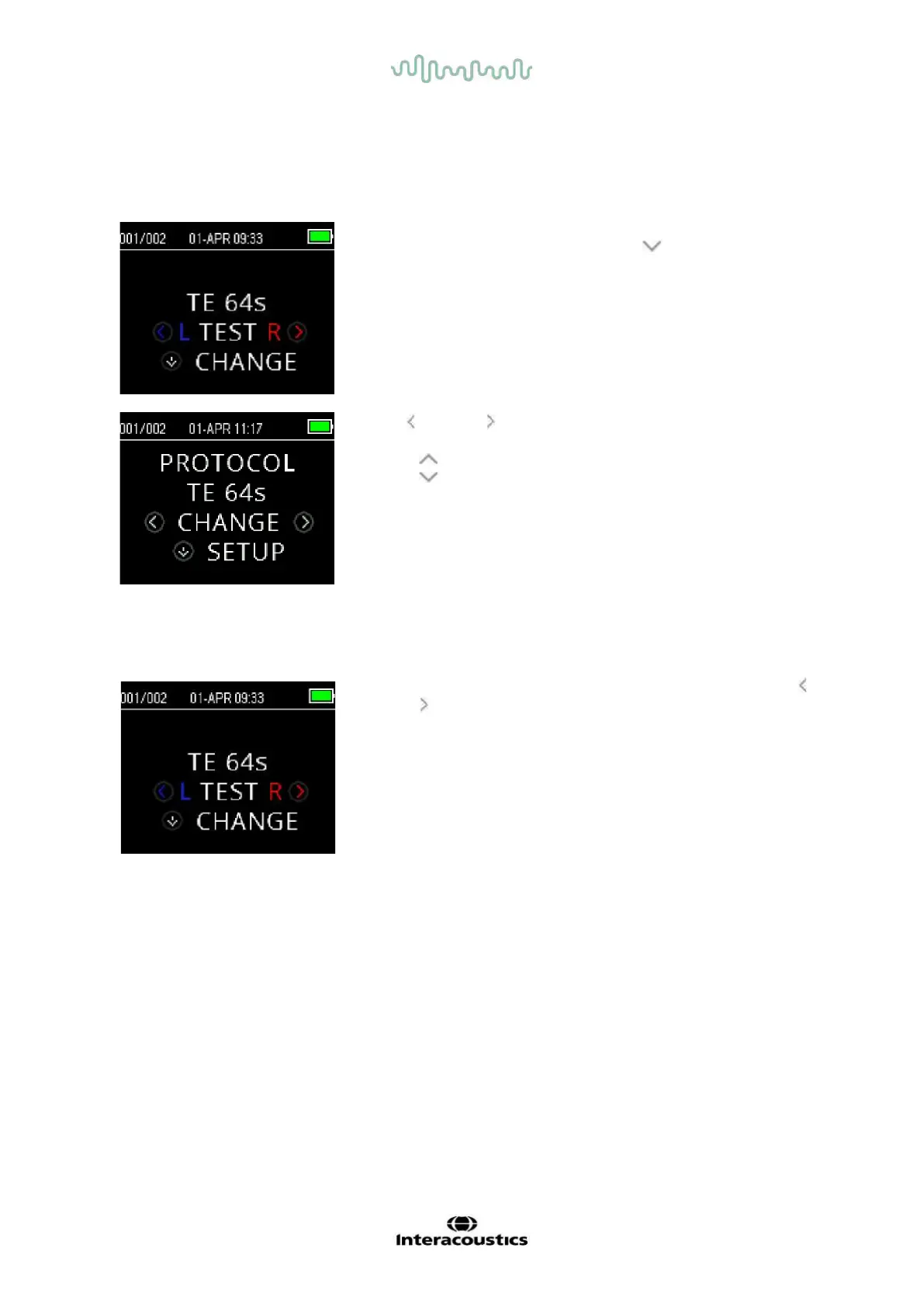
The currently selected protocol is shown on the Main Menu.
To change the selected protocol press the DOWN arrow at the
Main Menu. The Change Protocol menu will appear.
Use the
arrow buttons to change the selected protocol.
Press the UP key to return to the Main Menu to begin testing.
Press the SETUP key to enter the setup menus.
For either DPOAE or TEOAE screener devices, there are two default
test protocols that vary based on averaging time (test time). Screener
default protocols cannot be customized. For diagnostic devices, there
is one default test protocol and a number of customizable protocols.
See Appendix C for an overview of the available protocls.
3.12.2 Starting a test
To begin a test, insert the probe into the ear and select either the LEFT
or RIGHT key depending on the ear to be tested.
NOTE: To measure emissions, gently insert the ear tip into the patient’s
ear canal. It should fit snugly and comfortably. The best test results are
obtained when an ear tip is inserted deeply into the ear canal instead of
flush with the ear canal.















 To Next Page