D-0116684-B – 2020/03
OtoRead™ - Instructions for Use - US Page 34
3.12.9 Viewing DPOAE results with normative data
The OtoRead
TM
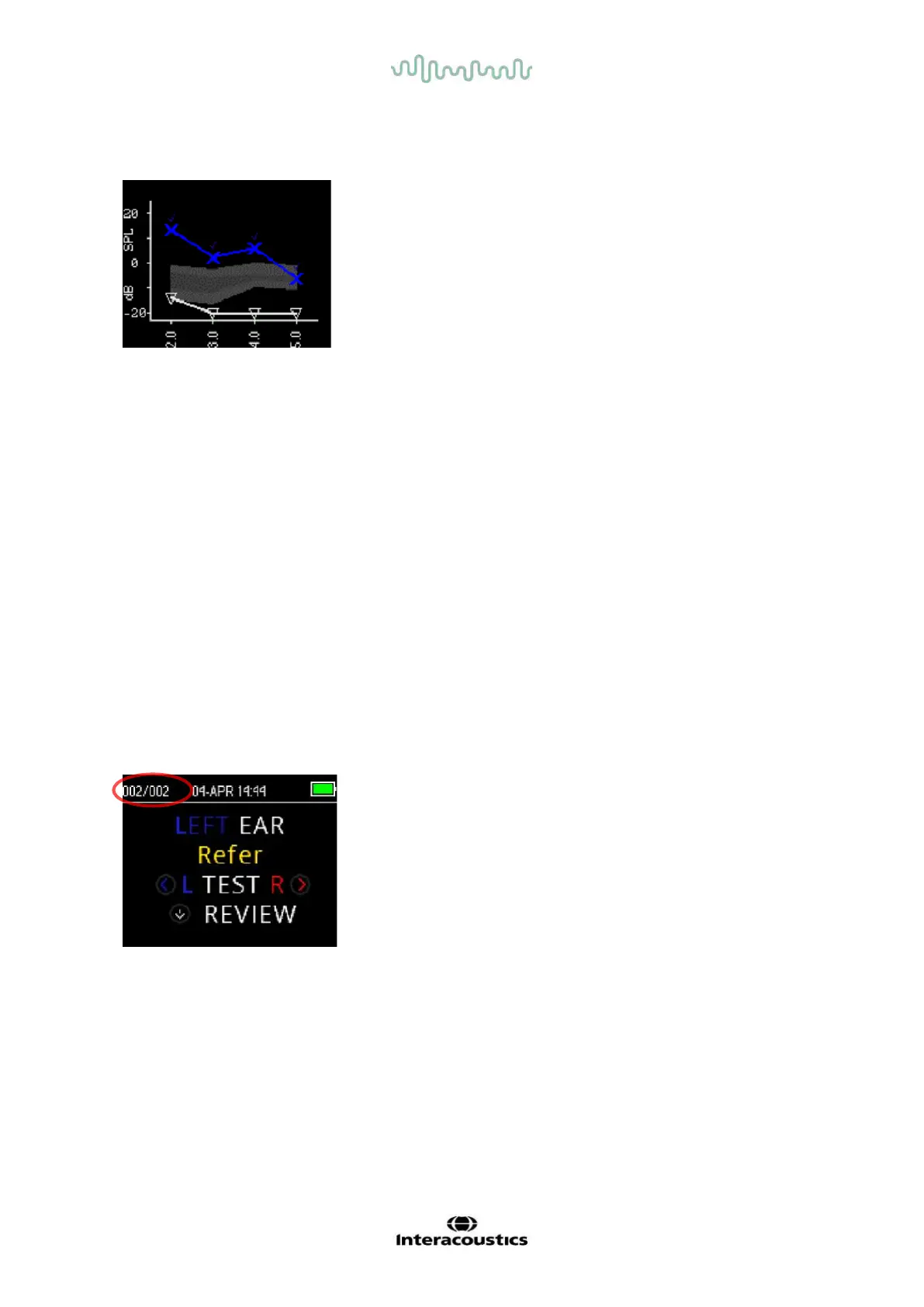
will display the Expanded Boys Town Norms
template for eligible DPOAE test results. The norms template has
no effect on the overall test results and is for display purposes
only. The values used to create the template are shown in Table
A1 in Gorga, M.P., Neely, S.T., Ohlrich, B., Hoover, B., Redner, J.
and Peters, J. (1997). “From laboratory to clinic: a large scale
study of distortion product otoacoustic emissions in ears with
normal hearing and ears with hearing loss.” Ear & Hearing, 18,
440-455. The template may be used as a guide when evaluating
DPOAE test results. The light shaded area at the top of the
template represents the 90th to 95th percentile of DP amplitudes
from the hearing impaired population. DP amplitudes within or
above this range indicate a high probability of normal hearing. The
light shaded area at the bottom of the template represents the 5th
to 10th percentile of DP amplitudes from the normal hearing
population. DP amplitudes within or below this range indicate a
high probability of hearing loss. The dark shaded area in between
represents a range of uncertainty where the normal hearing and
hearing impaired populations overlap.
3.13 Managing results
Users have the option of printing results to the thermal printer (optional), transferring results to the
OtoRead
TM
Module or printing to a PC printer or PDF using the Auto Print software.
3.13.1 Saving results on the device
The OtoRead
TM
automatically saves the results of completed tests in the non-volatile memory. Tests are
saved even if the battery is temporarily discharged. However, the OtoRead
TM
is not intended for long-
term storage of test results.
Note: Users are strongly encouraged to print/transfer all test results on completion of testing to avoid
potential loss of data.
When operating in the default ’Save L/R’ mode, the OtoRead
TM
will
save the most recent test results for each ear and print/transfer only
these results. This allows the user to retest a patient after a REFER
result and to print/transfer only the most recent test result for each
ear. It is recommended that the results be printed after each patient
in the default mode.















 To Next Page