D-0116684-B – 2020/03
OtoRead™ - Instructions for Use - US Page 43
3.18.4.5 Minimum value
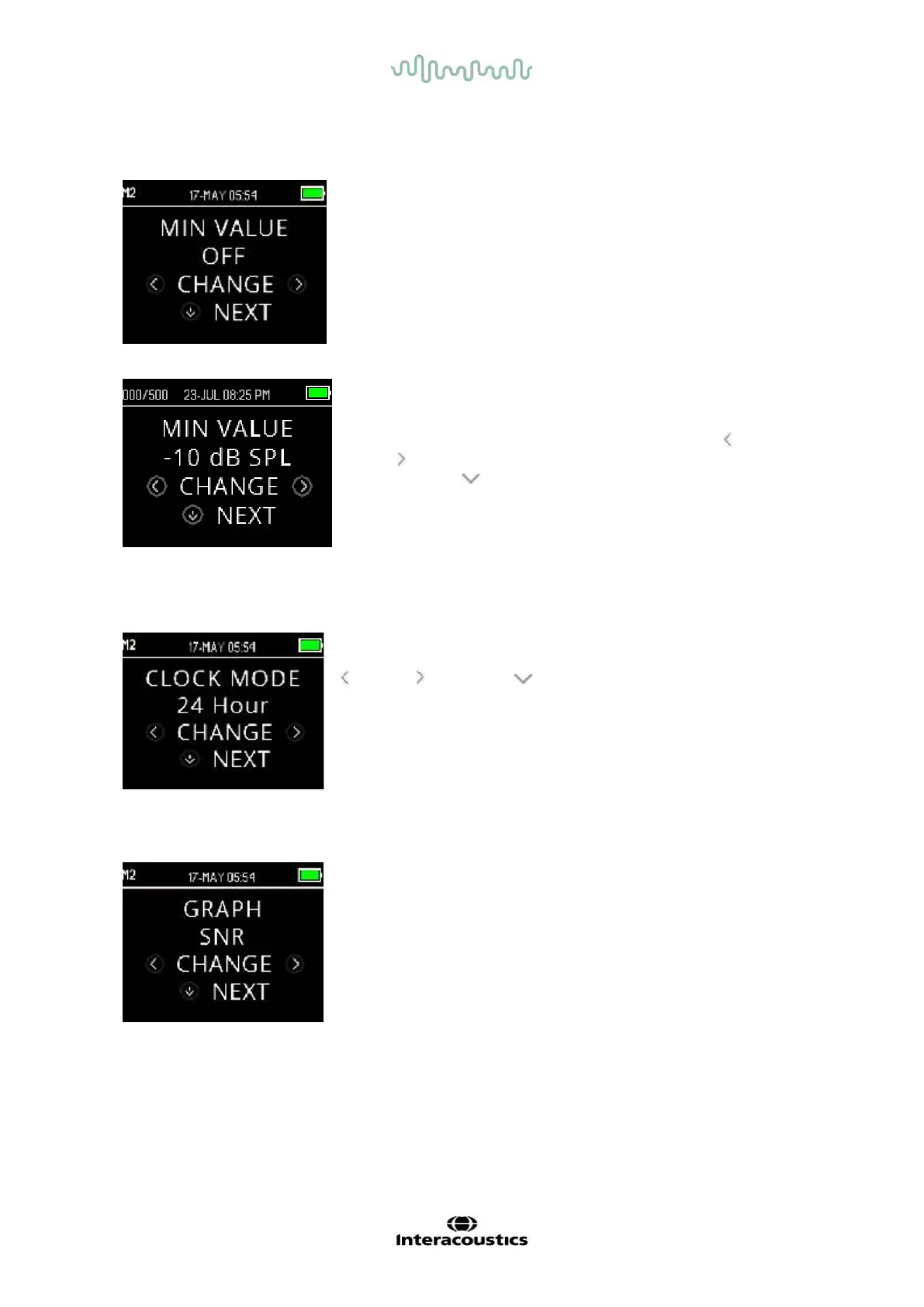
The Minimum (Amplitude) Value setting allows the user to set the unit
to include minimum amplitude values in the pass/refer criterion. The
OtoRead
TM
is set with this feature enabled when it is shipped from
the factory.
The default setting for both DP and TE is -10 dB SPL. The minimum
value can be set between +5 and -10 dB SPL or OFF.
When a MIN VALUE has been set, a test band (TE) or test frequency
(DP) is not considered a detected unless the absolute amplitude at
each band or frequency is equal to or greater than the minimum
value enabled on the device. This is in addition to meeting the other
detection criteria such as the SNR.
To change the mode to MIN VALUE setting, press the LEFT or
RIGHT key to make a selection. Once you have made your
selection, press NEXT.
Note: It is recommended to leave the MIN VALUE setting enabled to
ensure that non-biological responses are not detected as OAE
responses.
3.18.5 Clock mode
The Clock Mode menu allows the user to change the clock from a 24
hour mode to a 12 hour mode. To ch
ange the clock mode, press the
CHANGE keys. Press NEXT to exit this menu.
3.18.6 Graph style
The Graph Style menu allows the user to select from two options for
viewing the results. The SNR graph view shows the signal-to-ratio for
each DP test frequency or TE test band. The Value graph view shows
the absolute OAE and noise levels for each DP test frequency or TE
test band.















 To Next Page