D-0116684-B – 2020/03
OtoRead™ - Instructions for Use - US Page 44
3.18.7 Languages
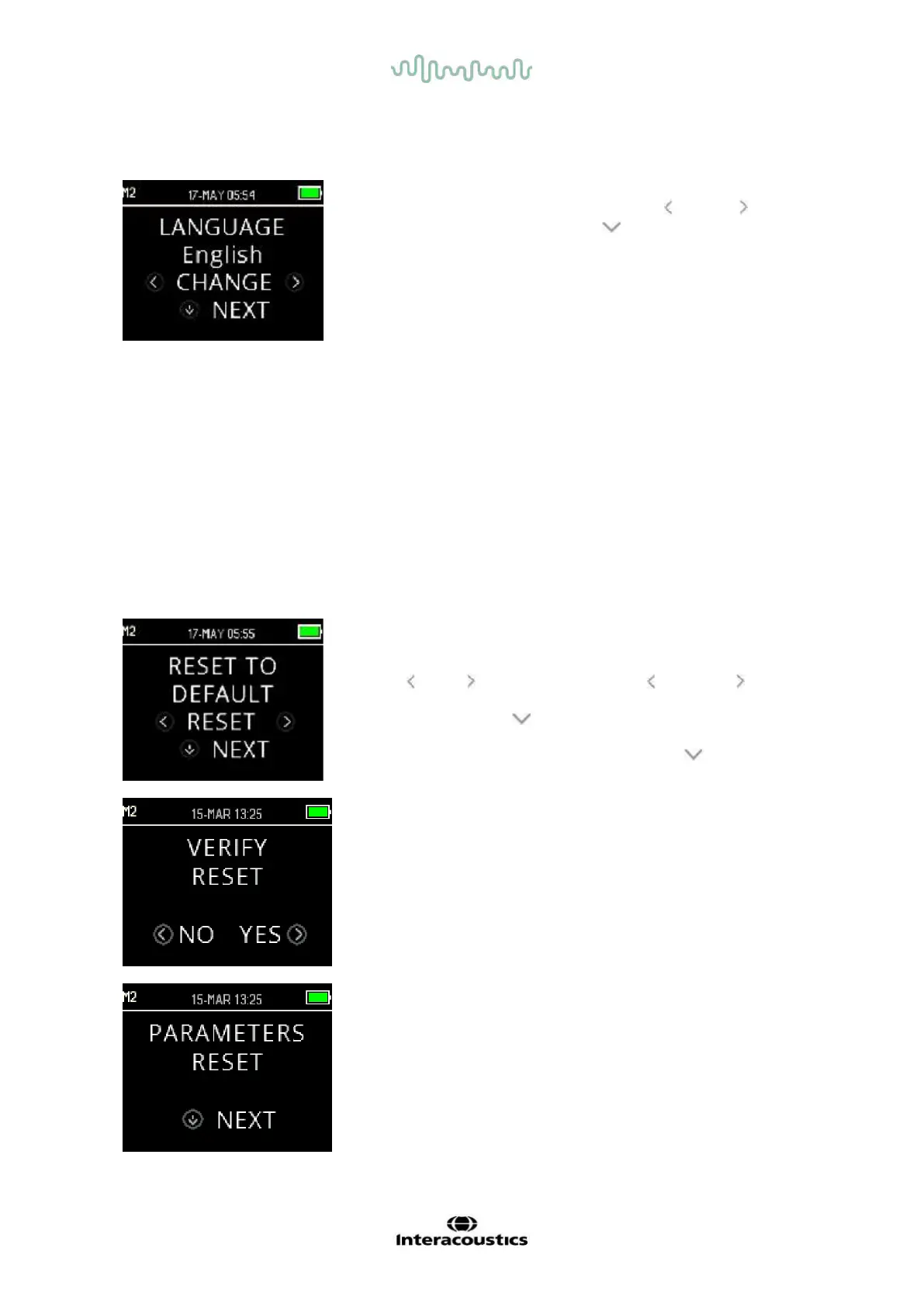
The Language setting allows the user to select among several
languages. To change the language, press the CHANGE key until
the desired language is shown. Press NEXT to exit this menu.
Available languages are:
• English (US)
• English (UK)
• Chinese
• Russian
• Spanish
• Polish
• Portuguese
• Turkish
• French
• German
• Italian
• Korean
• Japanese
• Arabic
3.18.8 Reset to default
The Reset to Default menu will return all instrument settings and
protocol settings to their original factory defaults.
Use the RESET keys to reset and select NO or YES to verify
reset. PARAMETERS RESET will appear on the display as
confirmation. Press the NEXT key to return to the Main Menu.
To exit M2 without resetting to default, press the NEXT key to
return to the Main Menu.
Resetting to default will un-pair the wireless device, clear the test
results, and reset all system and protocol settings.















 To Next Page