D-0116684-B – 2020/03
OtoRead™ - Instructions for Use - US Page 36
3.14 Printing to a thermal printer
Printing to the thermal printer (optional) is by way of wireless connection. First establish wireless pairing
between the OtoRead
TM
and the printer by following the instructions in the section Pairing the wireless
printer to OtoRead
TM
.
Refer to the printer Operations Manual for more detailed instructions.
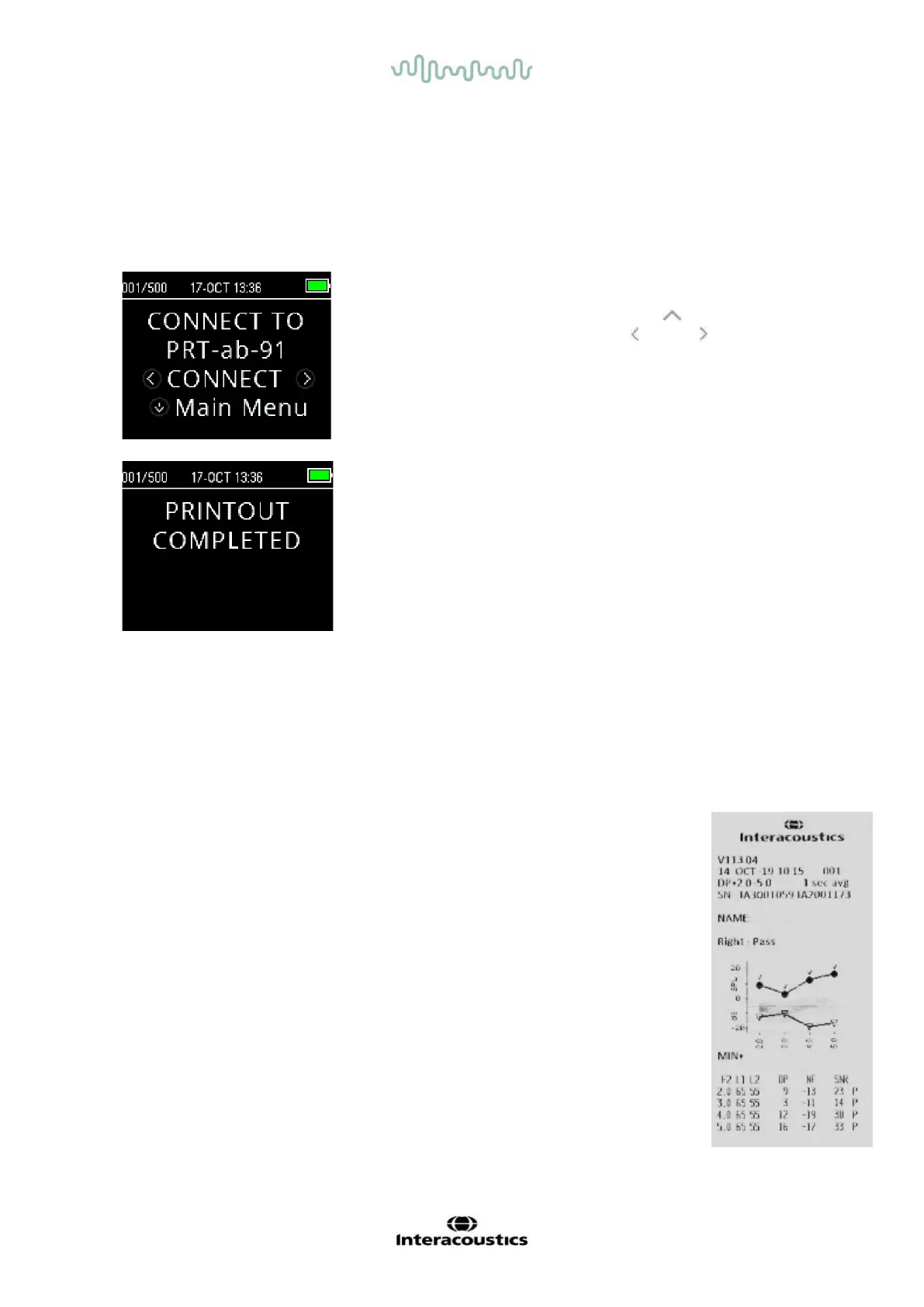
Following instructions provided with your printer, be sure the
printer is on and ready for communication/printing. From the
OtoRead
TM
instrument Main Menu, press the UP key to enter
the device connection screen. Press the LEFT or RIGHT key to
connect.
The OtoRead
TM
will search for the paired printer. When the printer
is found, all the test results that are stored in memory will print out
automatically.
The OtoRead
TM
will power off when printing is complete.
Note: All printed test results are marked for deletion, but will continue to be stored in memory until a new test
is started at which time all tests in the memory will be erased. This allows the user to reprint the tests if
printing is unsuccessful (for example, the paper runs out before printing is complete).
3.15 Understanding Printed Results from the Thermal Printer
The following section describes the information included on the printout.
3.15.1 Understanding the DPOAE printout
The following information is provided for each test:
• The time and date of the test, based on the setting of the internal clock
• The test number (if operating in “Save500” mode)
• The test protocol (e.g., DP 4s)
• The averaging time used for the test (e.g., 2 sec avg.)
• Instrument and Probe serial number (SN)
• The software version number (e.g., v106.00)
• The ear tested (Right or Left)
• A PASS/REFER indication if there is a criterion set for the selected protocol
• The f2 frequency in kHz (e.g., 2.0, 3,0, 4.0, 5.0)
• The measured intensity level of f1 and f2 (L1, L2)
• The noise floor (NF) in dB SPL
• The emission level (DP) in dB SPL)
• The signal-to-noise ratio (SNR) – DP level minus the noise floor in dB
• A “P” to the right of the SNR if pass criteria were met for that frequency
• The Value or SNR graph as selected on the device
• “MIN*” if the Minimum Amplitude setting was enabled















 To Next Page