D-0116684-B – 2020/03
OtoRead™ - Instructions for Use - US Page 33
3.12.8 Viewing results
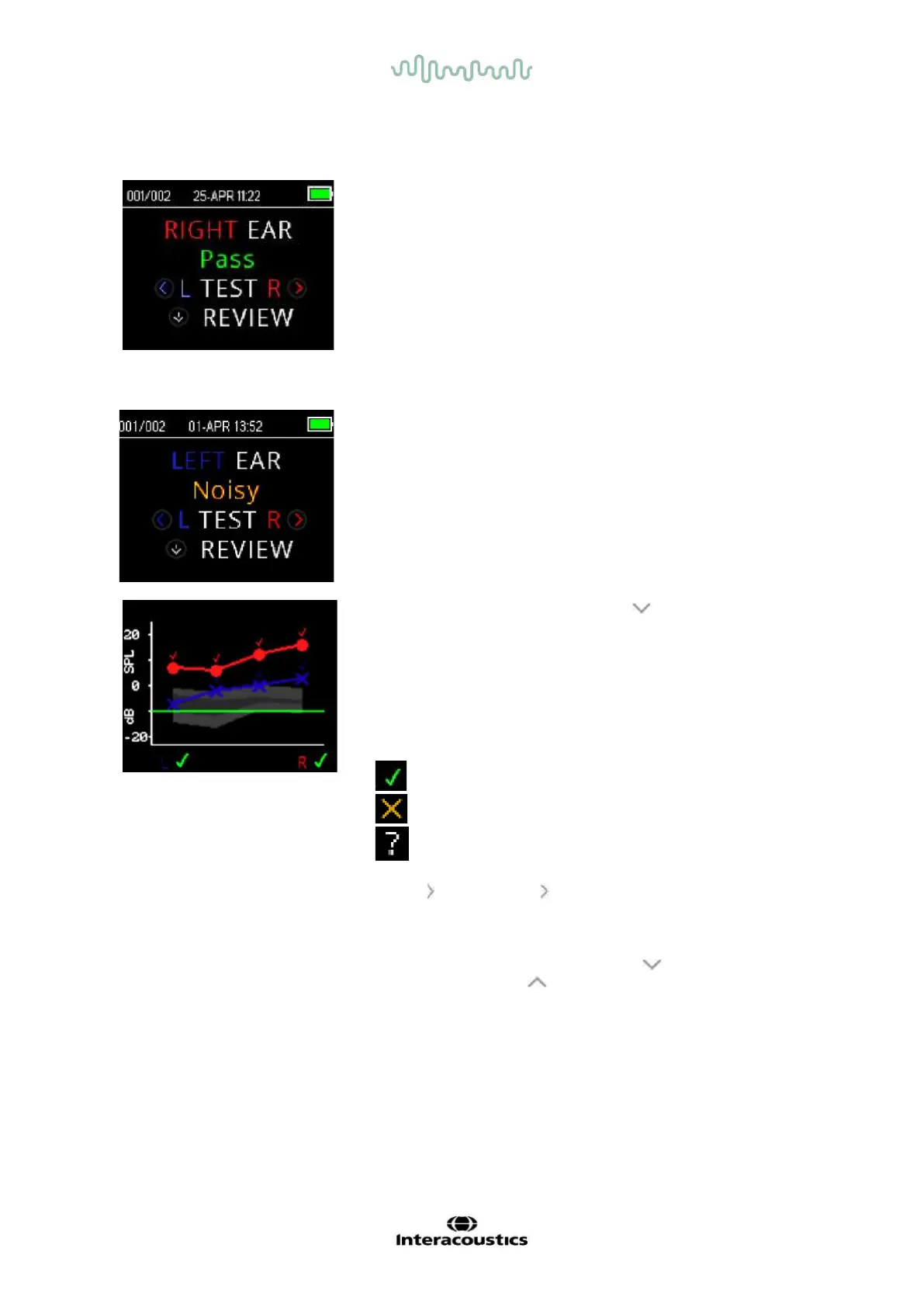
When testing is complete, the green ’READY’ light is illuminated and
the display shows the test ear and test result (for screening tests).
The following results may be displayed:
• ’PASS’ on the screen indicates that the patient passed the
screening
• ’REFER’ indicates that the patient did not pass the screening
• ’NOISY’ indicates that excessive noise was present during
the test
• ’NO SEAL indicates that a seal was not maintained
throughout the test
• ’FIT ERR’ indicates inadequate probe placement in the ear
canal to produce target stimulus intensities
When the test result is ’NOISY’, ‘NO SEAL’, or ’FIT ERR’ the tester
should reposition the probe, selecting a different size ear tip if
necessary, and retest.
If the test result is ’REFER’ the tester can determine from the printout
whether the test should be repeated.
To review the graphical results, push the DOWN key.
When Save L/R mode and value graph view is active, results from
both ears will be displayed together. The noise floor values are not
shown on this combined graph.
For screening tests, the overall test result is displayed next to the
Right and Left ear indicator beneath the graph.
A checkmark indicates a ‘PASS’
A cross indicates a ‘REFER’
A question mark indicates ‘NOISY’, ‘NO SEAL’, ‘FIT ERR’.
Press the
LEFT or RIGHT key to view the results for each ear
individually.
After reviewing the results, again push the DOWN key to return to
the Results display or the UP key to return to the Main Menu.
Once the review screen is exited, results are no longer viewable on
the device. Print or transfer the results to the PC for further review.















 To Next Page