D-0116684-B – 2020/03
OtoRead™ - Instructions for Use - US Page 42
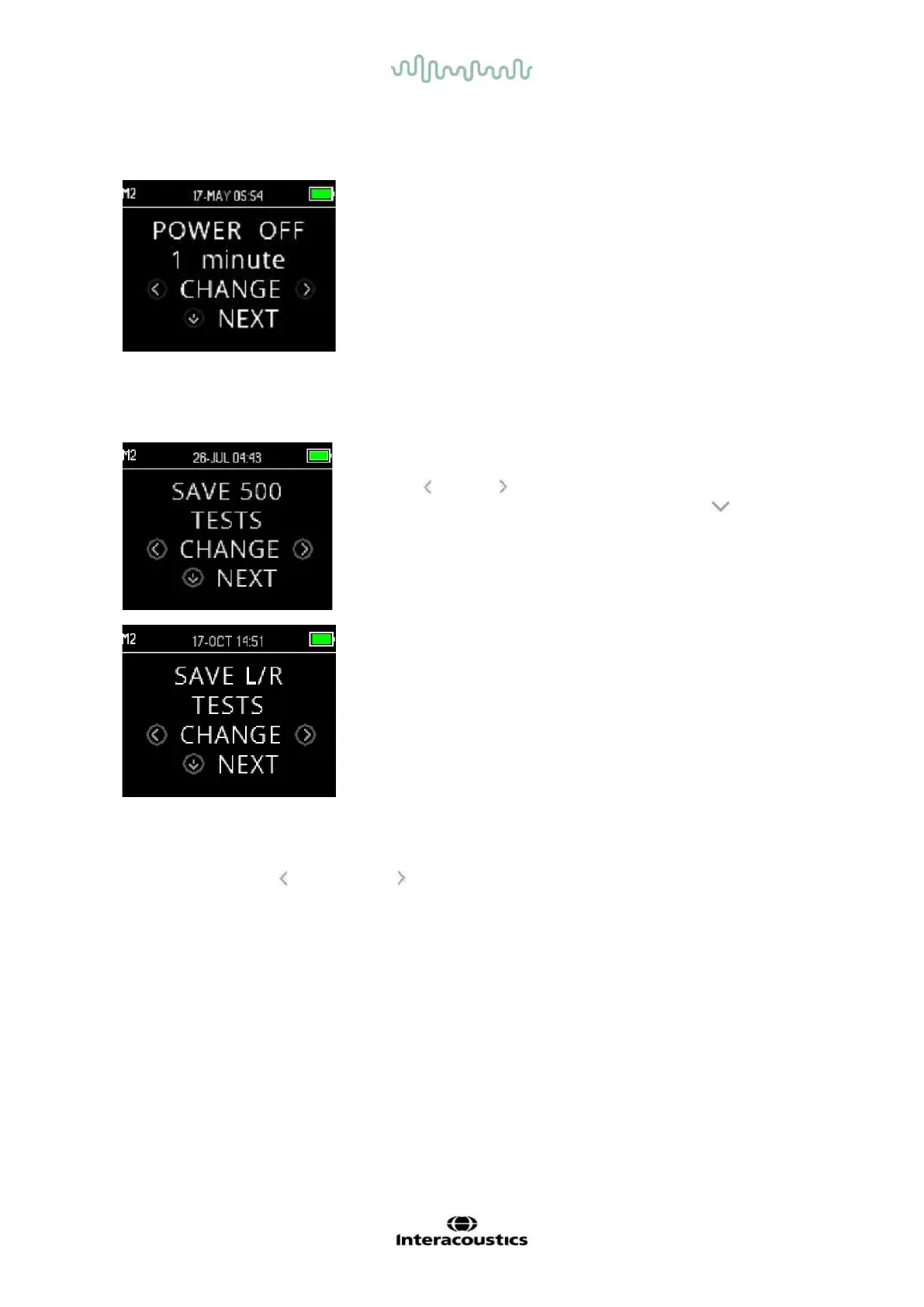
3.18.4.3 Power OFF mode
Set the Power OFF mode to define after what length of time the
device will automatically shut down.
It can be set for 30 seconds, 1 minute, 2 minutes or 4 minutes
3.18.4.4
Save mode / storing test results
The OtoRead
TM
automatically stores only the most recent test result
for each ear L/R, but has the capacity to store 500 individual tests.
Press the CHANGE keys to change the setting to SAVE 500
TESTS. Once you have made your selection, press NEXT.
There are two options in the Save 500 mode:
1. The OtoRead
TM
automatically numbers each test from 1 to
500.
2. The OtoRead
TM
Module is used to transfer patient names to
the OtoRead
TM
and the OtoRead
TM
displays the names. Up
to 50 names can be stored in the device and 50l tests.
When numbers are used (no patient names are uploaded from the
OtoRead
TM
Module to the OtoRead
TM
), each test is automatically
incremented, starting with test number 1.
When patient names are transferred to the device, they are displayed on the OtoRead
TM
in the same order
as displayed in the OtoRead
TM
Module. To move to a different name than the one displayed on the
OtoRead
TM
screen, use the LEFT or RIGHT key to cycle through the names until the desired name is on
the display. The patient ’Unnamed’ is always included at the beginning of the patient list for instances when
a patient is being tested, but the patient name has not been transferred to the OtoRead
TM
.
It is recommended that you go to the Test Results Clear screen to clear any previous memory locations after
you changed the save mode setting.
When using the ‘500 test’ mode, it is important to keep a record of the test number for each patient. When
495 tests have been saved, the user will be warned that the memory is almost full. When the OtoRead
TM
unit
reaches 500 saved tests, it will not allow any further testing. At this point either the results must be printed,
transferred to the OtoRead
TM
Module, or cleared from device memory.















 To Next Page