D-0134090-A – 2022/11
VisualEyes™ - Instructions for Use - EN Page 74
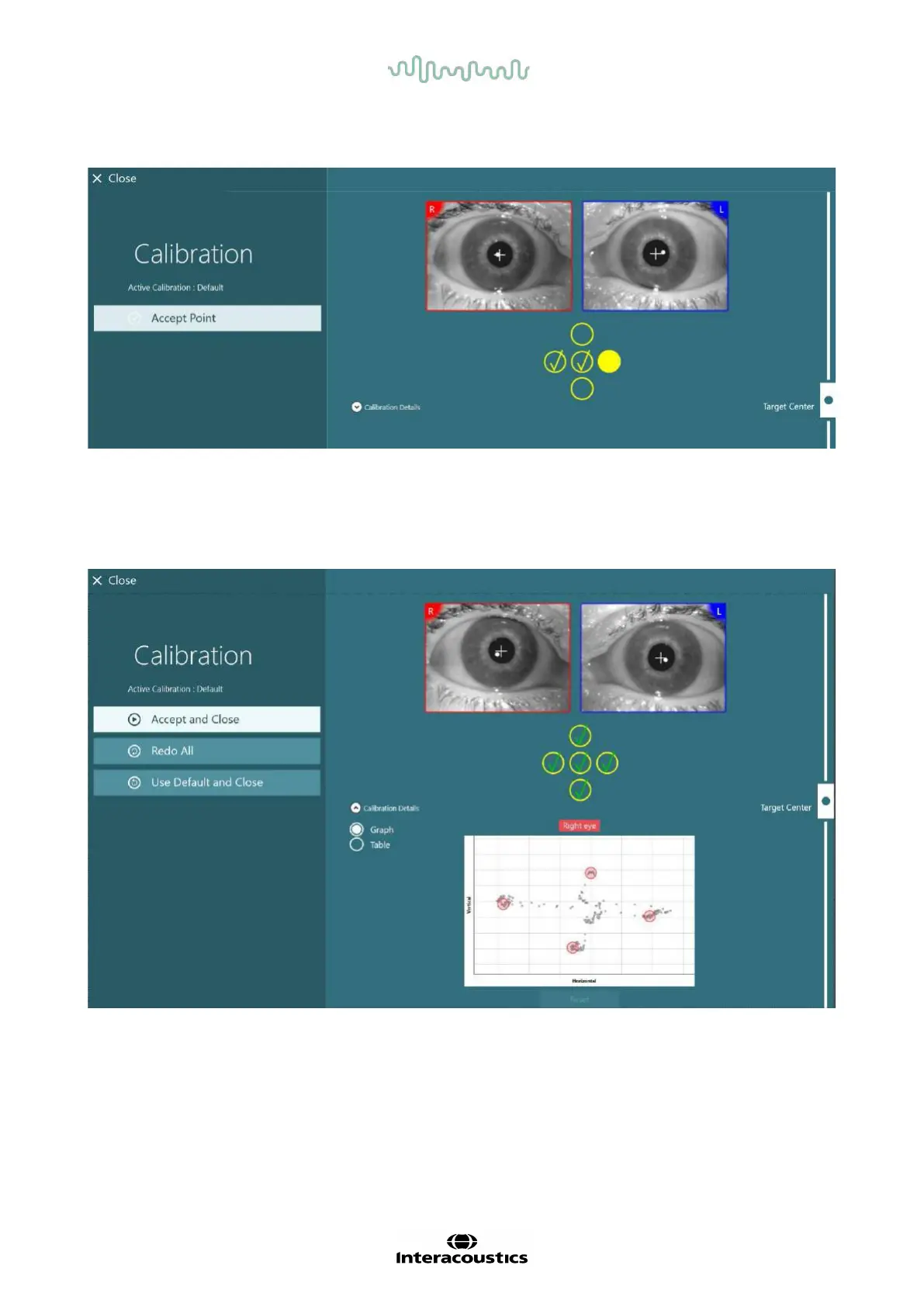
target has been accepted by the software, a yellow check mark will appear on the calibration screen at the
specific target position.
Figure 3.7-2: Calibration screen during standard calibration procedure. A yellow check marks appears at the accepted target positions
After completion of the calibration, the check marks will turn green if the calibration values are within
acceptable ranges (
Figure 3.7-3). If the calibration values are not acceptable, the check marks will turn red, and
the calibration should be repeated for these points.
Once all target points are green, press ”Accept and Close”. This will close the calibration screen, and the
system is ready to perform the tests.
Figure 3.7-3: Completed standard calibration, with calibration values within acceptable ranges















 To Next Page