12
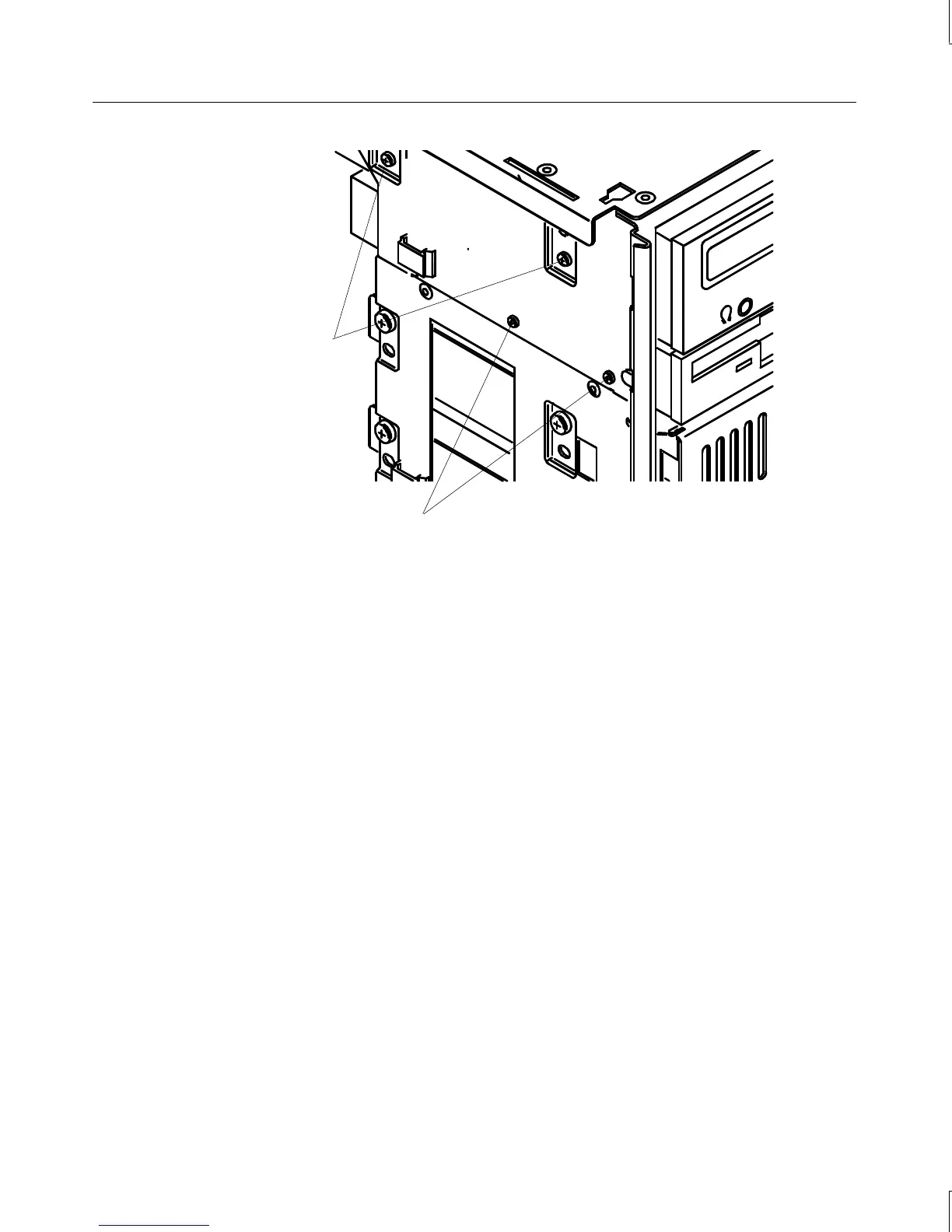
Floppy drive mounting
screws
CD-ROM mounting
screws
3. From inside the chassis, push the back of the floppy drive until the bezel clears the
chassis, and slide the device out.
4. Slide the new floppy drive into the chassis and align the mounting holes.
5. Install the two mounting screws.
6. Connect the data cable and the power cable.
CD-ROM Drive
To replace the CD-ROM drive:
1. Disconnect the power cable, data cable, and audio cable from the CD-ROM drive.
2. Remove the screws that secure the CD-ROM drive to the chassis. See the previous
figure.
3. From inside the chassis, push the back of the CD-ROM until the bezel clears the chassis,
then slide the device out.
4. Remove the mounting guide from the right side of the CD-ROM. See the following
figure.



 To Next Page