25
Fans
See Chapter 7, “Power Supply and Cooling Fans,” for details on cooling fans.
NOTE Arrows on the fan indicate airflow direction and rotation. Ensure system fans are installed
with the airflow direction arrow pointing in the correct direction.
NOTE The entire power supply must be replaced to replace the power supply fan.
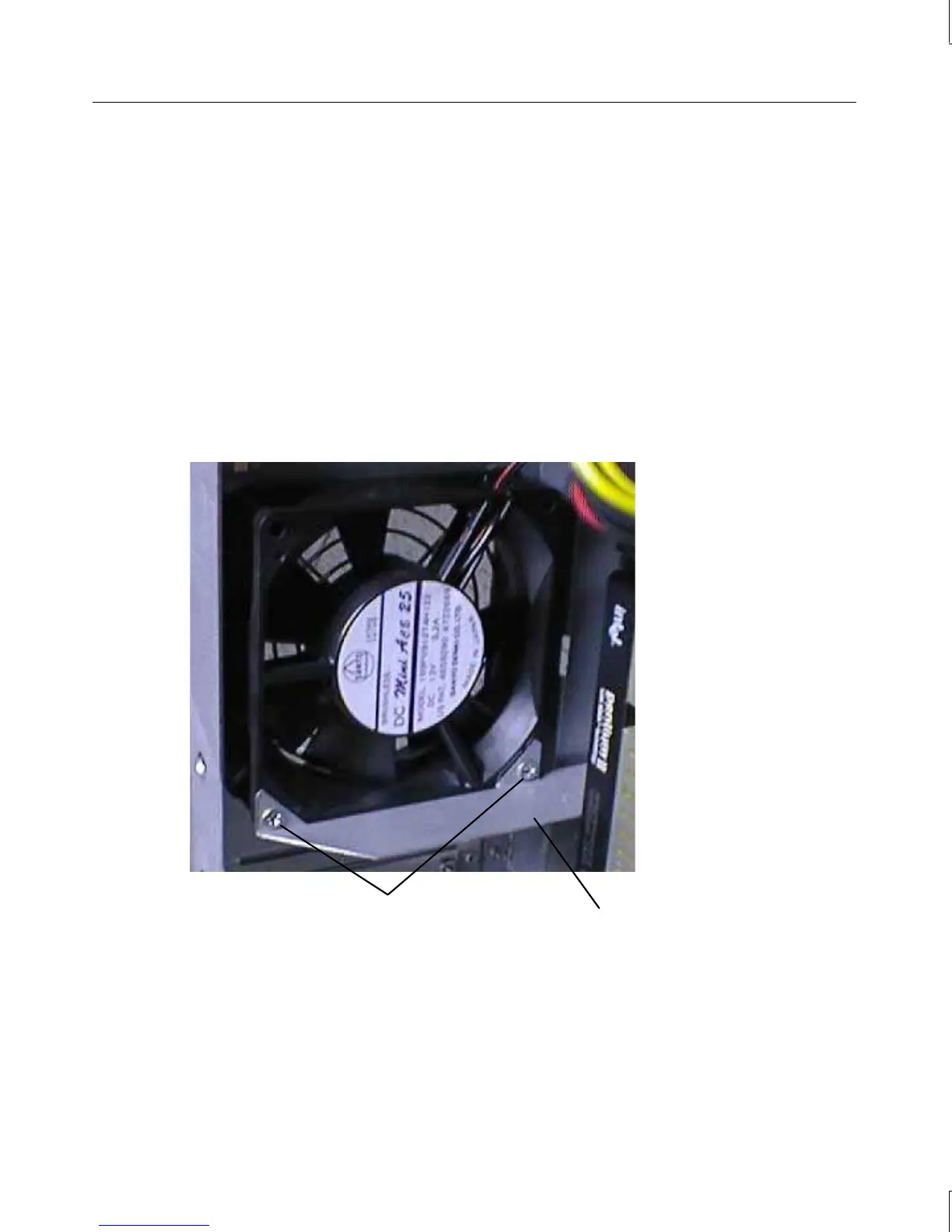
To replace the rear chassis fan:
1. Disconnect the fan power cable from the power supply cable.
2. Remove the two screws securing the air duct support to the fan, and remove the air duct
support.
Air duct supportScrews
3. Remove the four screws securing the grille and fan to the chassis.
4. Gently pull the fan inward and downward until the fan housing clears the chassis, and
then remove the fan.
5. Note the airflow direction of the fan and the position of the fan cable.
6. Ensure the airflow direction arrow on the new fan is pointing in the correct direction,
then place the new fan at an angle inside the chassis.



 To Next Page