34
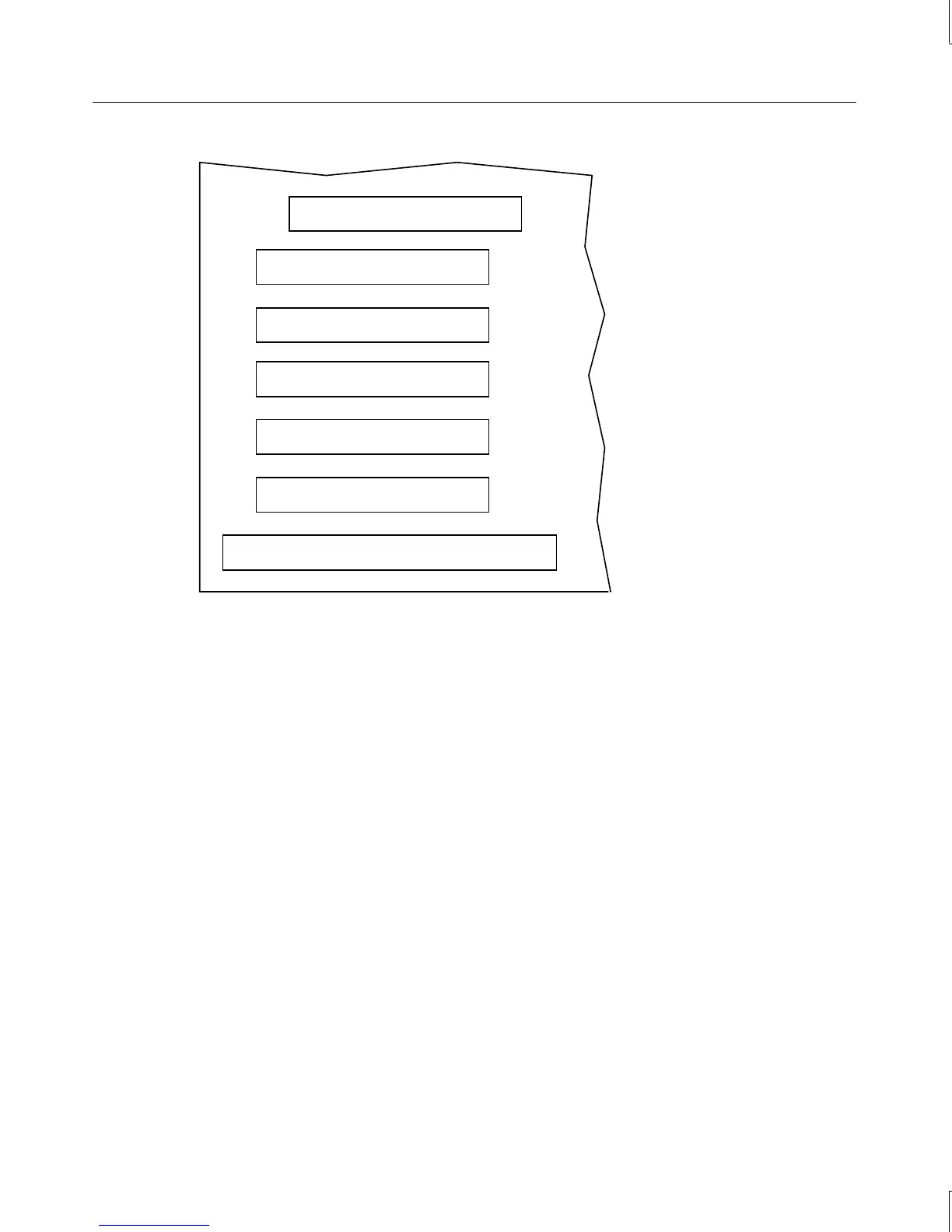
ISA slot (shared)
PCI slot (shared)
PCI slot
PCI slot
PCI slot
PCI slot
AGP slot
Installing Expansion Cards
If you are installing double card sets, such as a graphics card and a geometry accelerator,
repeat the following procedure for the second card. See the documentation that came with
the card for details on connecting the two cards.
For other cards, such as internal modems or SCSI adapters, see the documentation that came
with the card for details on installation, configuration, cable connections, and operation.
To install an expansion card:
1. Locate an open slot and remove the blanking plate for the slot. Keep the retaining
screw.
NOTE If you have no open slots and/or want to replace an existing expansion card, see the
instructions in Chapter 2, “Servicing the System.”
2. Remove the expansion card from its antistatic packaging.
3. Slide the expansion card carefully into the card guides. Ensure that the connectors on
the board’s edge are aligned properly with the slot connector.
4. Push the card into the slot firmly and evenly until it is fully seated in the slot connector.
5. Inspect the connection. If it does not appear to be correct, remove and reinstall the card.



 To Next Page