18
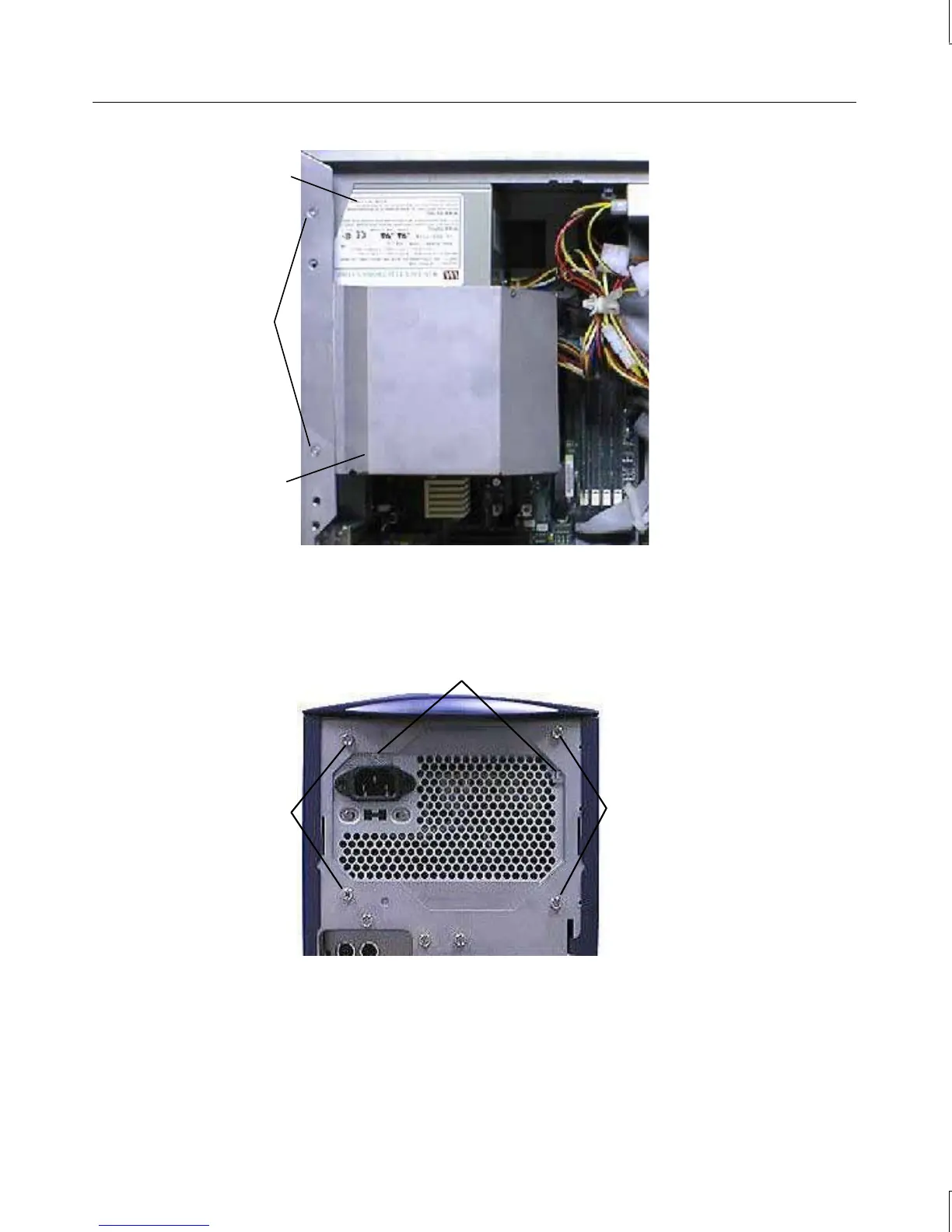
Screws
Air duct
Power supply
4. Remove the four outer screws from the rear of the power supply, as shown in the
following figure.
NOTE Support the power supply as you remove the screws. Do not to let the power supply fall as
you remove the fourth screw.
Outer screws
Inner screws
Outer screws
5. Remove the old power supply.
6. Remove the inner screws securing the rear plate to the power supply, as shown in the
previous figure.
7. Attach the rear plate to the new power supply using the inner screws, and then install
the new power supply using the outer screws.



 To Next Page