20
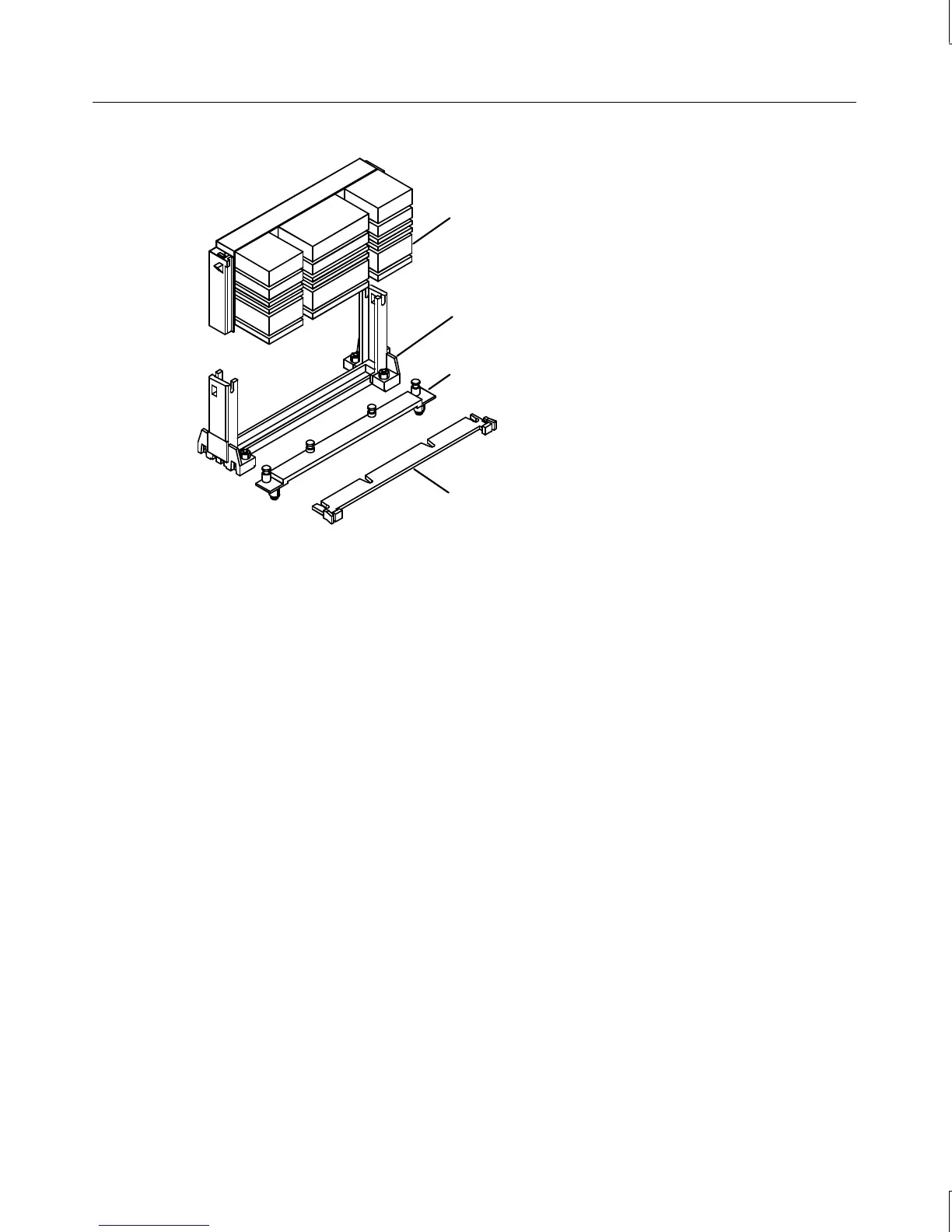
Processor
Heat sink mounting bracket
Retension module
Heat sink lock
5. Press the processor module down until it seats.
6. Press the processor module locking tabs outward until they click into the locked
position.
7. Install the heat-sink lock between the heat-sink fins, if necessary, by sliding the lock
between the fins and pressing it onto the heat-sink lock mounting posts.
To replace an active processor module:
1. Disconnect the processor’s cooling fan power cable from the processor fan power
connector on the system board.
2. Press the locking tabs on the top corners of the processor module inward, towards each
other, until they click into the release position.
3. Slide the processor module out of the retension module.
4. Remove the new processor from its antistatic package, and align the processor module
over the retension module. The processor module is keyed and fits only one way.
5. Press the processor module down until it seats.
6. Press the processor module locking tabs outward until they click into the locked
position.
7. Connect the processor’s cooling fan power cable to the processor fan power connector on
the system board.



 To Next Page