Avoid locating the prox.pad plus unit closer than 3 feet
(1 meter) to a computer monitor or television or an-
other prox.pad plus unit. If you believe you are expe-
riencing reduced read range due to interference, try
repositioning the prox.pad plus unit, remoting the an-
tenna, or relocating other nearby electrical equipment.
2.3 Checking the
Cables
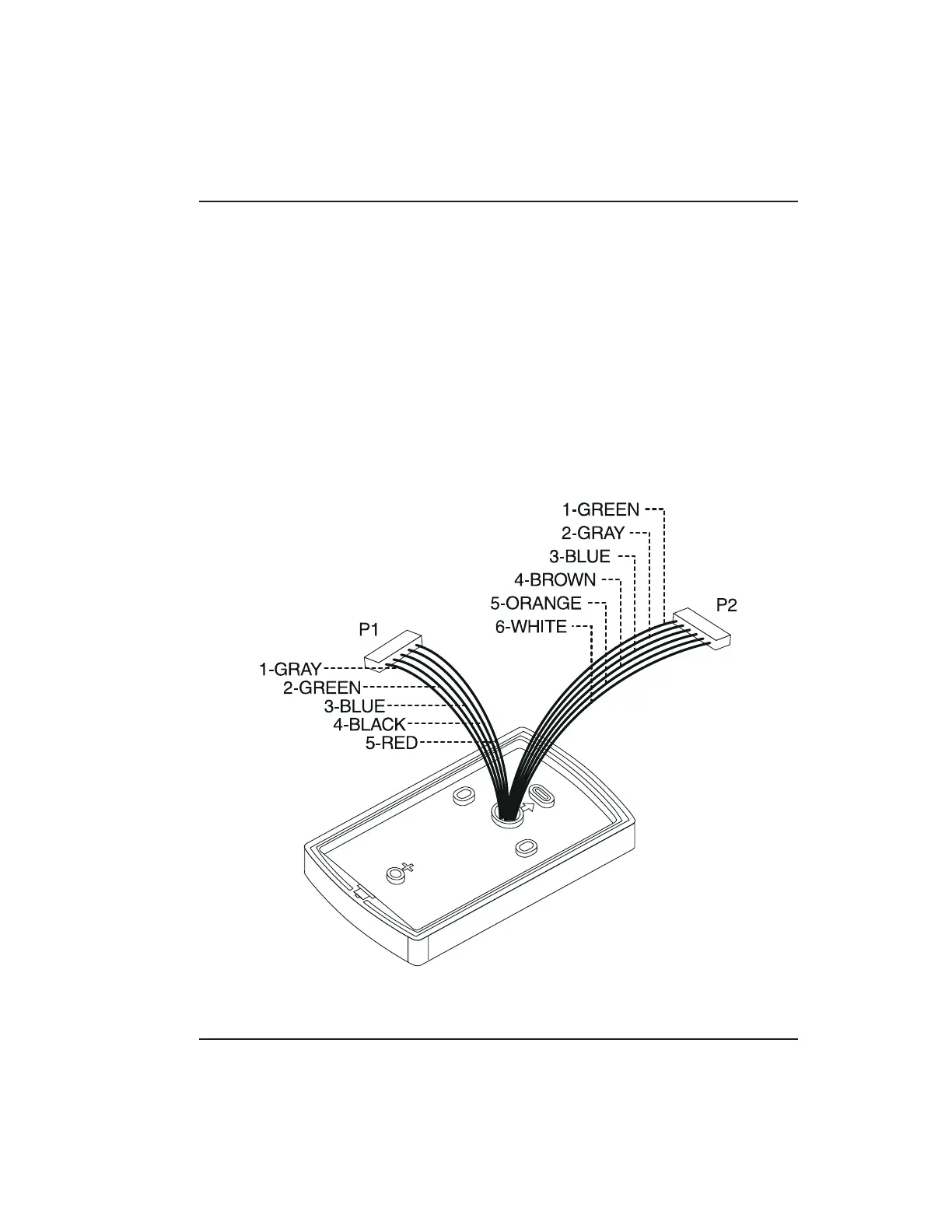
Figure 2-1 below provides a detailed illustration of the
prox.pad plus wiring harness. Figure 2-2 illustrates the
Pin connectors on the main circuit board; Table 2-2
describes these four Pin connectors, P1, P2, P4, and P5.
Figure 2-1 prox.pad plus Wiring Harness
2.3 Checking the Cables Chapter 2: Installation
prox.pad plus Install/Program. Manual, PPP, D2 2-3



 To Next Page