3.2 prox.pad plus
Communications
The prox.pad plus is equipped with RS-485 communi-
cations with a data rate of 19200 bits/sec. This allows
you to connect the unit to a personal computer (PC)
either via the computer’s COM (serial) port or over a
computer network to manage the system using Hub
Manager Professional (version 5 or higher) software.
To connect the prox.pad plus unit to a computer COM
port (which is RS-232), an RS-232 to RS-485 converter
is required. To connect the prox.pad plus unit via a
computer network, the IEI Gateway device is required.
The maximum distance from the RS-485 device is
4,000 feet using the specified cable.NOTE:TheTer-
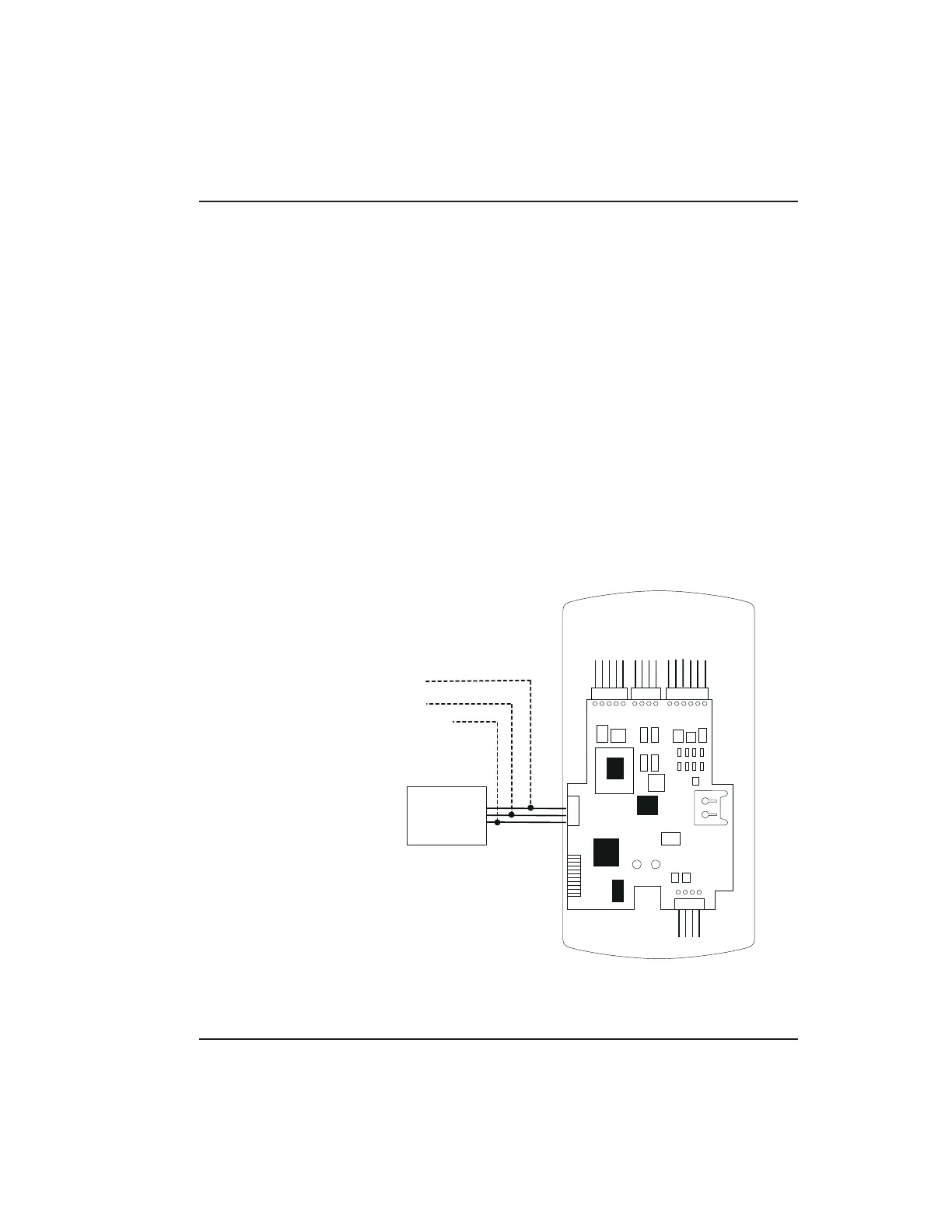
minator wire may not be required. Figures 3-8 and 3-9
show exam ples of both connection types. Please see
the instructions for your RS-232 to RS-485 converter
or the instructions for the IEI Gateway for details about
those devices. For details, refer to EIA RS-485 specifi-
cations.
RS-232 RS-485
RS-232 to RS-485
Converter
To PC
COM port
ó
2-Brown (Data A)
3-White (Data B)
4-Green (Data GND)
NOTE: The Terminator wire
may not be required.
P1
P3
P2
P5
P4
Figure 3-8 Connecting the prox.pad plus
to a PC COM Port
3.2 prox.pad plus Communications Chapter 3: Wiring
prox.pad plus Install/Program. Manual, PPP, D2 3-13



 To Next Page