2.5 Inserting
Circuit Boards
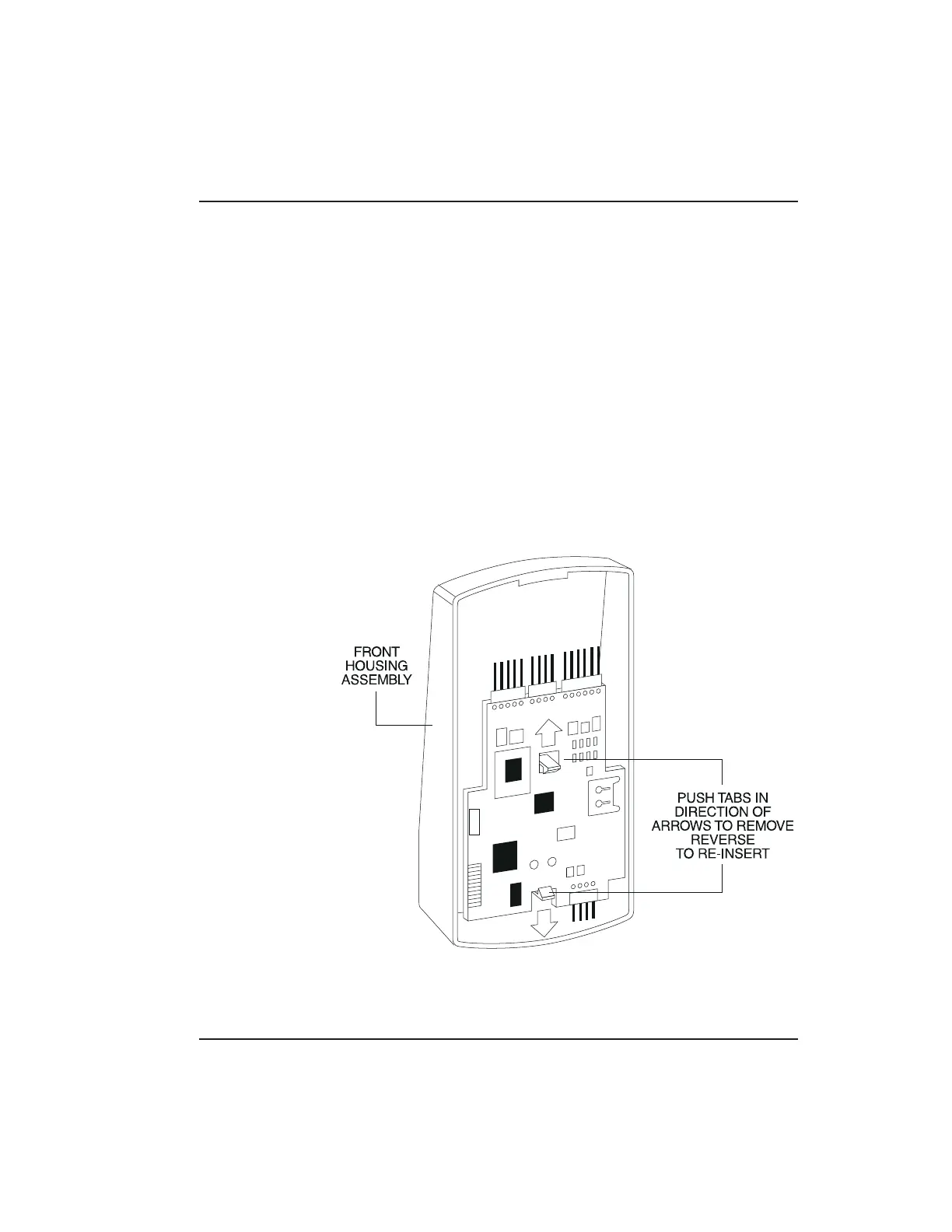
If it proves necessary to remove or insert the main
circuit board from/into the prox.pad plus control-
ler/keypad, follow the steps below.
1. Disconnect the back housing of the prox.pad plus
unit from the front keypad/controller.
2. (When handling the main printed circuit board,
to guard against possible static discharges, hold
the board by its edges with one hand and then
touch a grounded object BEFORE touching the
prox.pad plus unit.) Remove the main printed
circuit board by pressing the two spring tabs in
the direction of the arrows as shown in Figure 2-6.
Be careful with the wires.
Figure 2-6 Removing/Inserting Printed Circuit
Board
2.5 Inserting Circuit Boards Chapter 2: Installation
prox.pad plus Install/Program. Manual, PPP, D2 2-15



 To Next Page