42
Ioline FlexJet User Guide
Prepare the Printer
1. Load the printer with paper that is a minimum of 46-in wide.
(Follow the loading instructions under the Operation chapter.)
Install cartridges.
2. Move the carriage using the Arrow keys so that the carriage
notch is over the paper and roughly one inch from the right
paper edge.
3. Put the printer in START (green light) mode by pressing the
Set Origin key. (See the Operation chapter for more details on
preparing to plot.)
4. Start the FlexJet Control Center software. Ensure that there
are no errors when the program tries to communicate with the
printer. If errors occur, check the cables and ensure that the cor-
rect port number and baud rate are selected. (See Connect the
FlexJet to the Computer: Overview in the Installation chapter for
information on serial port connections.)
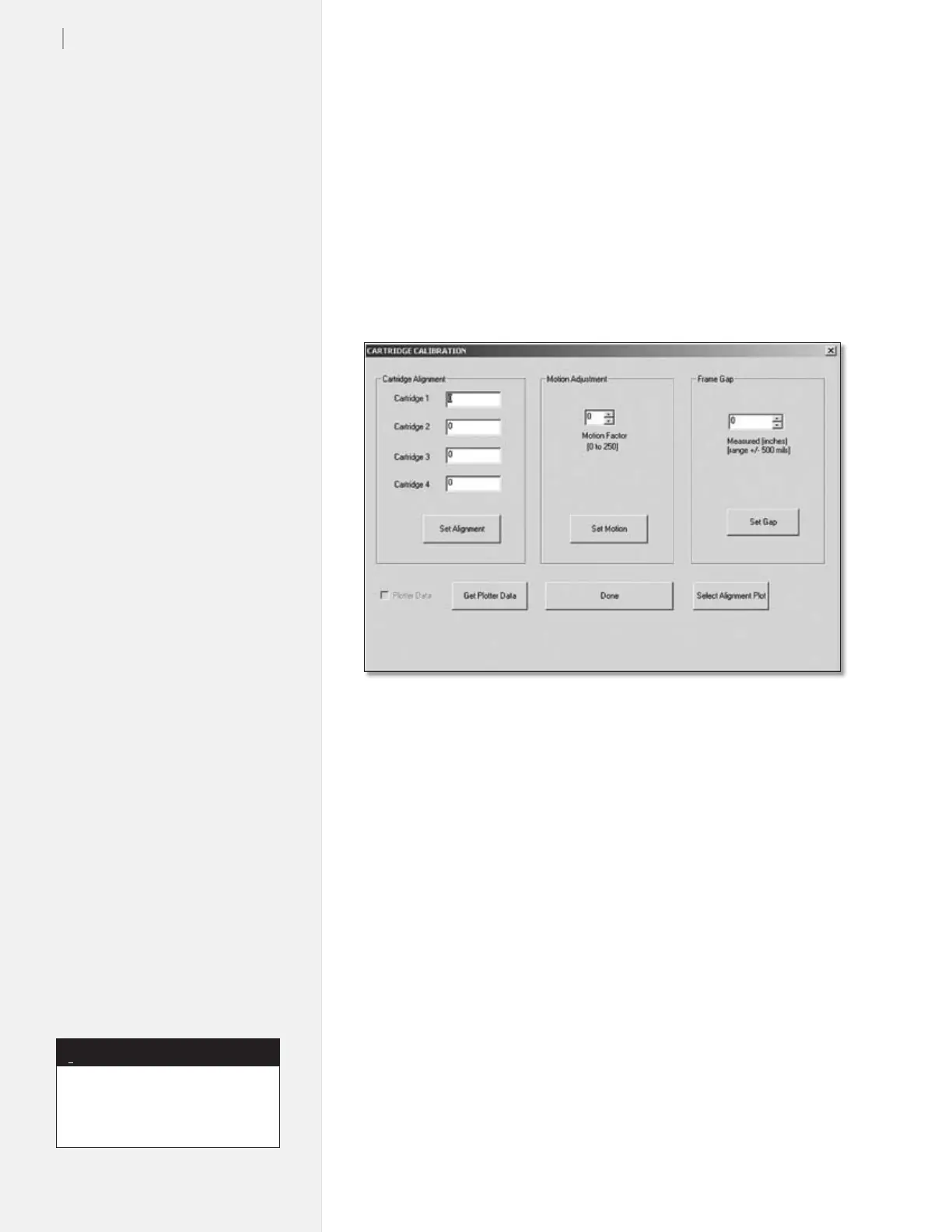
Figure 29. Cartridge calibration window.
Cartridge Calibration
There are three types of adjustments associated with the ink cartridges.
Most line quality issues are resolved by adjusting these values.
n Cartridge Alignment aligns each individual ink cartridge rela-
tive to one another.
n Motion Adjustment aligns scans in the direction of carriage travel.
n Frame Gap aligns scans in the direction of paper movement.
Cartridge alignment is not neces-
sary for FlexJets with a single
activated cartridge stall.
Note
i



 To Next Page