iPECS eMG80
Hardware Description and Installation Manual Issue 1.3
23
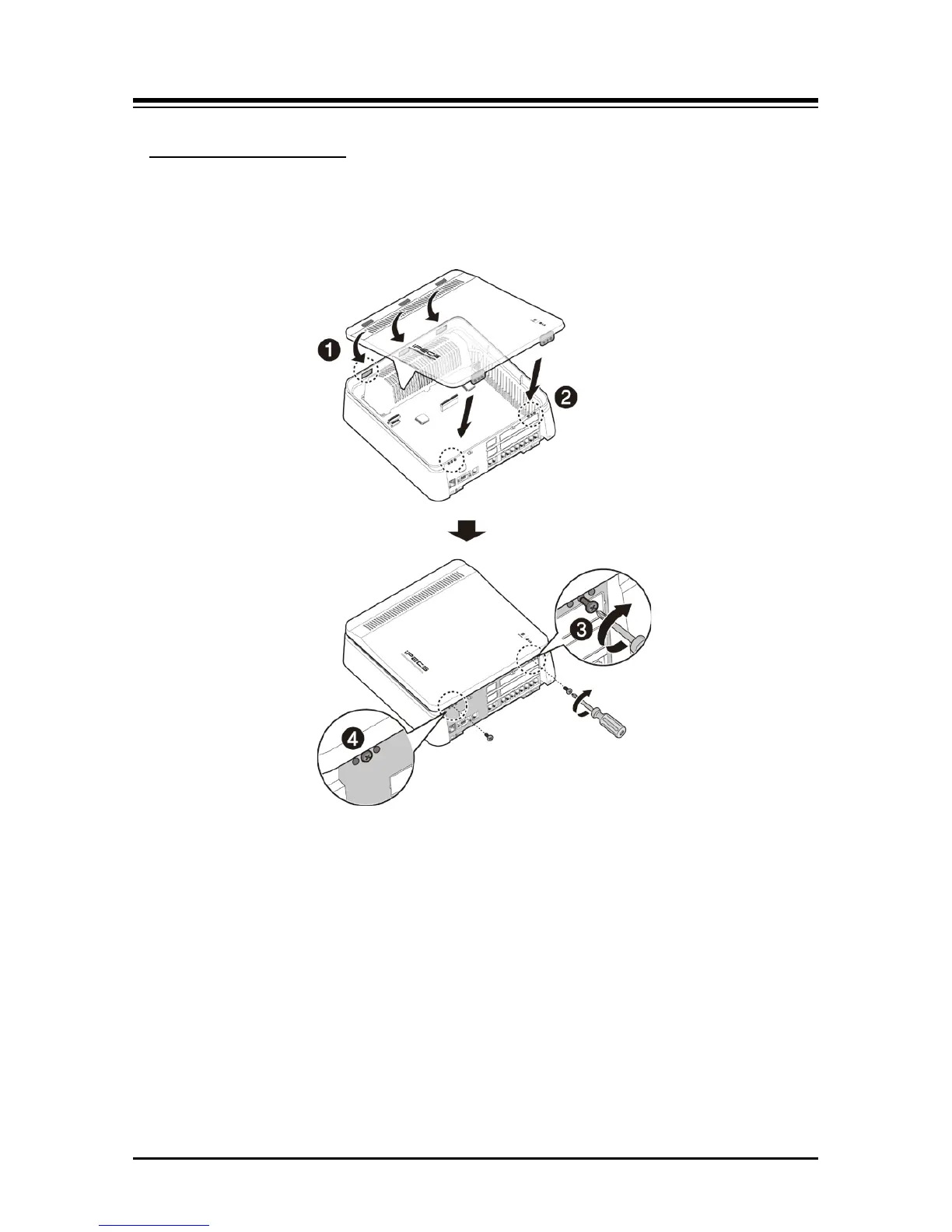
1. Insert the front cover into the slot on the KSU correctly.
Closing the Front Cover
2. Then put the front cover down on the KSU in the direction of the arrow.
3. Insert screws in the middle of tapped hole and then tighten screws with screwdriver to fix
the front cover.
Figure 4.2 Closing the Front Cover
NOTE
Prior to operation, the front cover must be closed and the screws are tightened for safety.


 To Next Page