Operation
Modline 5
Rev. L6 Feb 2017 103
Before turning on the Laser remotely with the DPM Digital Panel Meter Interface or
other devices using RS– 485 Communications, or a remote switch, insure there are no
personnel in the path of the beam.
Normal Rear Panel Operation. See next page for Remote Switch
Operation:
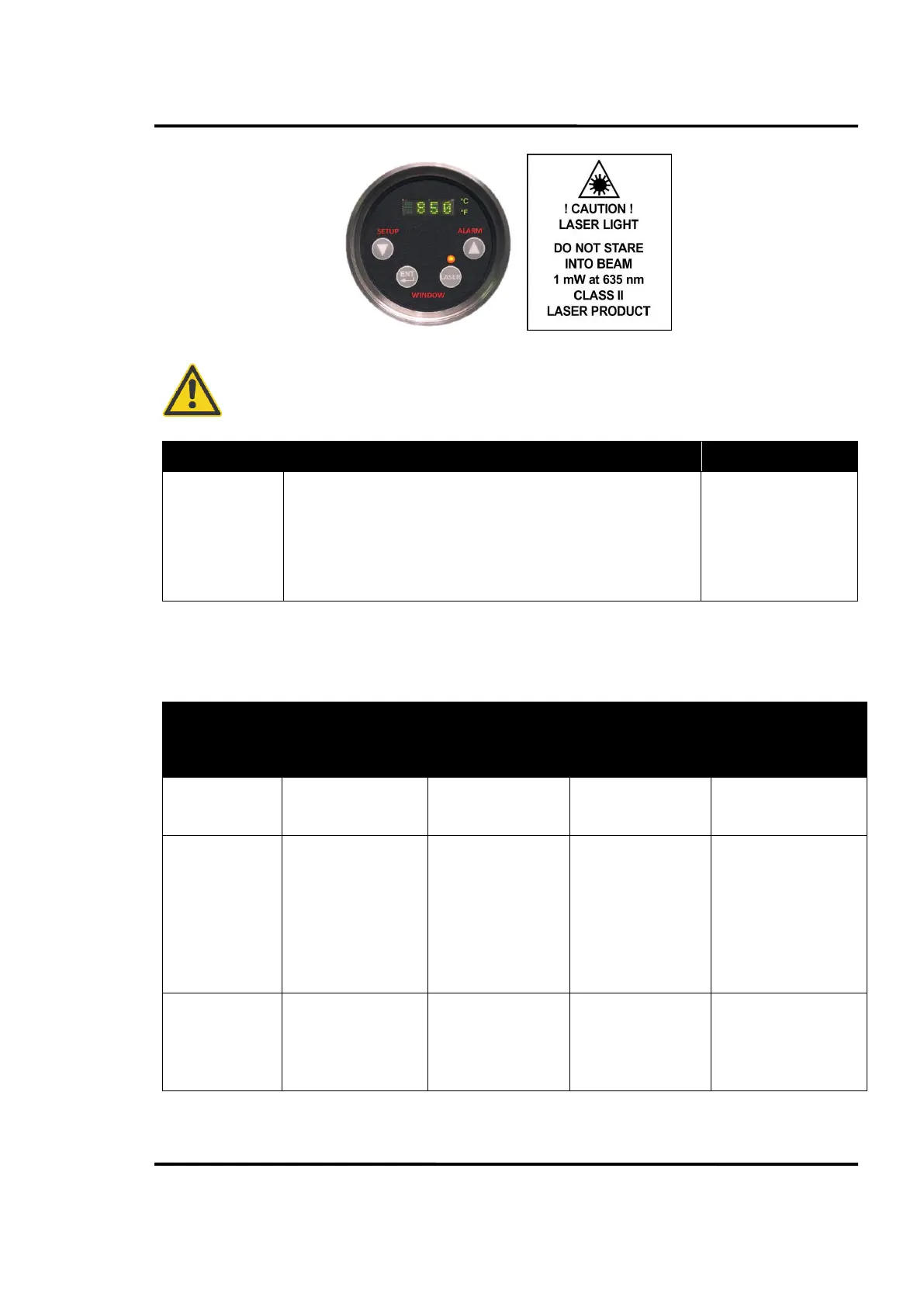
Under safe operating conditions, Momentarily depress LASER
pushbutton to energize the Class 2 Laser. Press pushbutton again to
de-energize. Laser will automatically turn off after 20 minutes if not de-
energized.
LED above LASER
Button Lights
Remote Laser Operation (Sensor Firmware Versions 1.08 and Higher)
Remote operation is selected from the COMMS – LASR Menu. The operation for PANL, I IN and SWIT
modes of operation are explained below.
COMM Menu
LASR Mode
Selection
Sensor Rear Panel
LASER Switch
RS-485
LS Command
(ModView, DPM,
MSI)
Peak/Hold Switch
(Remote SPST
Switch Required)
I – IN Current Input
(Remote SPST Switch
Required)
Energizes and turns
Laser Off.
Energizes and turns
Laser Off.
Not Enabled for Laser
Operation.
Not Enabled for Laser
Operation.
I IN
Remote Current
Input Operation
Can de-energize Laser
anytime.
Can Energize Laser.
Condition Set One
applies.
Can de-energize Laser
anytime.
Can Energize Laser.
Condition Set One
applies.
Not Enabled for Laser
Operation in I IN
mode.
15 mADC input current
(Switch Closed)
energizes Laser.
Current disconnected
(Switch open) de-
energizes laser.
Condition Set One
applies
SWIT
Remote Pk/Hd
Switch
Operation
Can de-energize Laser
anytime.
Can Energize Laser.
Condition Set Two
applies.
Can de-energize Laser
anytime.
Can Energize Laser.
Condition Set Two
applies.
PkHd Switch operates
Laser.
Condition Set Two
applies.
Not Enabled for Laser
Operation in SWIT mode


 To Next Page