RS-485 Digital Communications
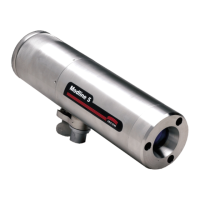
Modline 5
Rev. L6 Feb 2017 107
6 RS-485 Digital Communications
6.1 Introduction
The MODLINE 5 Sensor permits RS-485 digital signal interchange of ASCII coded information with a
host computer, PLC (Programmable Logic Controller), or any other RS-485 device. The external device
can obtain information from the Sensor and modify Sensor settings.
Be thoroughly familiar with operation of the sensor as explained in Section 5 Operation, page 82 of
this manual!
The Yellow and Yellow/White twisted wire pair of the standard Sensor interconnecting cable carries the
signal .See Section 4 Sensor Wiring, page 64 of this manual for wiring, termination and use of extension
cables.
6.2 Basic Operation
The RS-485 Digital Communications interface allows an external device to communicate with the Sensor
by sending messages it can understand. Any messages the Sensor sends back will also be in its own
“language”. The messages are based on a list of commands described in this section. Any values
included in the messages are in decimal and bit mapped values.
Whenever there is a need to change a Sensor parameter or to obtain information from the Sensor, the
external device must send a properly coded and formatted message. If there is any error, the Sensor will
ignore the message. In turn, when the Sensor transmits information back to your external device, the
response message will be in the same standard message format. The external device must be able to
interpret the response message.
Command Codes are the part of the message that request work (change values, etc.) to be done by the
Sensor. Commands that request work are “Write” commands. The same codes used Read commands
request the Sensor to report the status of the work. Command Codes are listed later in this section. All
except one of the command codes can be used as Read commands to obtain the current status of
functions and readings. Many commands are write compatible and are used to change settings.
Read request command messages sent from the external RS-485 device cause the Sensor to automatically
send back a status message. For example, if the external device (host/PLC) sends a read command to
the Sensor to report the Emissivity value, the Sensor sends a response message containing the current
Emissivity setting.
Write command messages sent by an external device include value or other information. These
messages will cause a change of Sensor parameters. The Sensor replies with a status message.
Note: Writing new values into the unit will cause it to stop updating the temperature the temperature
for up to 200 milliseconds.


 To Next Page