Chapter 2 INSTALLATION & SETUP
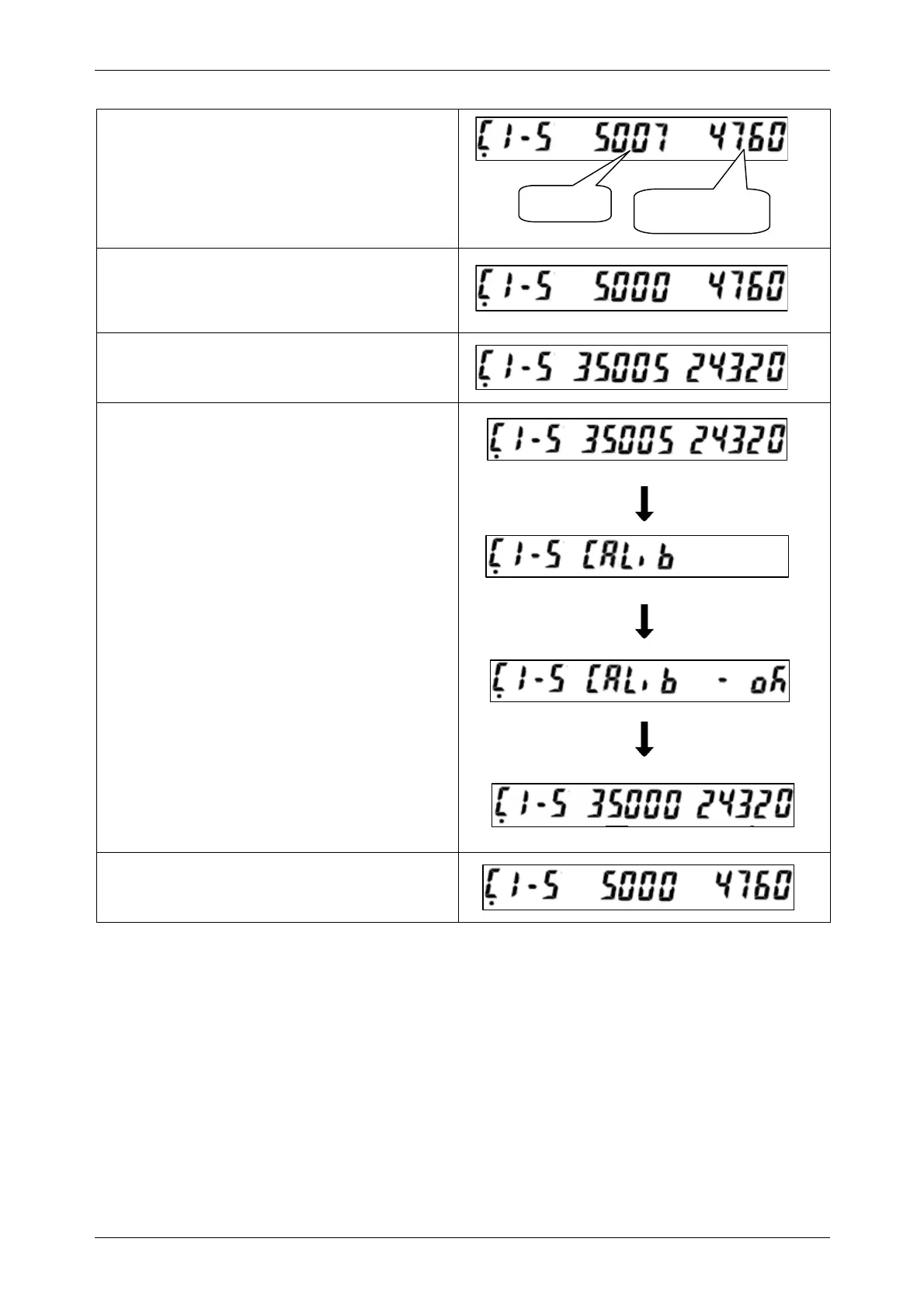
• Press the [ADD] key to move to the span
condition adjustment menu (C1-5).
• Press the [ZERO] key and confirm that the
A/D value shows “5000" and the value for
internal inspection shows within the range.
• Place weights that are equivalent weight to
the weighing capacity on the weigh platter.
• Press the [TARE] key to execute span
adjustment.
• Remove weights from the weigh platter.
Value for internal
inspection
A/D value
INS-100 Service Manual No. 085-6692-09 19


 To Next Page