Chapter 2 INSTALLATION & SETUP
2.6.11 Memory Button
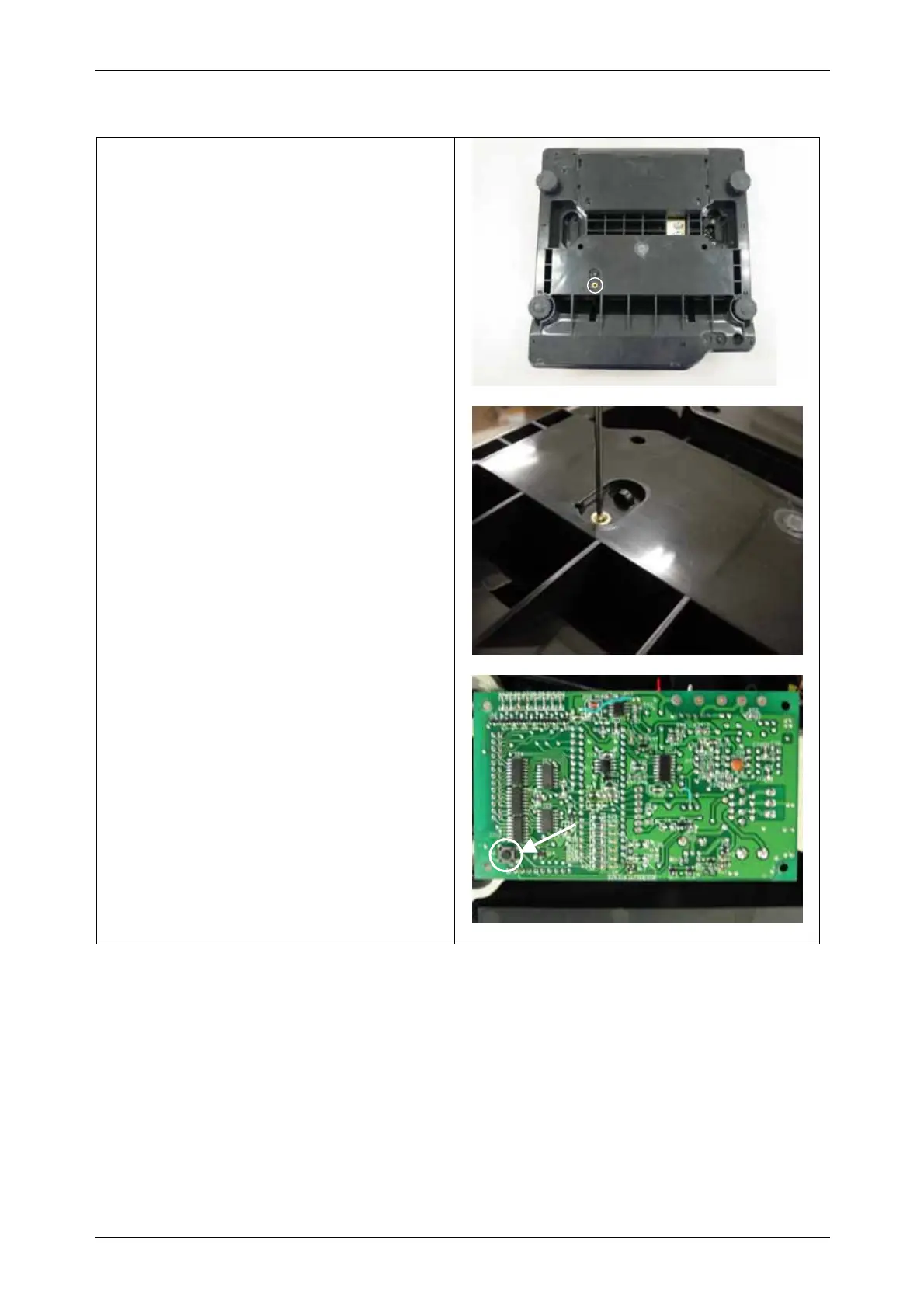
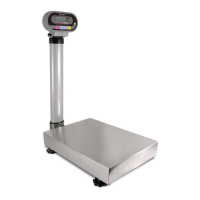
• Memory button is located on the main board.
• There is a hole for memory button on the base
of the machine.
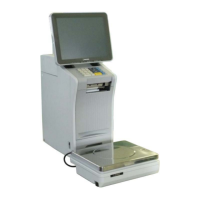
• Push the memory button through the hole
using a smaller screw-driver or stick to store
all change data in the memory.
Memory button
26 INS-100 Service Manual No. 085-6692-09


 To Next Page