Chapter 2 INSTALLATION & SETUP
2.6.3 Scale Adjustment (C1 Mode)
Scale adjustment (country code, weighing capacity, area, zero, span)
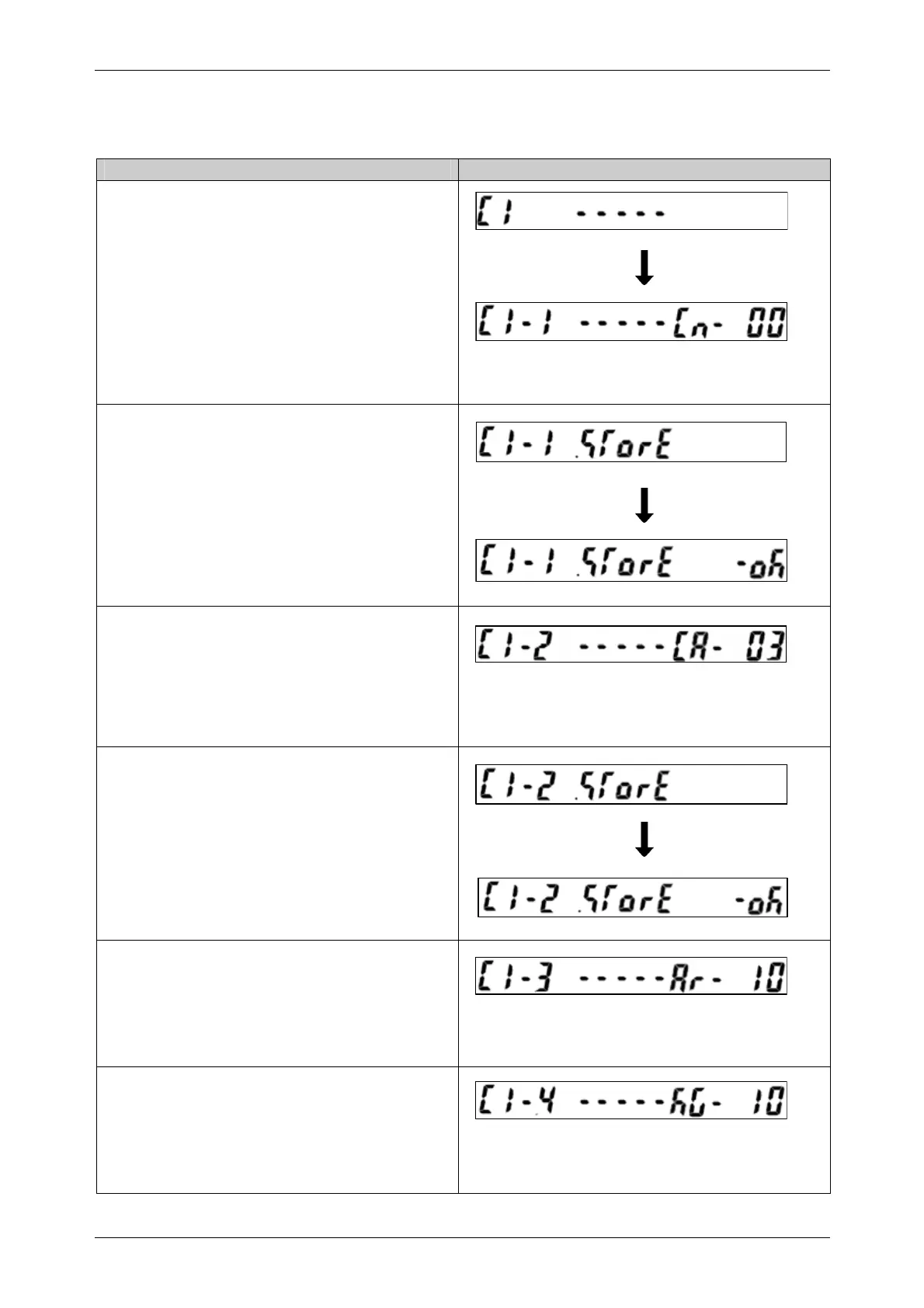
Operation Display
• Confirm that the “C1” menu is displayed.
• Press the [ADD] key to move to the country
code setting menu (C1-1).
• Press the [ZERO] or [TARE] key to increase
or decrease the set value.
Note: Refer to “Country Code Table” in Chapter 4.
• If the memory button is pressed at this point,
“STORE OK” display will appear.
(Refer to Section 2.6.11 in this Chapter)
• Press the [ADD] key to move to the weighing
capacity setting menu (C1-2).
• Press the [ZERO] or [TARE] key to increase
or decrease the set value.
Note: Refer to “Weighing Capacity Number Table” in
Chapter 4.
• If the memory button is pressed at this point,
“STORE OK” display will appear.
(Refer to Section 2.6.11 in this Chapter)
• Press the [ADD] key to move to the area
setting menu (C1-3). (Not used)
• Press the [ZERO] or [TARE] key to increase
or decrease the set value.
• Press the [ADD] key to move to the zero point
adjustment menu (C1-4).
• Press the [ZERO] or [TARE] key to increase
or decrease the set value.
18 INS-100 Service Manual No. 085-6692-09


 To Next Page