Chapter 2 INSTALLATION & SETUP
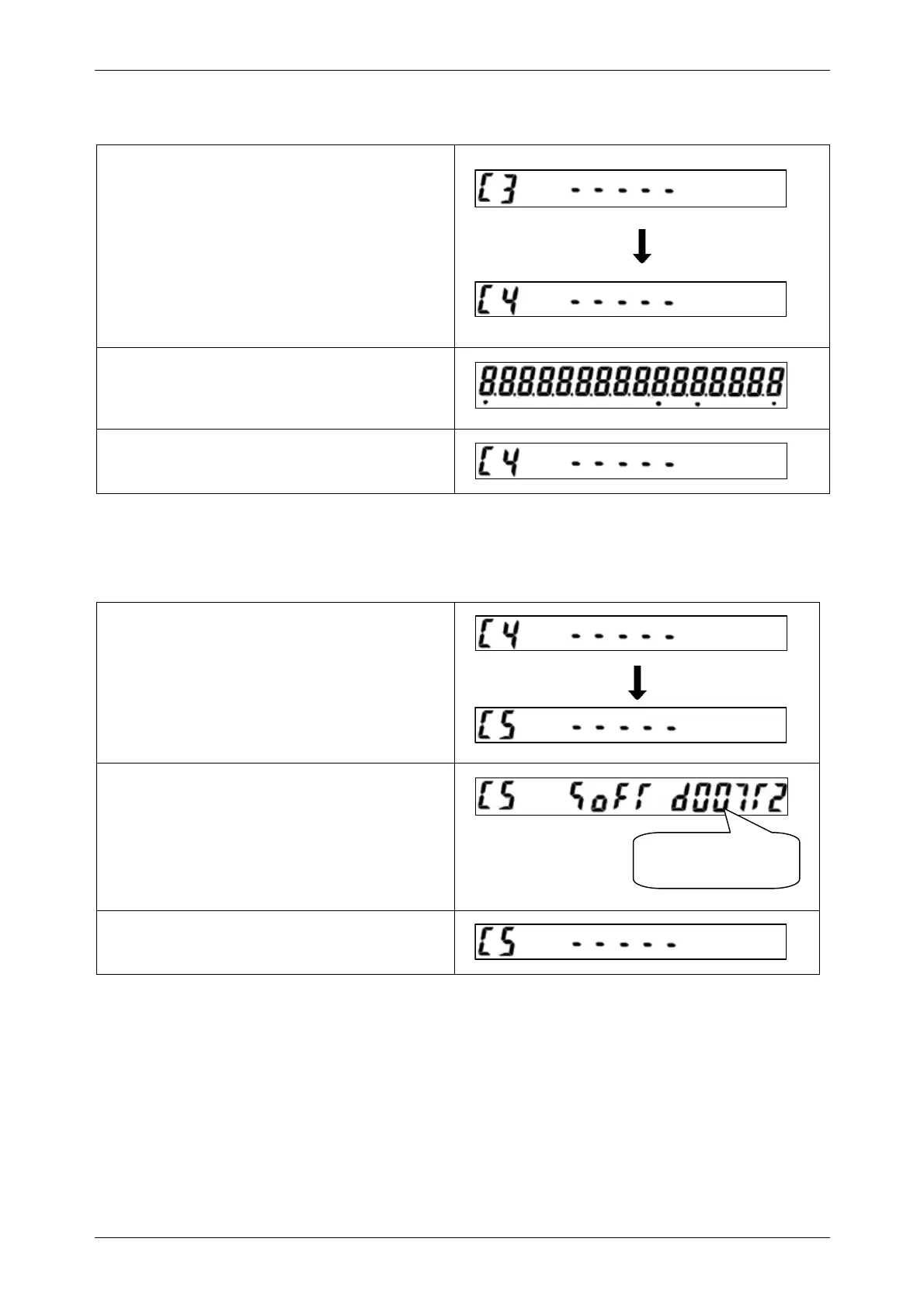
2.6.6 Display Check 2 (C4 Menu)
• Confirm that the “C3” menu is displayed, and
press the [ZERO] key to enter into the
detailed display check menu (C4).
• Press the [ADD] key to advance step.
• Press the [CLEAR] key to return to “C4”
menu.
2.6.7 Software Number Display
• Confirm that the “C4” menu is displayed, and
press the [ZERO] key to enter into “C5” menu.
• Press the [ADD] key to advance step.
• Confirm on the software number shown on
the display.
• Press the [CLEAR] key to return to the “C5”
menu.
Software number
22 INS-100 Service Manual No. 085-6692-09



 To Next Page