Chapter 2 INSTALLATION & SETUP
2.6.8 RAM/E2ROM Clear (C6 Menu)
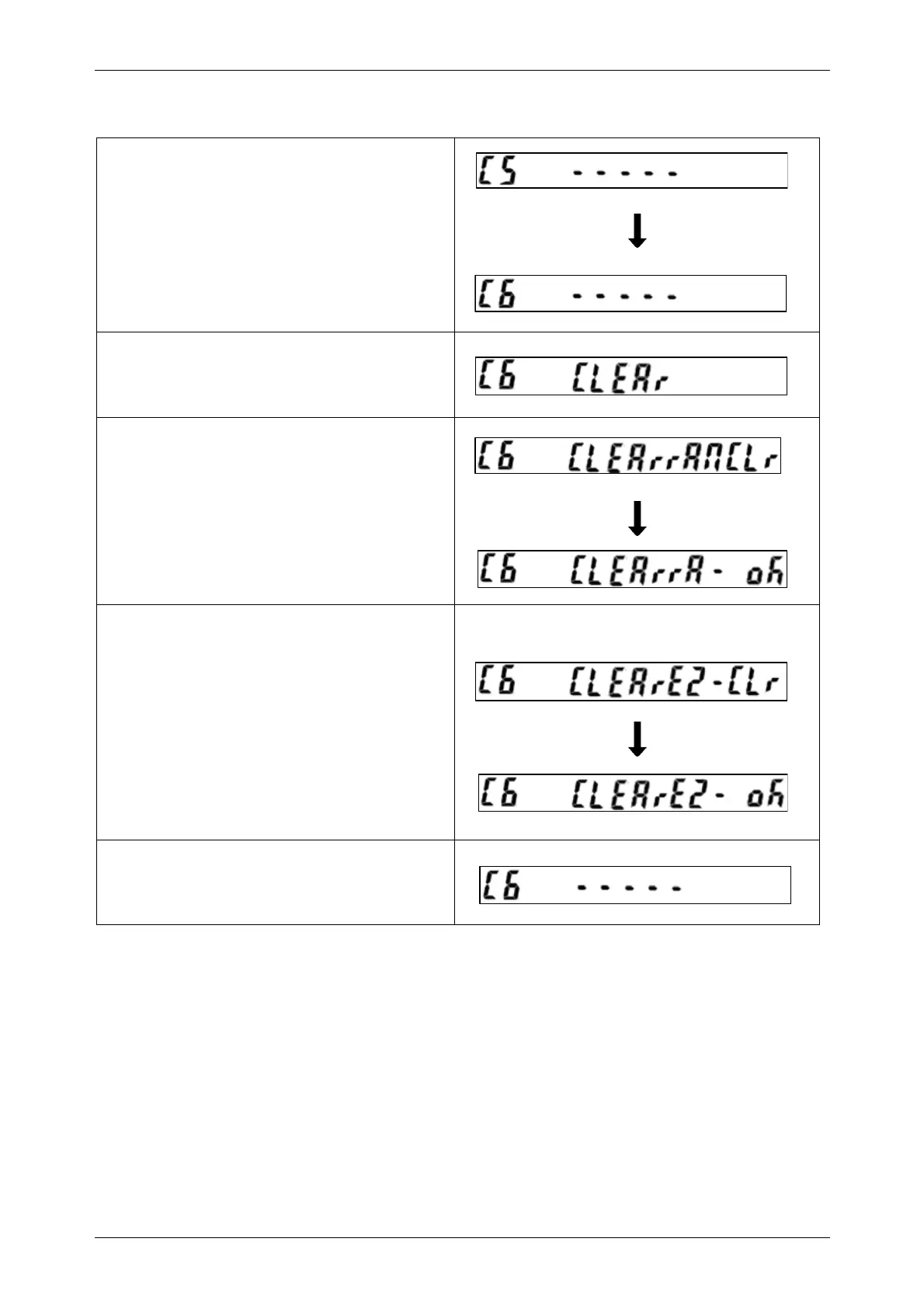
• Confirm that the “C5” menu is displayed, and
press the [ZERO] key to enter into “C6” menu.
• Press the [ADD] key to advance step.
• Press the [ZERO] key twice to clear RAM
data.
• When the Memory Button is pressed, displays
will appear as shown in the right.
• Press the [CLEAR] key to return to the “C6”
menu.
Note: Country code will become “0” after RAM data is cleared.
INS-100 Service Manual No. 085-6692-09 23


 To Next Page