Chapter 4 PROGRAMMING MODE
4.11.4 EMPHASIZING CHARACTERS
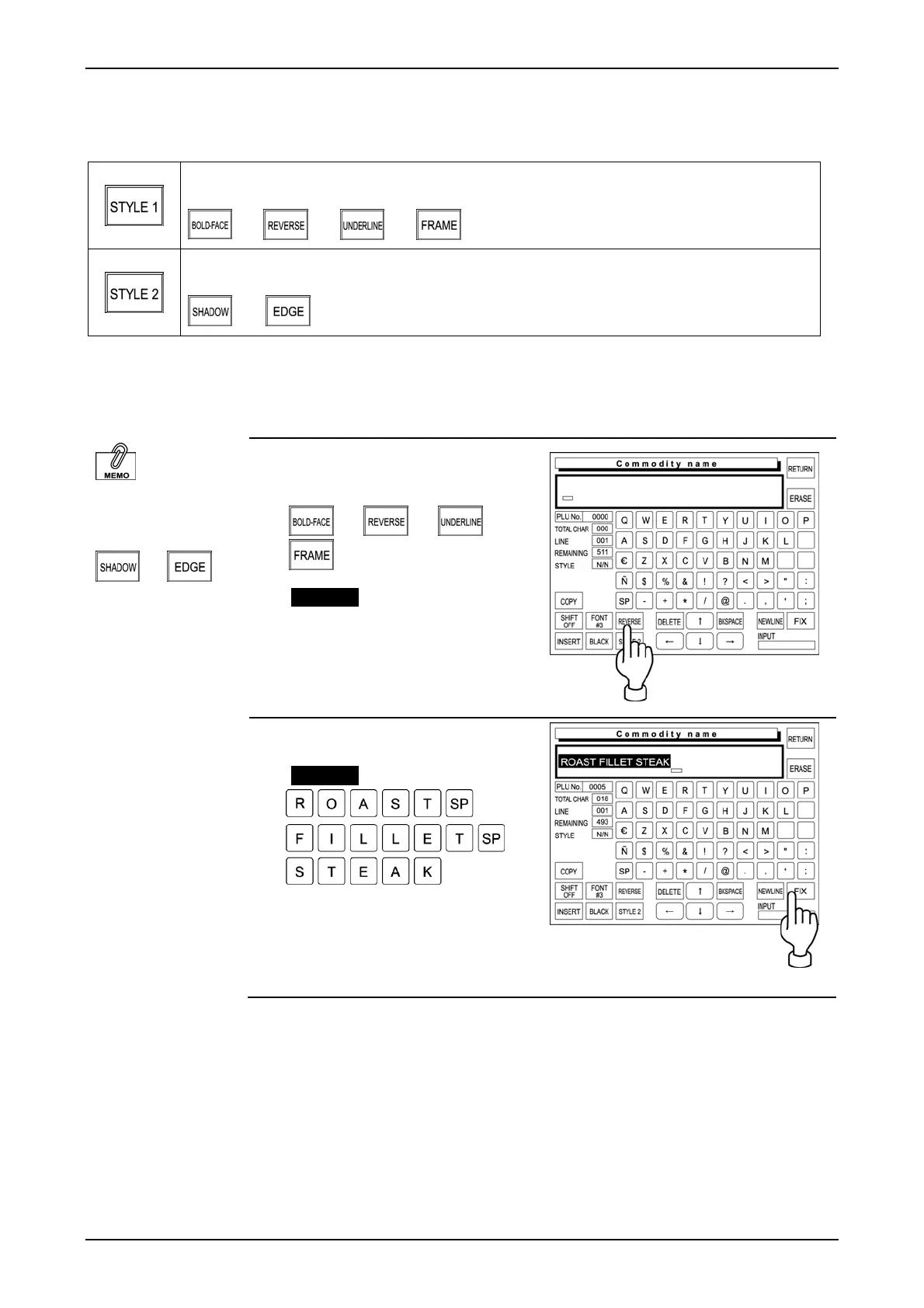
[STYLE 1] and [STYLE 2] keys are used to emphasize the characters.
Touching this key changes the key display in the following order.
Touching this key changes the key display in the following order.
The following procedure explains how to emphasize characters.
EMPHASIZING CHARACTERS FIRST
“Style 2” function is
available only when
two color thermal
heads are used.
or
1. Touch to select one of the “Style
1” functions.
or or or
Example “Reverse”
Touch [STYLE 1] repeatedly until
[REVERSE] appears on the key
display.
2. Enter the desired characters.
Example “Roast Fillet Steak”
Touch [FIX] to confirm the edited
text image on the display.
IP-EMZ Operation Manual page 4-35



 To Next Page