Chapter 4 PROGRAMMING MODE
EMPHASIZING CHARACTERS LATER
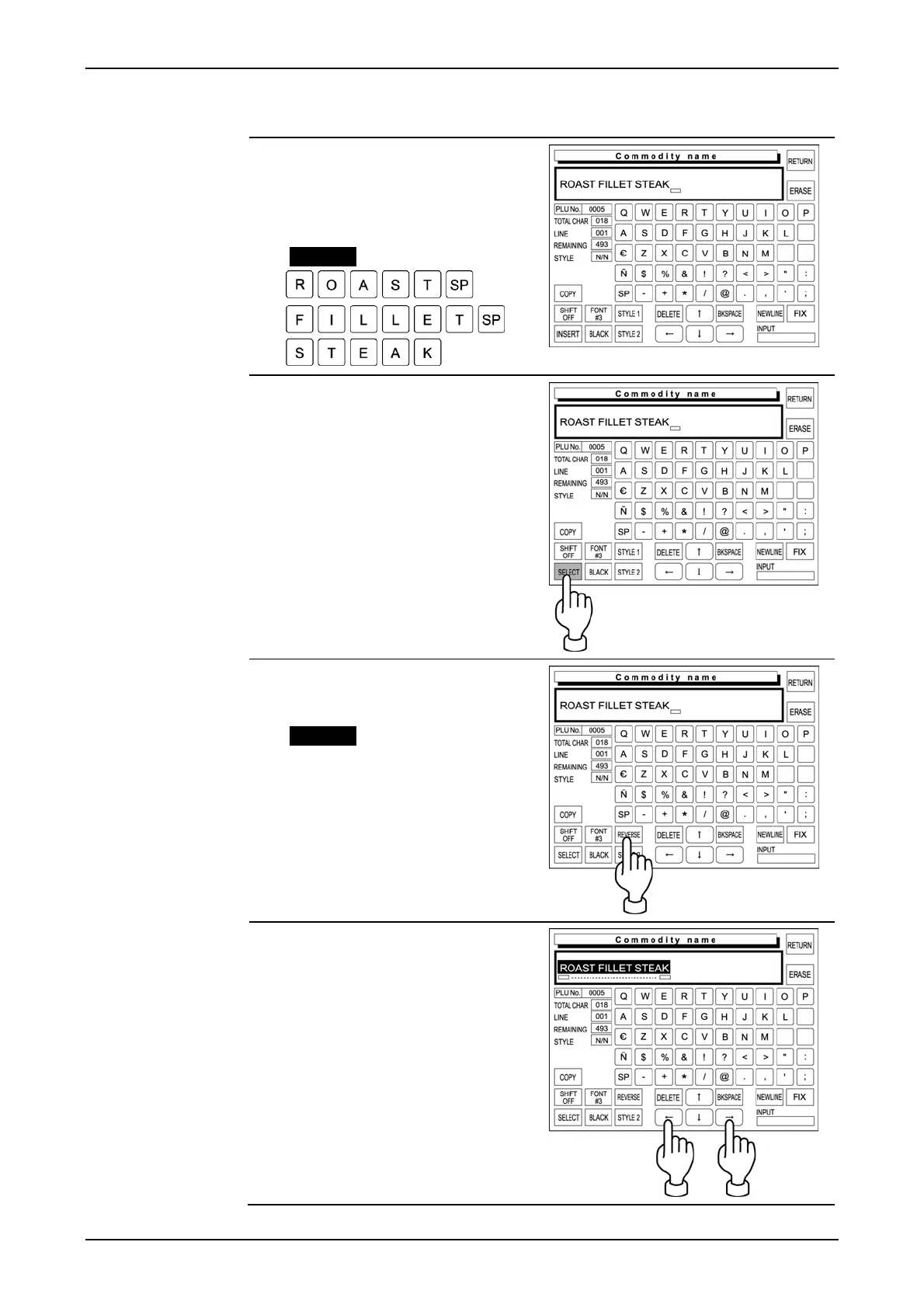
1. Confirm that the existing text is
displayed on the text display field.
Otherwise, enter the desired
characters.
Example “Roast Fillet Steak”
2. Confirm that [SELECT] is
selected on the screen.
If not selected, touch [INSERT] to
change the key display to
[SELECT].
3. Select [REVERSE] by touching
[STYLE 1] repeatedly.
Example “Reverse”
4. Use [←] and [→] keys to select
the characters to be emphasized.
page 4-36 IP-EMZ Operation Manual



 To Next Page