Chapter 4 PROGRAMMING MODE
4.11.5 ERASING ENTIRE TEXT
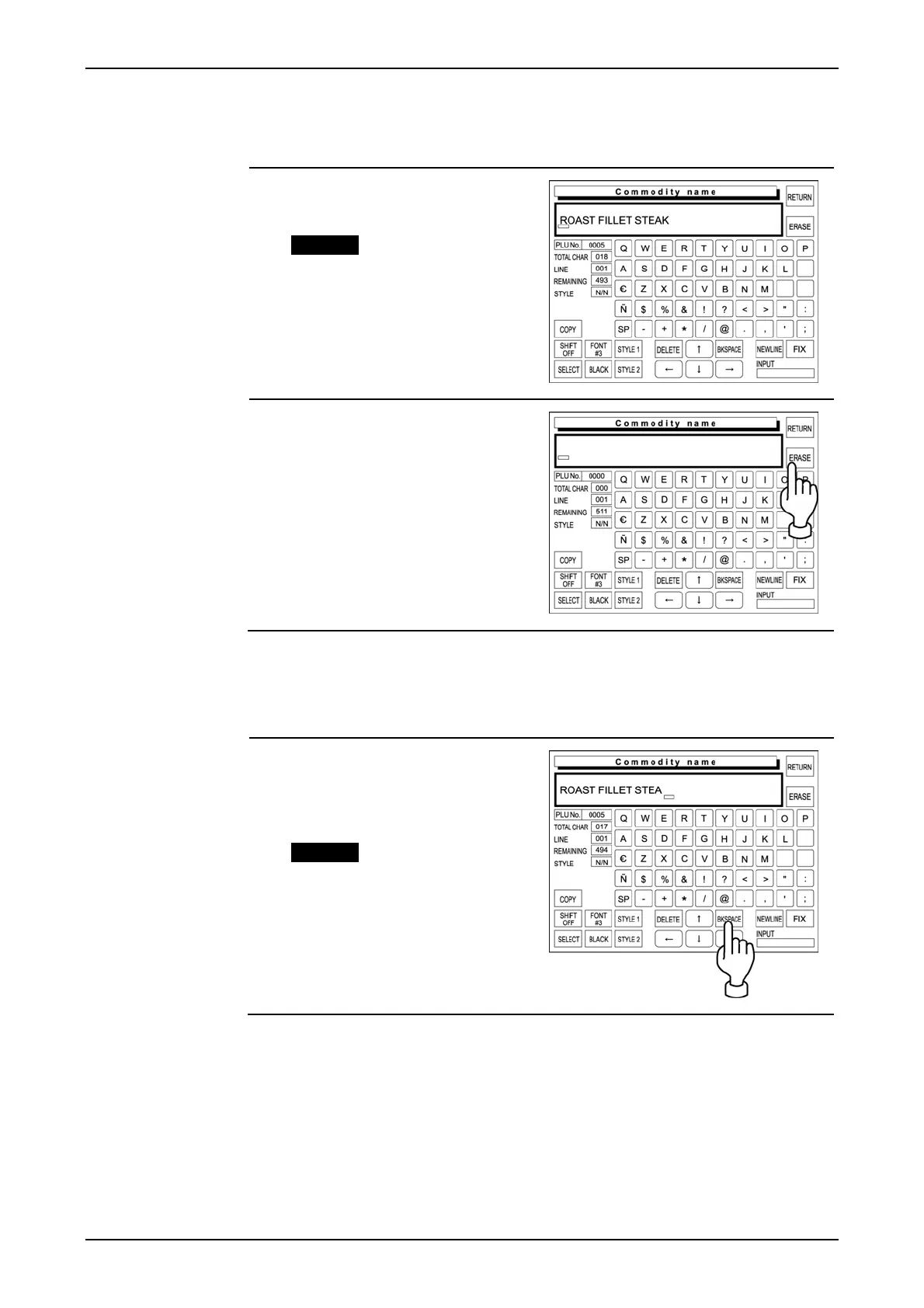
The following procedure is used to delete the entire text displayed on the text display field.
1. Confirm that the existing text is
displayed on the text display field.
Example “Roast Fillet Steak”
2. Touch [ERASE] on the screen to
delete the entire text.
4.11.6 BACK SPACING
The following procedure is used to move the cursor back, and delete a character if any.
1. If you have misspelled, press
[BACK SPACE] on the screen to
delete the character that has
been lastly entered.
Example “Roast Fillet Steal”
IP-EMZ Operation Manual page 4-37



 To Next Page