Appendix: TEXT EDITING
A-6 UNI-3 User’s Manual
A.3.4 CHARACTER DELETION
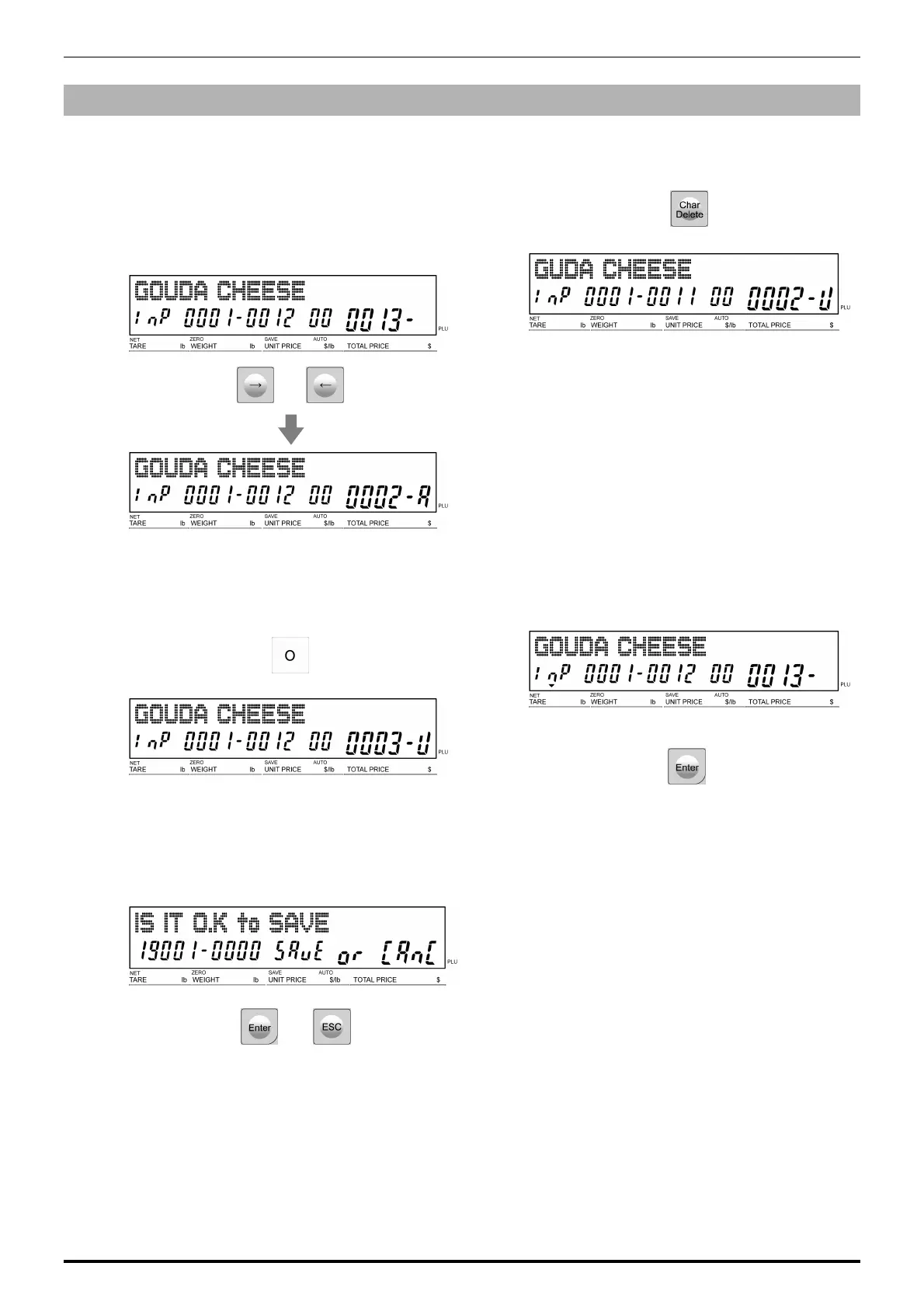
1.
Make a correction for a misspelled word,
move the cursor to a place where
misspelling is made by using the [→] or [←]
key.
Note: See the right-bottom area of the display
to check where the cursor is.
or
2.
Press the [Character Delete] key on the key
sheet to delete the misspelled character.
3.
Enter the correct character using the
alpha-numeric keys.
4.
Press [Enter] to register the editing.
5.
The confirmation screen is displayed.
To confirm changes, press [Enter].
To undo changes, press [ESC].
or



 To Next Page