Chapter 2: OPERATION MODE
UNI-3 User’s Manual 2-7
2.3.6 ISSUING RECEIPTS BY THE SAME OPERATOR
1.
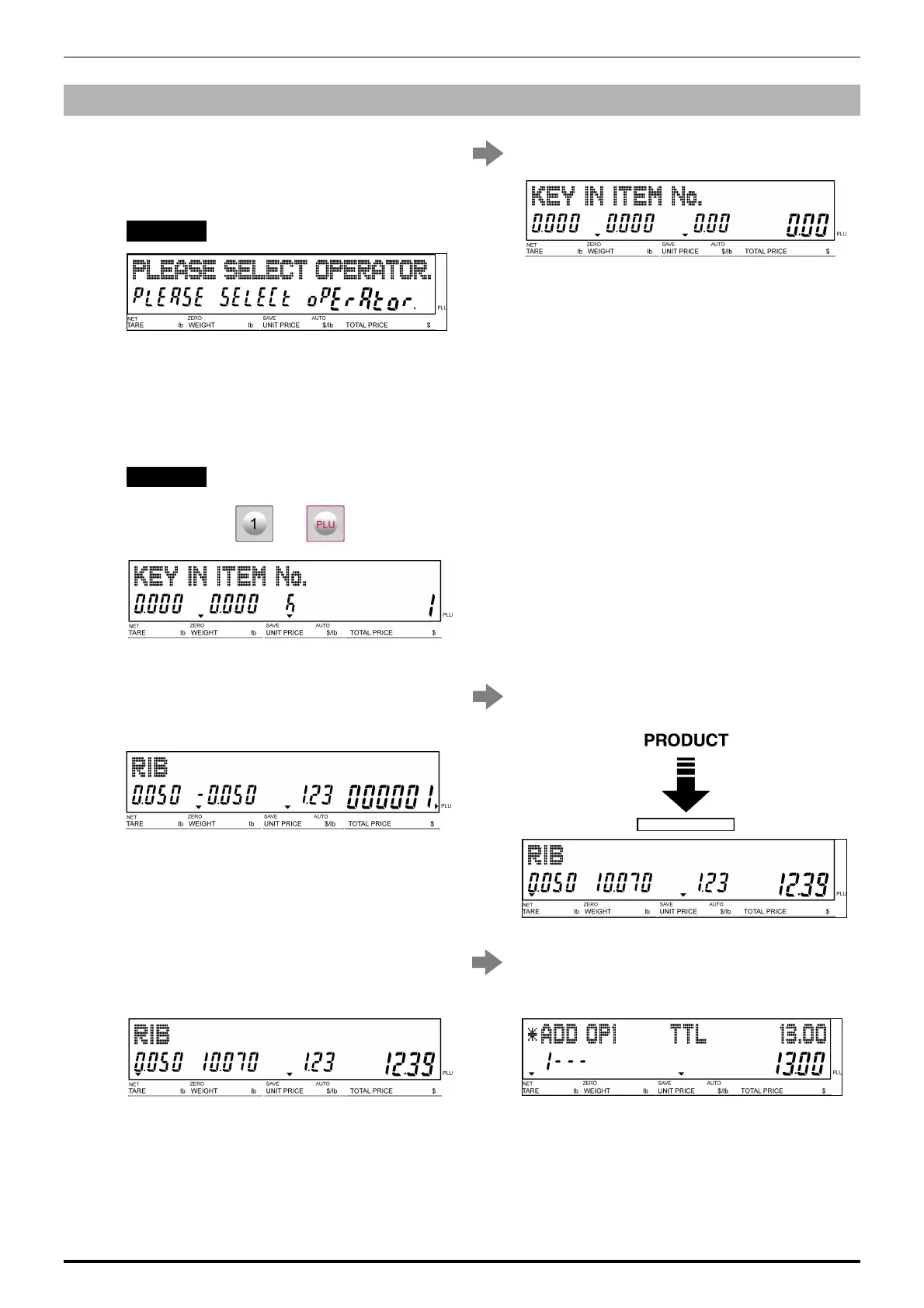
Ensure that the “Operator Selection” screen
is displayed.
Then, press an operator button for selection.
EXAMPLE Operator “BETTY”
The initial screen is displayed.
2.
Enter a PLU number and press the [PLU] key
on the keypad.
Note: If “ZERO” is not indicated on the screen, press
[0] on the keypad.
EXAMPLE PLU No.1 (weighing product)
3.
The designated weighing PLU screen is
displayed.
Put the product on the weighing platter.
4.
Press the [RECEIPT SUB-TOTAL] key to
complete the registration.
The subtotal screen for the designated
operator appears on the screen.



 To Next Page