Chapter 4: PROGRAM MODE
UNI-3 User’s Manual
4-15
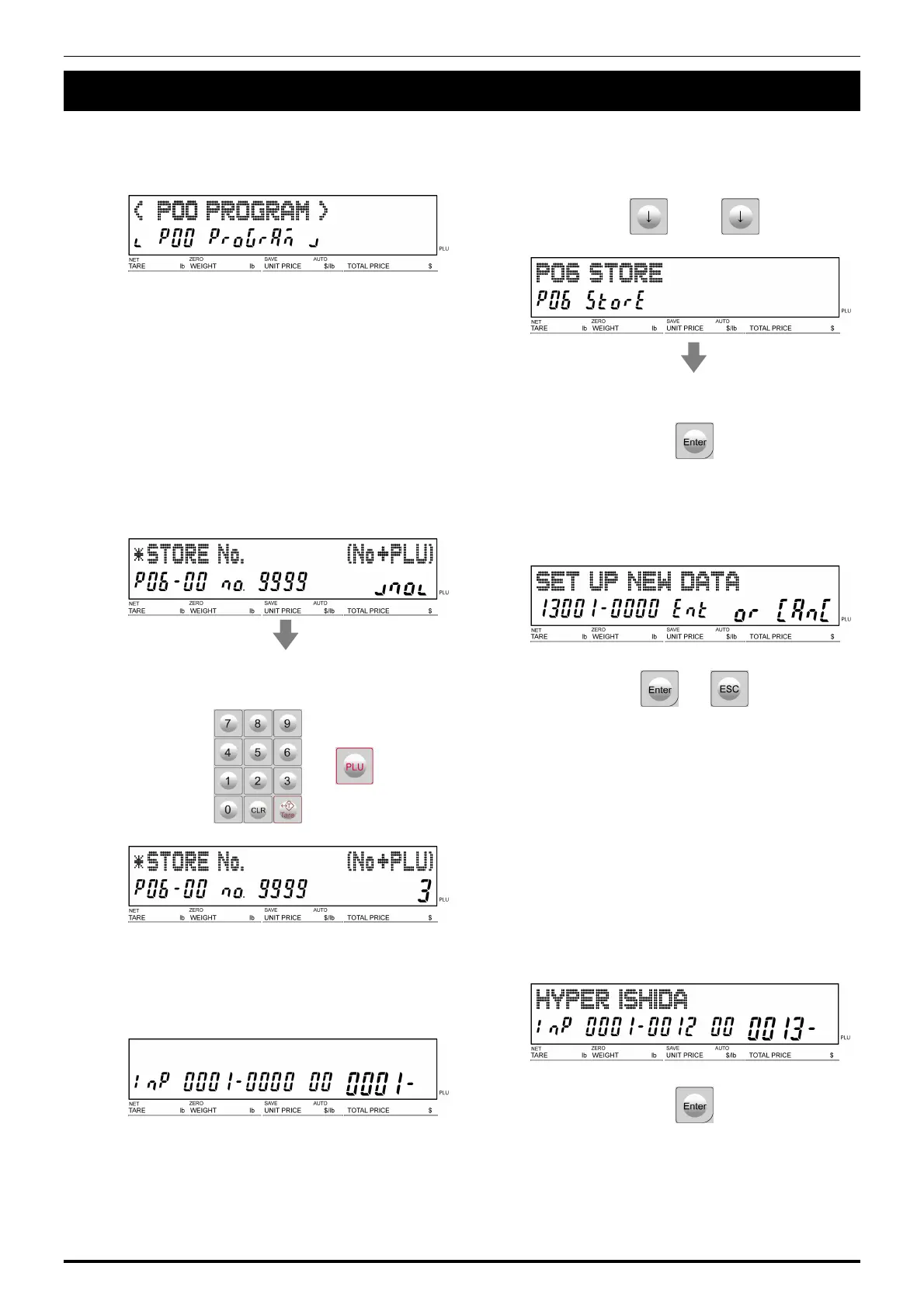
4.5 STORE DATA
1.
Ensure that the “Program Mode” display is
appearing.
2.
Press [↓] repeatedly to call up the “Store”
display.
● ● ●
Press [ENTER] to call up the lower level
menu.
3.
The “Store Number” display appears.
Enter the PLU number and press [PLU] key
to call up the desired Store data.
4.
If a non-registered item has been called, the
confirmation screen is displayed.
Press [Enter] to continue, or [Esc] to go back.
or
5.
The “Store / Name Edit” screen is displayed
for the selected store number.
Edit text according to the procedure
described in Appendix “Text Editing”.
6.
To finish the editing, press [Enter].



 To Next Page