iTriangle Infotech Pvt Ltd
Interface 28 of 43
Note: Engineering Documents are Highly Confidential
entered. If the braking value changes more than the threshold an event packet will get
generated.
HC Threshold: This parameter configuration contains 2 fields. One is enable/disable
checkbox. If the checkbox is ticked the Harsh Cornering will be enabled and vice versa. The
second parameter is an entry field in which, harsh cornering threshold in degrees is entered.
If the cornering value changes more than the threshold an event packet will get generated.
Over Speed Threshold: This parameter is used to configure the over speed threshold over
which an event packet will be generated in if the overspeed continues for over speed
duration threshold.
Over Speed Duration: This parameter is used to configure the over speed duration threshold
in seconds above which if the speed is more than over speed threshold, an event will get
generated.
7.5.2.4 Miscellaneous
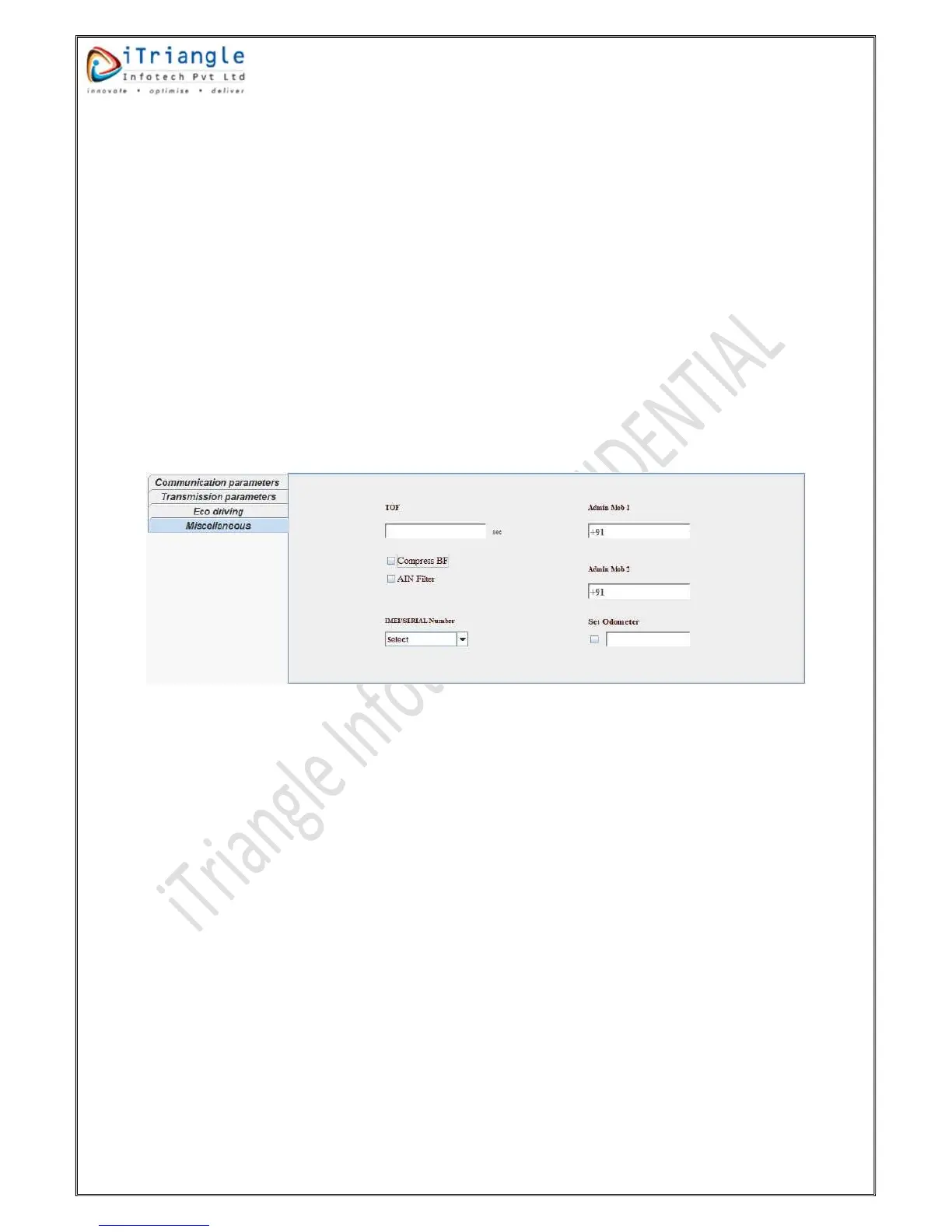
This group contains some miscellaneous configuration parameters. Please find the below figure for
the reference.
Figure 30:Miscellaneous
TOF: This parameter is used to set the time offset from the UTC/GMT. This value is
configured in seconds. e.g. for +5:30 it should be configured as 19800.
Admin Mob 1: This parameter is used to configure first Admin mobile number.
Admin Mob 2: This parameter is used to configure the second admin mobile number.
IMEI/SERIAL Number: This parameter is used to configure whether the IMEI or Serial number
should be sent in the packet. If IMEI is selected, IMEI number will be sent in all the packet. If
serial number is selected, serial number will be sent in all the packets.
Set Odometer: This parameter configuration contains 2 parameters. One is the checkbox.
Odometer will set only if the check box is ticked. If check box is not ticked then odometer
will not set in the device. The second field is odometer value. The odometer will start
accumulation from the value which is added in the second field.
Compress BF: This parameter configuration is used to enable/disable the compress bit field
in the packet which are sent to the server. If this feature is enabled the all the 32-bit fields
from 18
th
to 49
th
position will be compressed to a decimal event flag. This will save the 50
bytes of data from the payload.
AIN Filter: This command is used to add the IIR filter for Analog input value which is read.
This feature will filter out abrupt variations in the analog input.


 To Next Page