iTriangle Infotech Pvt Ltd
Interface 36 of 43
Note: Engineering Documents are Highly Confidential
Handle the device with care and do not place any heavyweights on the device. There is a Li-ion
battery inside.
It is recommended that the TS101 Basic (GC) device not be installed in the places prone to water and
rain. Remove TS101 Basic(GC) device during servicing to avoid accidental water splash and high
voltages.
8.1 Preparation for the installation.
Following section explains the details about how to get prepared before installation of TS101
Basic(GC) unit.
8.1.1 Best Practices
Do not use the wire cutter to strip the wires. Always use the adjustable wire stripper so that
it will not damage the copper conductor.
Test all the functioning of the vehicle systems before you start installation of the device. If
you find any defects immediately inform to the customer about the fault.
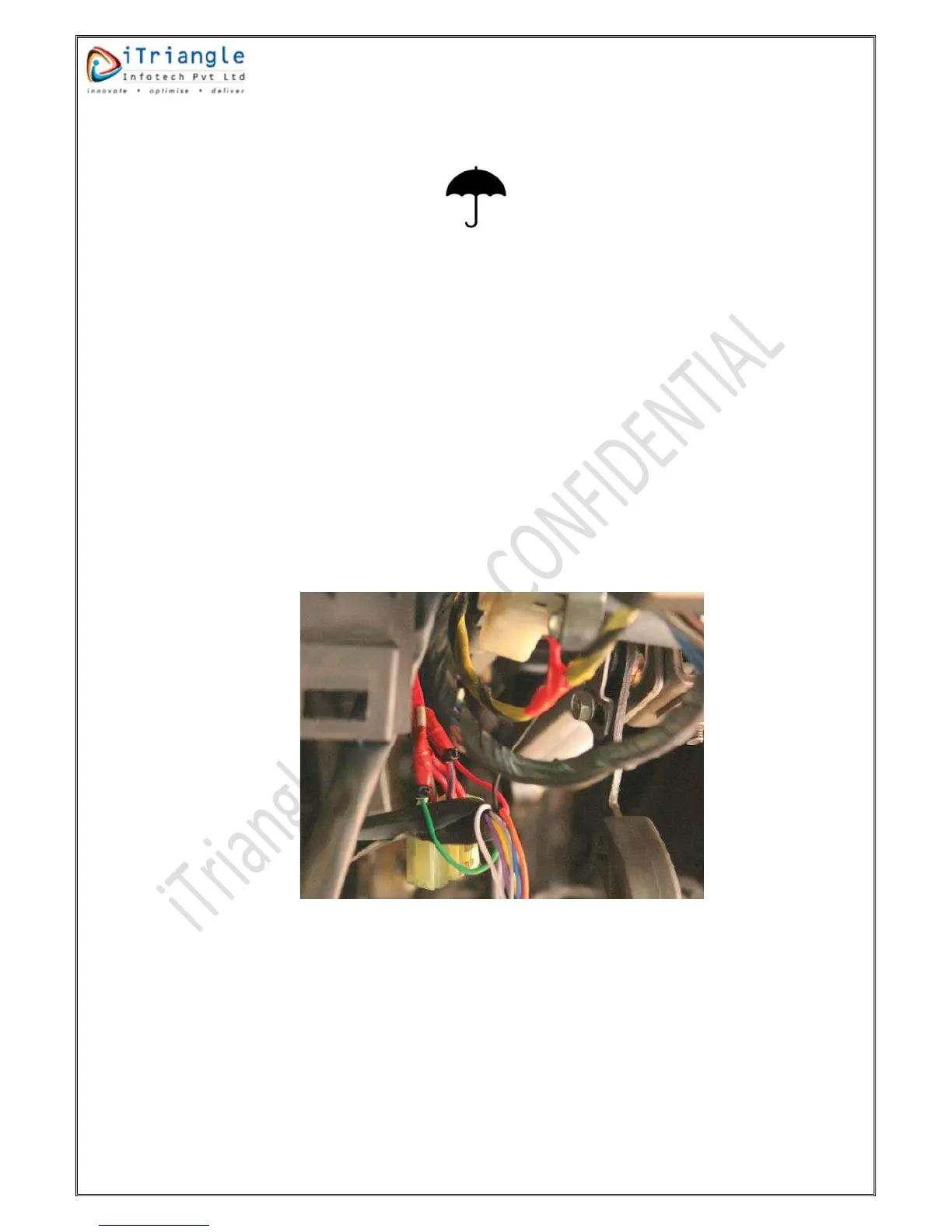
After connecting the wires, isolate the connection with insulation tape and on top of the
insulation fasten with cable ties. Please find the below snapshot for your reference.
Figure 31:Insulation of the wires
Use only multi-meter to identify the different wires in the vehicle system. Don’t use the test
lamp as it will consume more current, may damage the equipment in the vehicle.
Don’t insert the multi-meter probe in to any of the device connector to check the voltage.
This can cause the widening of the connectors and cause the loose connection.
To connect the -ve terminal of the device, connect a lug properly crimped to the negative
wire of the device and screw it to chassis using crews or a bolt. Ensure that connection is
good and stable.


 To Next Page