Editing Milling Jobs
106
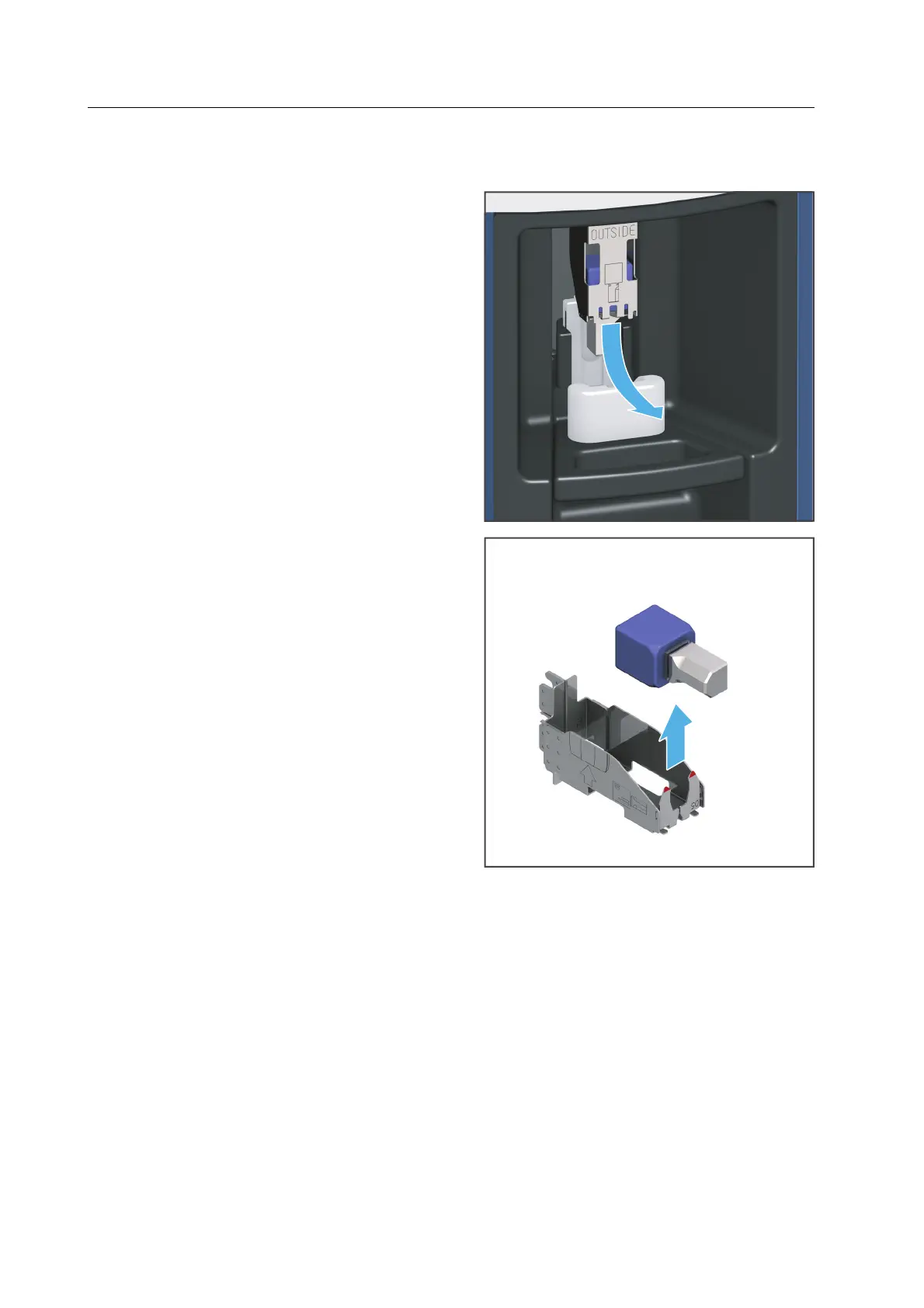
Removing the block from the device via the loading aid
1. Remove the block holder with the block
from the loading aid in the direction of
the arrow.
2. Removing the block from the block
holder.
3. Dispose of the defective block according
to the specifications in the instructions.
– or –
Blocks which will be reused at a later
stage must be kept in the correct
position for safe identification and
protected against damage.
4. Insert the new block in the block holder
or place the empty block holder into the
device (“Inserting blocks”, page 99).



 To Next Page