Initial Operation
44
CAUTION! Sharp edges on tool holder.
Cutting injuries.
Only grasp the tool holder on the closed sides (front and back side).
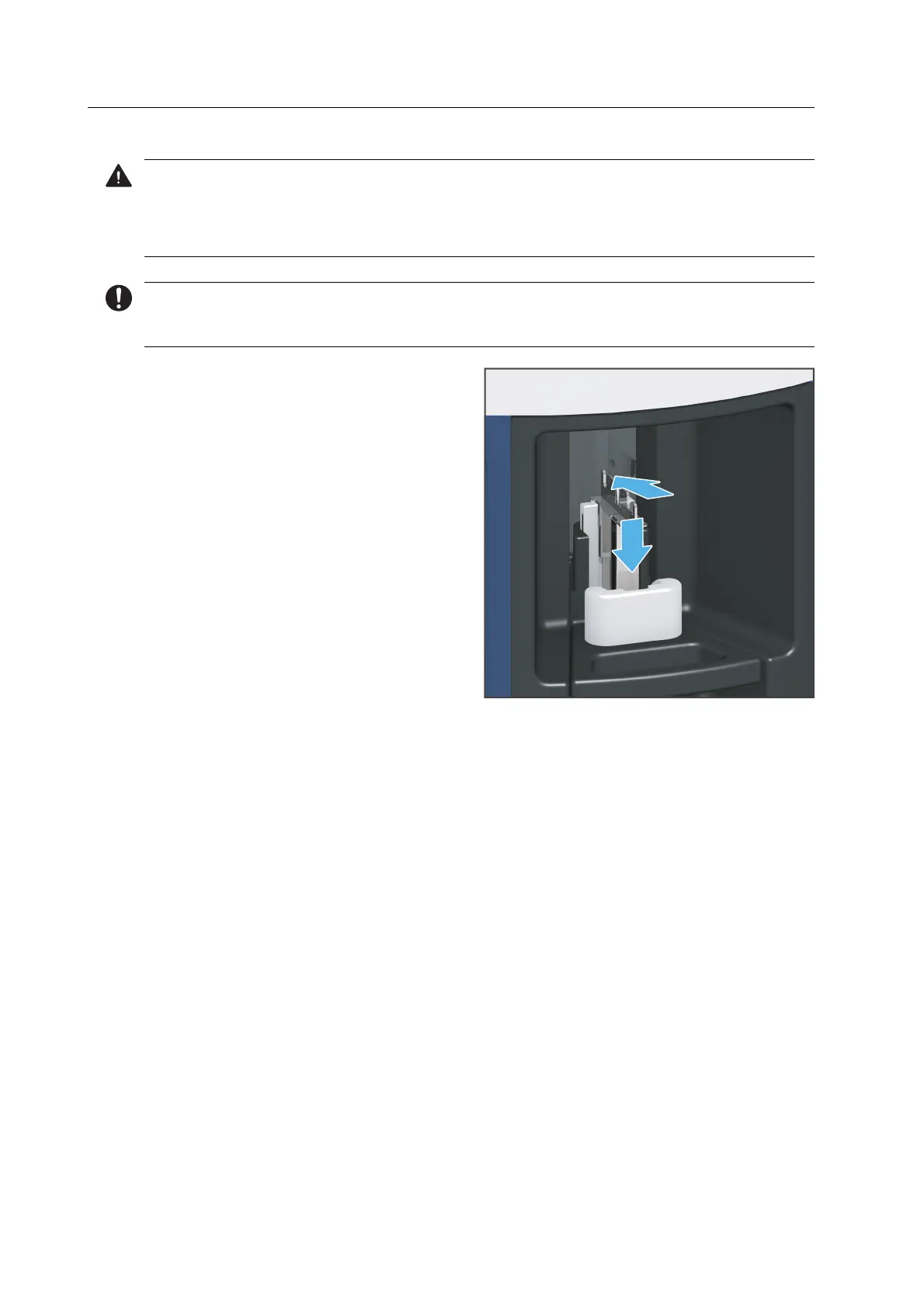
The tool holder is equipped with an arrow that indicates the correct insertion direction of the
tool holder into the loading aid.
5. Insert the tool holder into the loading
aid according to the specified insertion
direction (1).
6. Place the tool holder into the loading
aid (2).
7. Press the lever on the loading aid
upwards until a resistance is felt.
Continue to push gently until the tool
holder clicks into place.
8. Repeat the procedure for all tool
holders.
9. Follow the instructions in the app.
2.
1.



 To Next Page