Initial Operation
46
5. Follow the instructions in the app.
6. Remove the loading aid according to the instructions in the app.
7. Remove the “ESD pin B axis for One”.
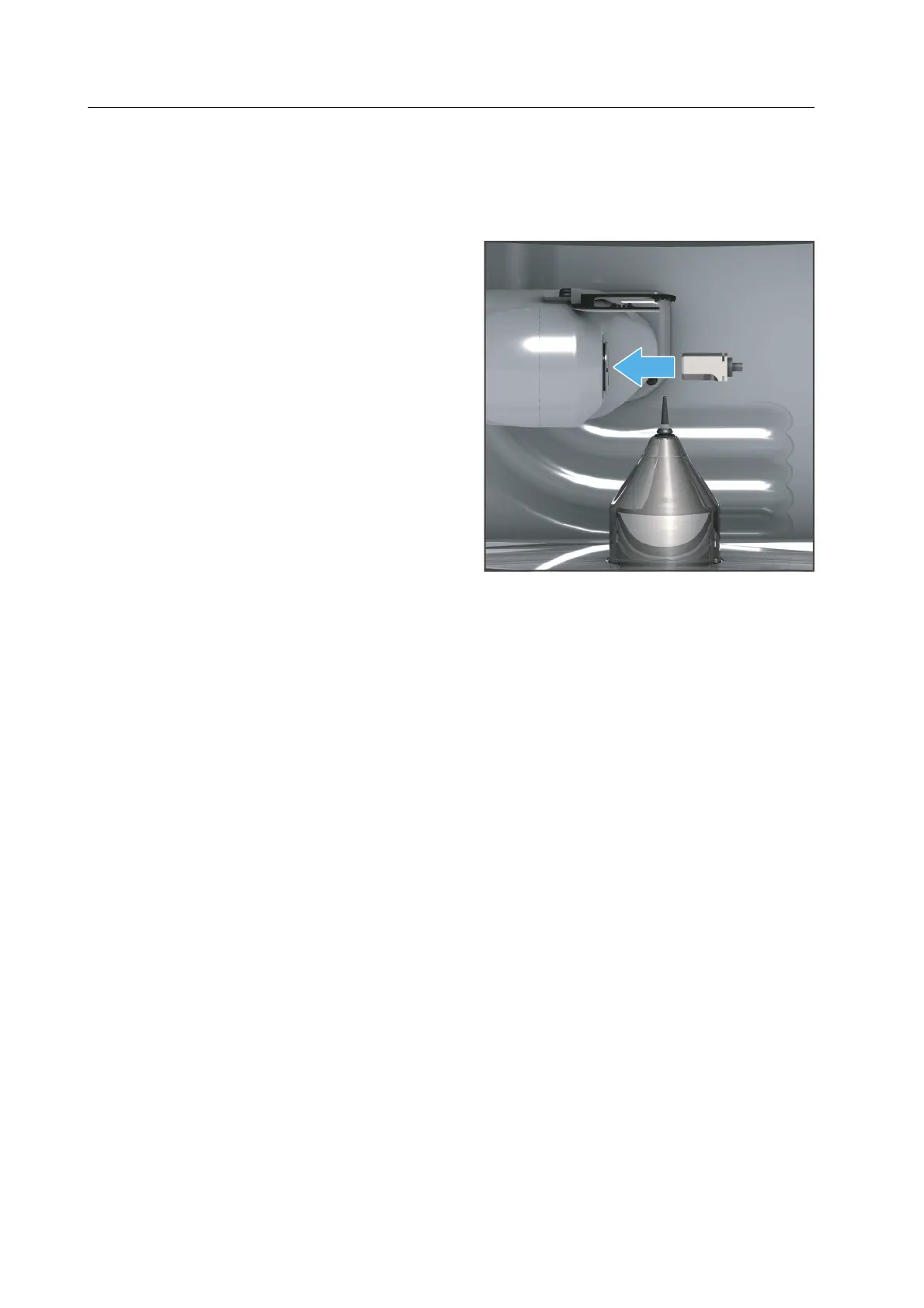
8. Insert the “ESD pin tool holder for One”
as shown with the shaft phases pointing
downwards into the processing and
changer arm.
9. Gently press the pin until it is firmly
inserted.
10. Follow the instructions in the app.
11. Insert the loading aid according to the instructions of the app and follow the instructions
of the app.



 To Next Page