Operating the Operating Panel
60
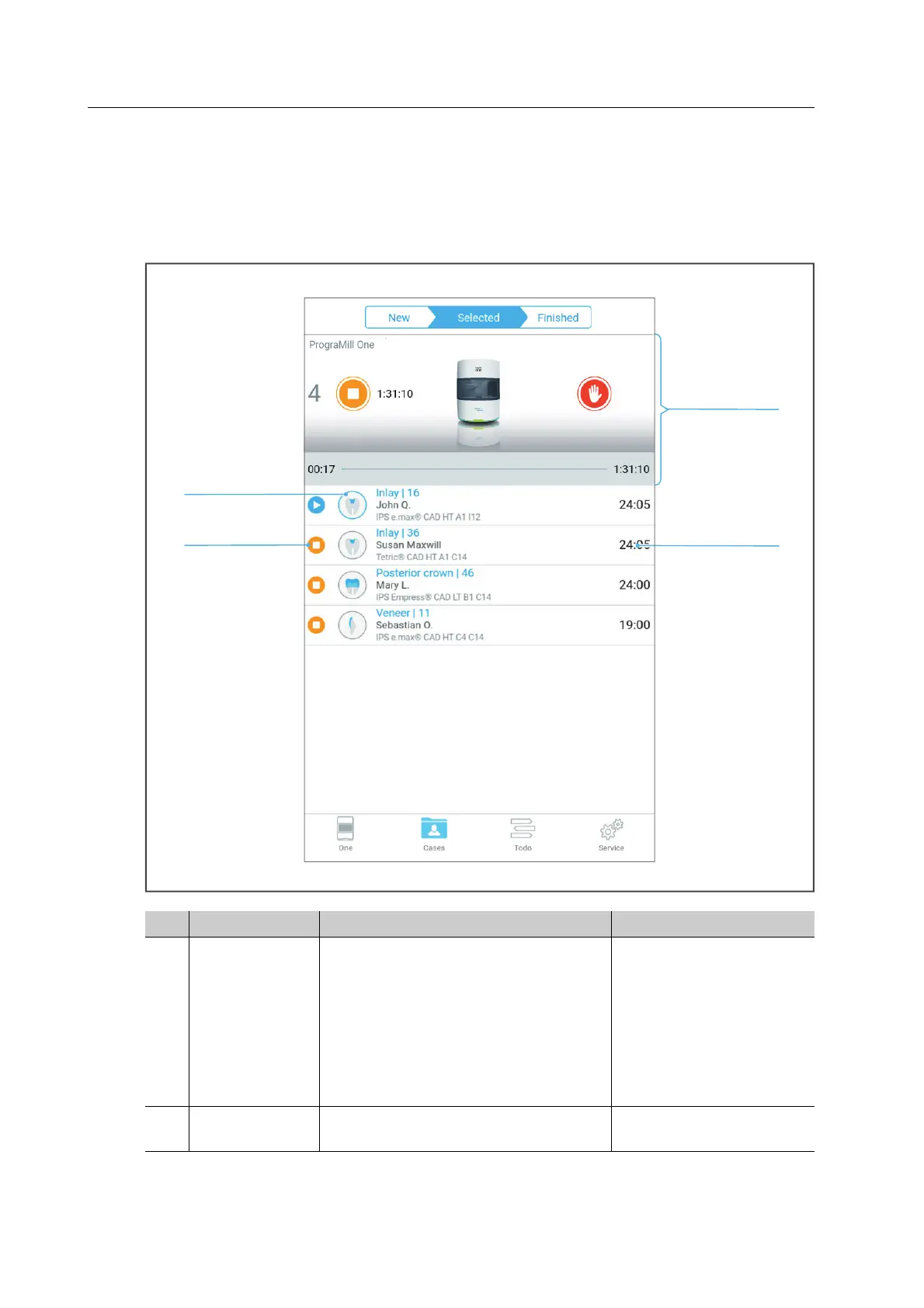
6.4.4 Tab [Selected]
In the tab [Selected] a maximum 5 prioritized milling jobs are shown. In this tab, processing is
started or if necessary paused. After having successfully processed a job, it is transferred to the
[Finished] tab and will no longer be displayed in the [Selected] tab.
No. Element Description Reference
1Status
indication
(starting and
stopping the
milling jobs)
• Summary of the pending and
running milling jobs
• Symbols to start and pause the
milling jobs
• Top task from the main menu
[Cases]
• Device status
• “Structure of status
display”, page 61
• “Starting individual
milling jobs (Single
mode)”, page 107
• “Starting several
milling jobs (Multi
mode)”, page 108
2Duration of the
milling job
Processing duration of the individual
milling job
-
1
4
3
2



 To Next Page