mP4G/mP4GL Motherboard
○○○○○○○○○○○○○○○○○○○○○○○○○○○○○○○○○○○○○○○○○○○○○○○○○○
User’s Manual
6•10
○○○○○○○○○○○○○○○○○○○○○○○○○○○○○○○○○○○○○○○○○○○○○○○○○○
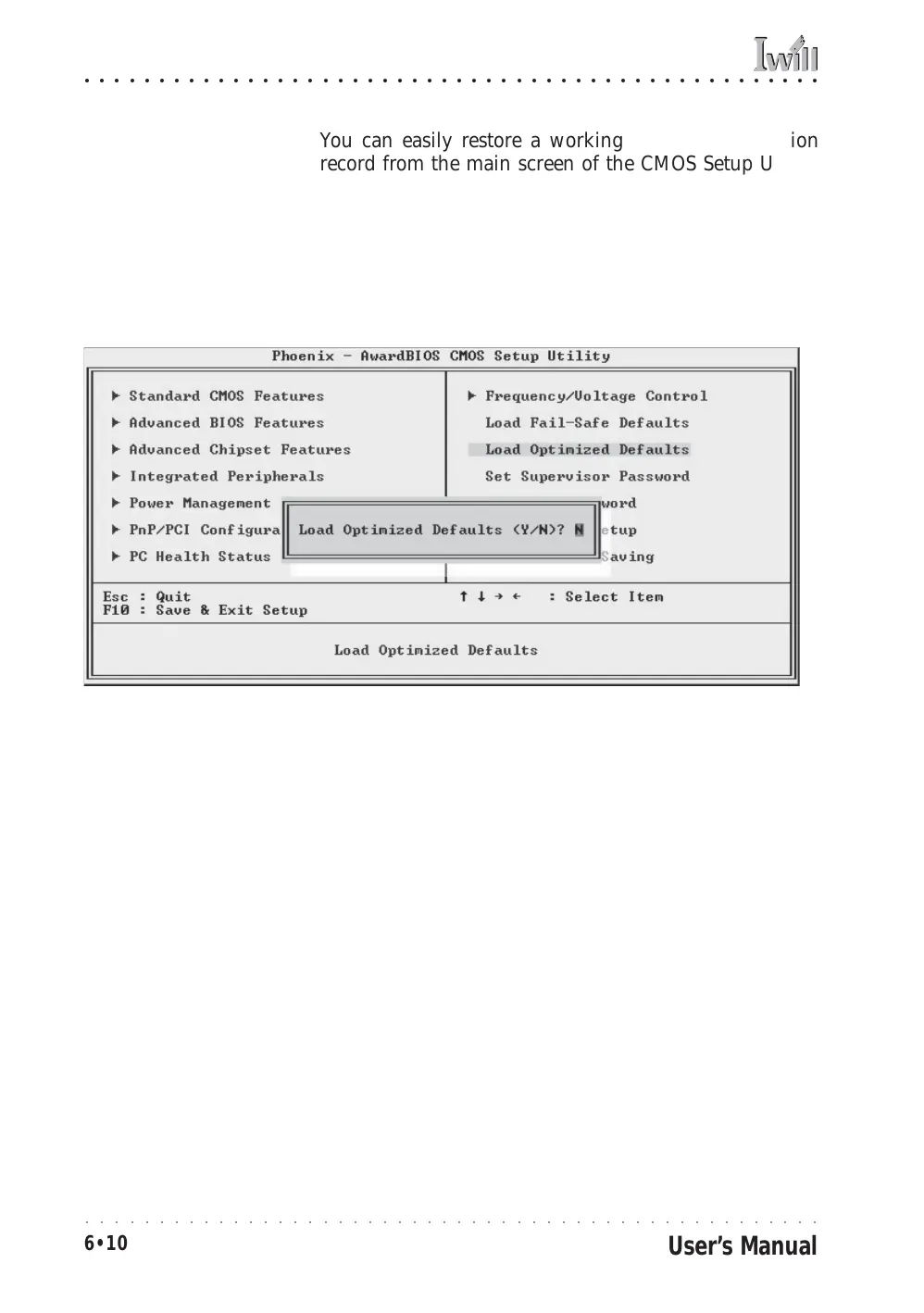
You can easily restore a working system configuration
record from the main screen of the CMOS Setup Utility.
To do so, do as follows:
1. Select the “Load Optimized Defaults” item.
2. Press the Enter Key. A confirmation message will ap-
pear on the screen. Type a “Y” to accept loading the Op-
timized Default settings. Now make any other settings
you need to.



 To Next Page