4: Installing The Motherboard
○○○○○○○○○○○○○○○○○○○○○○○○○○○○○○○○○○○○○○○○○○○○○○○○○○
User’s Manual
4•5
○○○○○○○○○○○○○○○○○○○○○○○○○○○○○○○○○○○○○○○○○○○○○○○○○○
Installing the Heatsink
Once you have installed the CPU, you must install a
Fan/Heatsink. The Fan/Heatsink clips into to the Reten-
tion Mechanism attached to the board via its integrated
retaining clip assembly.
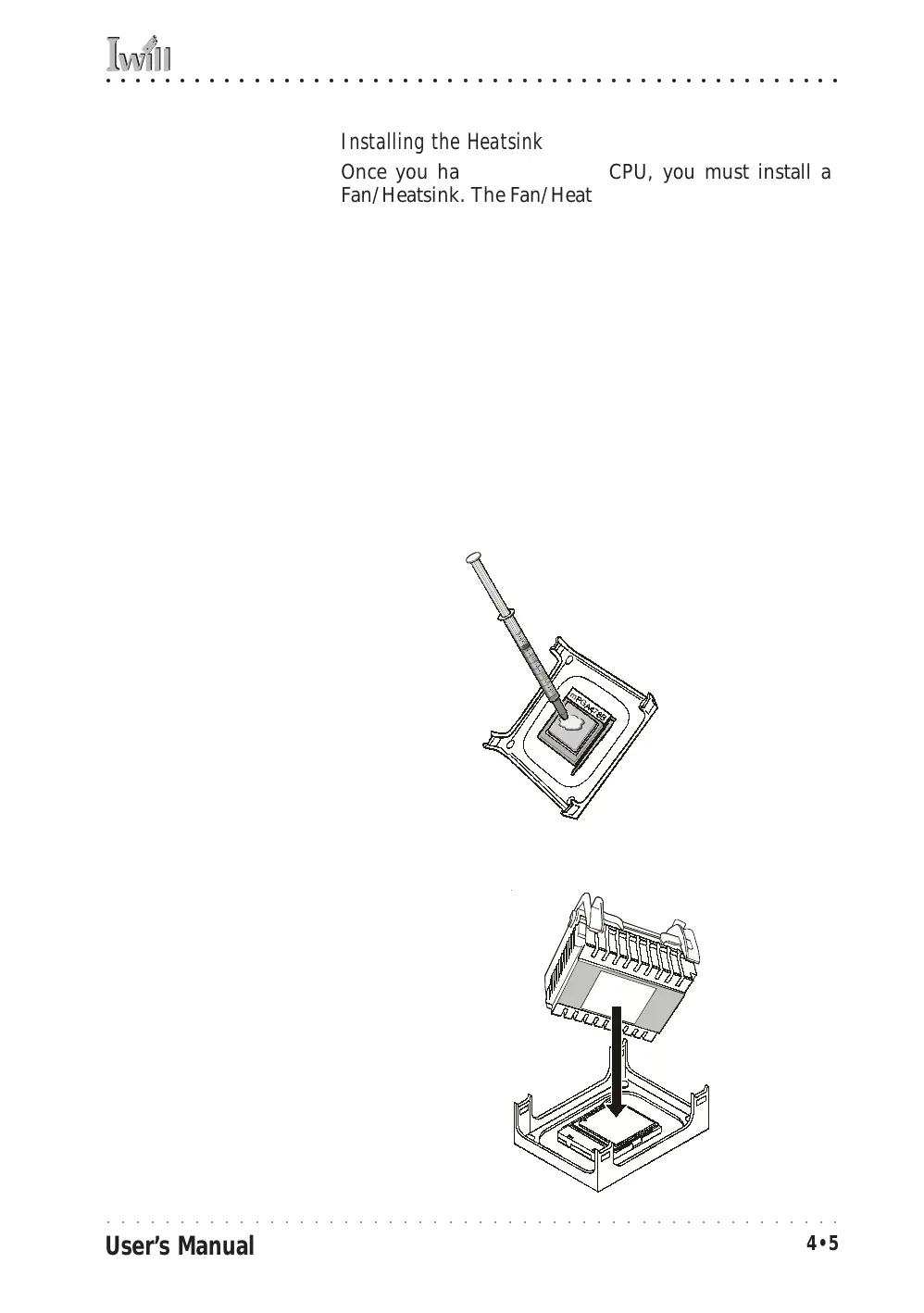
Apply Thermal Interface Material
Before you install the Fan/Heatsink you must apply the
Thermal Interface Material (TIM) that is supplied in an
applicator with boxed Intel Pentium 4 processors (or an
exact equivalent) to the top of the installed CPU. If the
Fan/Heatsink already has a patch of TIM on its under-
side, you don’t need to apply any additional TIM to the
CPU. We assume here that you have TIM in an Intel-
supplied applicator. To apply TIM to the CPU do as fol-
lows:
1. Apply all of the TIM in the applicator to the center
of the CPU’s top plate.
Align and place on
top of the CPU
TIM applicator
Step 1:
Apply TIM if needed.
2. Do not spread the TIM around. When you place the
Heatsink on top of the CPU the material will dis-
perse evenly.



 To Next Page