3: Motherboard Configuration
○○○○○○○○○○○○○○○○○○○○○○○○○○○○○○○○○○○○○○○○○○○○○○○○○○
User’s Manual
3•7
○○○○○○○○○○○○○○○○○○○○○○○○○○○○○○○○○○○○○○○○○○○○○○○○○○
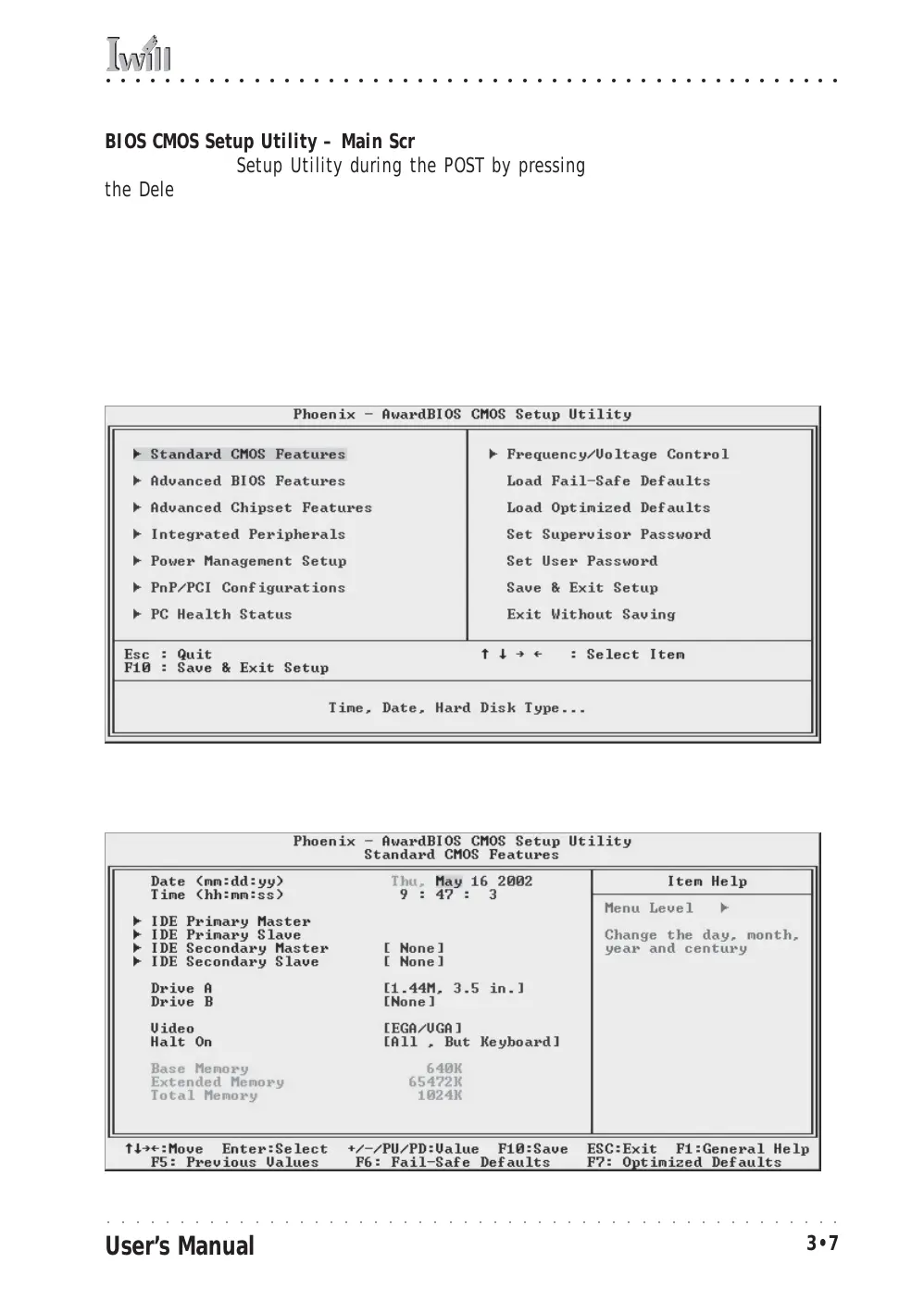
BIOS CMOS Setup Utility – Main Screen
Load the CMOS Setup Utility during the POST by pressing
the Delete or Del key. The utility interface commands are
explained at the bottom of each screen and “General Help”
is available by pressing the F1 key. See the section on “Con-
figuring the CMOS Setup Utility in Chapter 5 for information
on how to use this program.
Sections marked by an arrow on the main screen list command
instructions at the bottom of the screen.
The main screen has a basic list command instructions at the
bottom of the screen and displays a function description of
the highlighted item.



 To Next Page