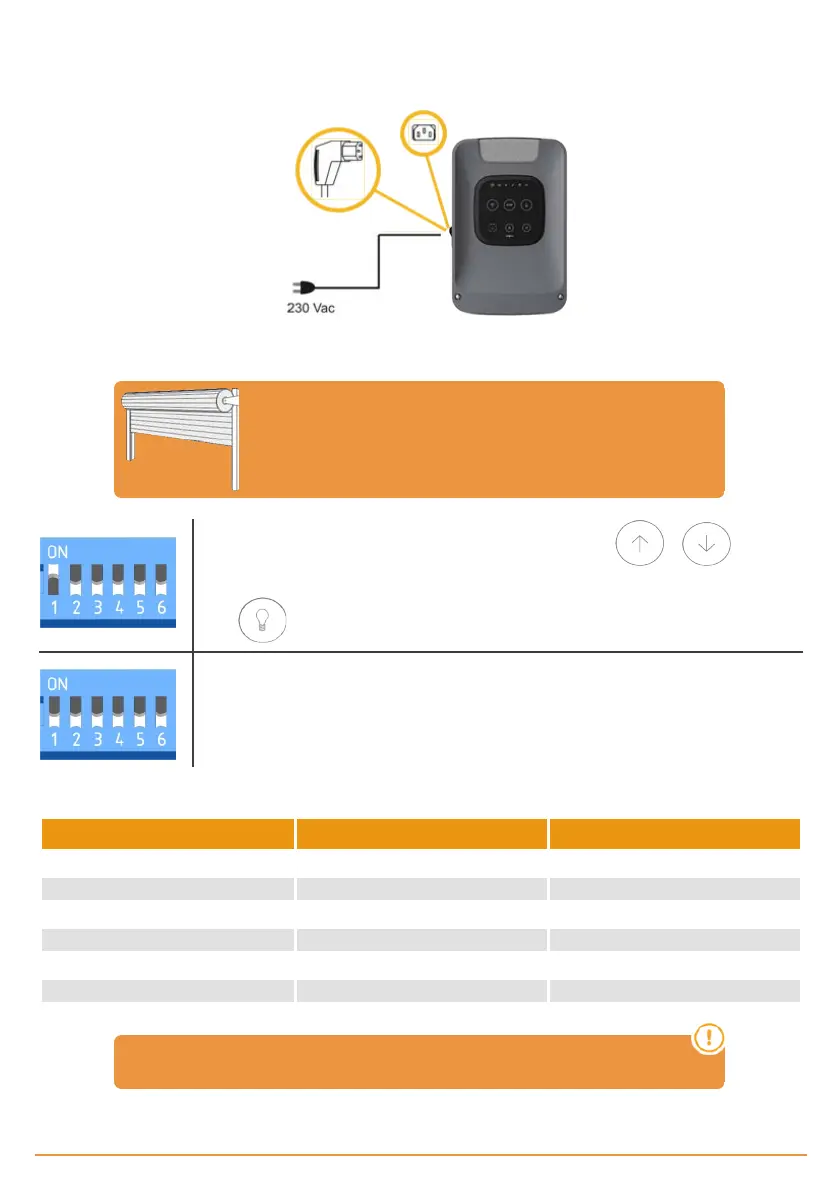
Configuration / Starting up
Connect the power supply
Adjusting limit switch
Door MUST BE AT HALFWAY position before
starting the limit switch adjusting
Dipswitch 1 in ON. Door will move in dead man mode. Keep pressed or to move up
or down the door.
Press , to change the phase of the motor in case the door is not moving in the proper sense.
Dipswitch 1 in OFF to exit dead man mode.
Options selection
Dipswitch function OFF ON
1- DEADMAN Normal operation Dead man operation
2- AUTOCLOSE Do not close automatically Close automatically
3- PRE-FLASH Pre-flash disabled 3s pre-flash enabled
4- ALARM* (KEEalarm needed) Alarm function disabled Alarm function enabled
5- COURTESY LIGHT / ALARM Courtesy light output External alarm output
6- TEST PHOTO Test photocell disabled Test photocell enabled
* Optional alarm. JCM can provide you KEEalarm
jcmtechnologies
15


 To Next Page