Maintenance
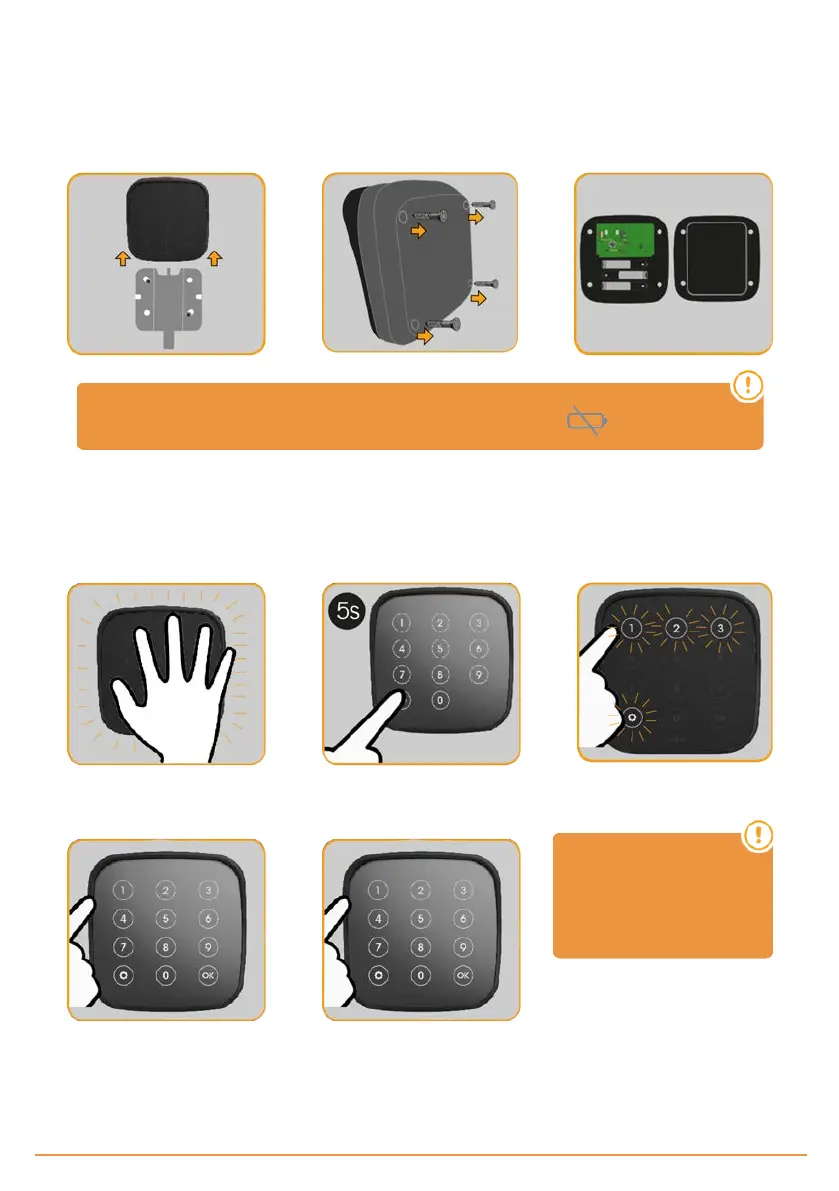
Batteries replacement
Unscrew device and slide on wall
support
Unscrew back cover Replace batteries (3 x 1,5Vdc AAA
type)
When batteries are near to the end of its useful life time, the indicator flashes.
KEEpad
Configure password
Wake up Enter configuration mode Choose channel (1/2/3)
Enter current password (4-8 digits)
+ OK
Enter new password (4-8 digits) +
OK
If you do not remember the
current password, you
must reset the device (see
"Reset", below).
jcmtechnologies
34


 To Next Page