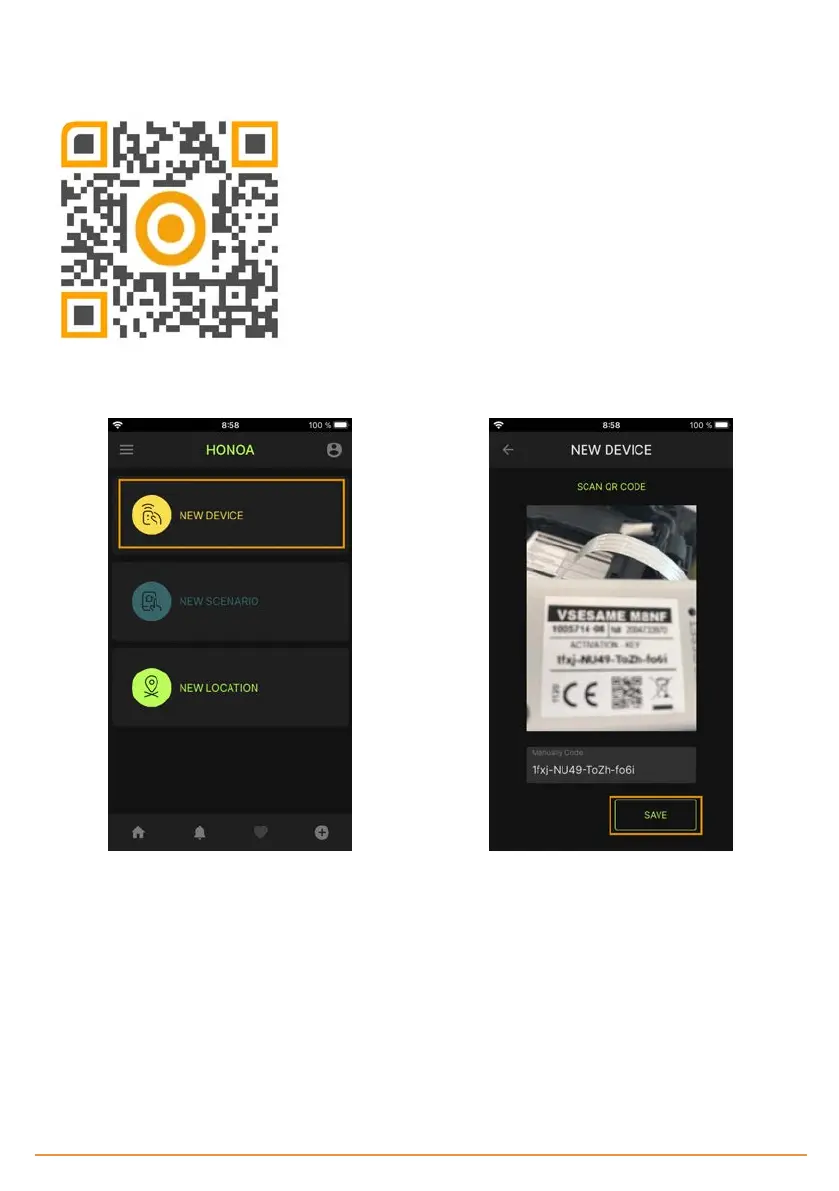
Configure SESAME in "Honoa"
Once WiFi is set up, it is possible to add the device in JCM Technologies, S.A.'s mobile application "Honoa."
If you do not have "Honoa" on your mobile, download the application.
You must login to enter the app. If you do not have an account, please register.
Within the application, press "NEWDEVICE." Scan the QR code from the SESAME device or enter "ACTIVATION KEY."
Complete the information in the fields "Device" (e.g., Sesame), "Place" (e.g., Garage house), and "City" (e.g., Barcelona), and
press "SAVE." The device has now been added to the application.
jcmtechnologies
41


 To Next Page