Set courtesy light
It is possible to define the activation time of the courtesy light.
To change the setting hold and release. Repeat this step until the desired setting is reached (see table).
You can only access settings with the door closed and the DIP 1 selector OFF.
Frontal light Activation time
1 flash Manoeuvre time + 1 minute
2 flashes Manoeuvre time + 5 minute
3 flashes Manoeuvre time + 10 minute
Fast flashes Manoeuvre time + 1 second
Programming
Transmitter programming
Press the key (you hear a beep and the key lights on) until you reach the necessary channel settings (see "Transmitter
programming" table for the different settings).
You can only access settings with the door closed and the DIP 1 selector OFF.
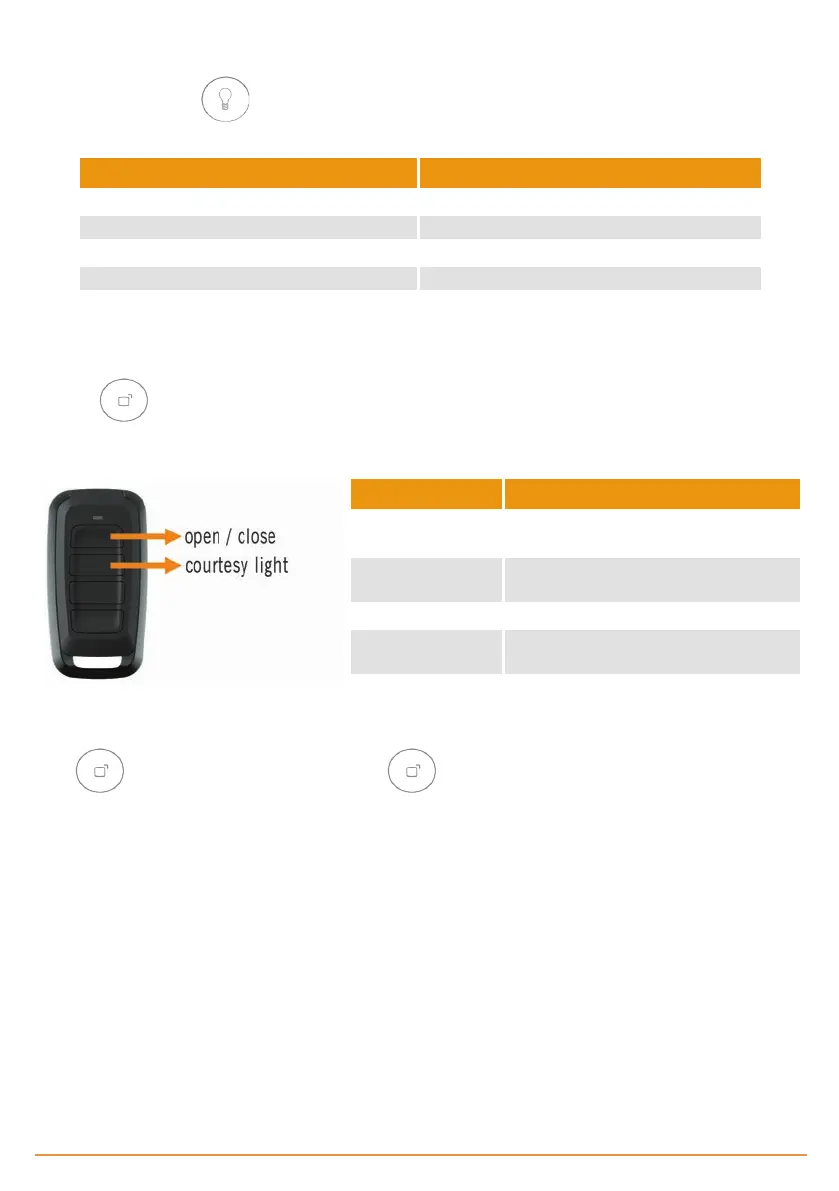
Front light Indication
1 flash
Press the desired transmitter button to
activate open / stop / close
2 flashes
Press the desired transmitter button to
activate the courtesy light
3 flashes Functionless
4 flashes
Press the desired transmitter button to
activate the alarm (KEEalarm needed)
Fast continuous
flashes
Multichannel: attribute respectively each
button for each function
Press each transmitter button to be programmed, a beep will be heard each time a transmitter is programmed.
Press again to exit transmitter programming. The key light will switch off.
jcmtechnologies
16


 To Next Page