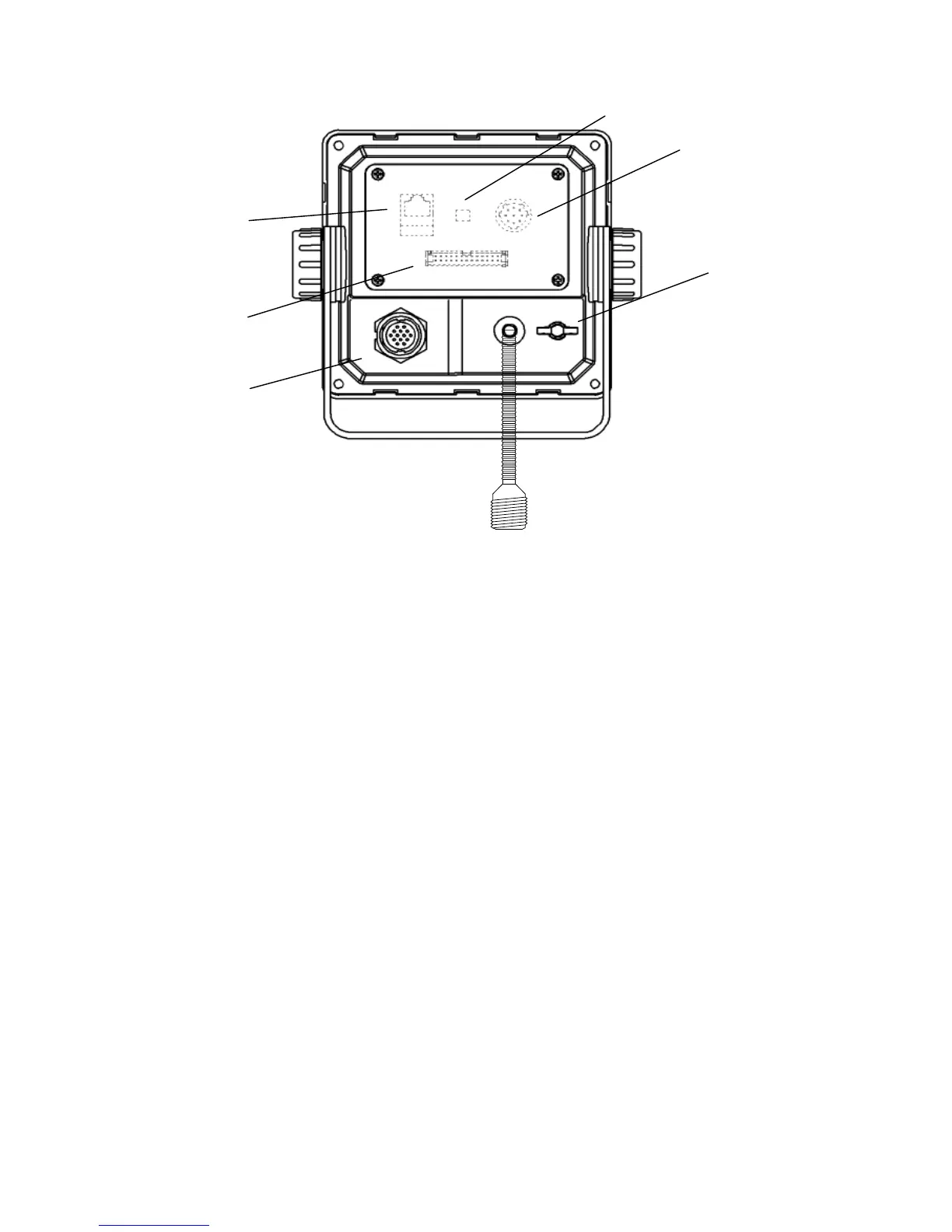
3-2
⑱
⑯
⑰
⑭
⑮
⑫
⑫ POWER/DATA1 connector
Connect to power supply, sensor and external equipment by using controller cable or connect to
connection box (option).
⑬ AIS transponder connector
Connect to AIS transponder by a coaxial cable.
⑭ GND terminal
Connect to Ship ground.
⑮ DATA2 connector
Connect to sensor and external equipment by data cable. Or connect to the optional connection box.
⑯ Pilot Plug
Connect to PC for Pilot by Pilot cable.
⑰ LAN connector
Connect to LAN network.
When performing maintenance, connect to PC.
⑱ Dip switch for terminator
When external sensors are connected in parallel, perform the terminator setting.
=====================
Serial number label (Upper side)
Indicates the own serial number and AIS equipment number.
⑬



 To Next Page