5-37
5.4 Maintenance Menu
Use the Main Menu to confirm or change function settings.
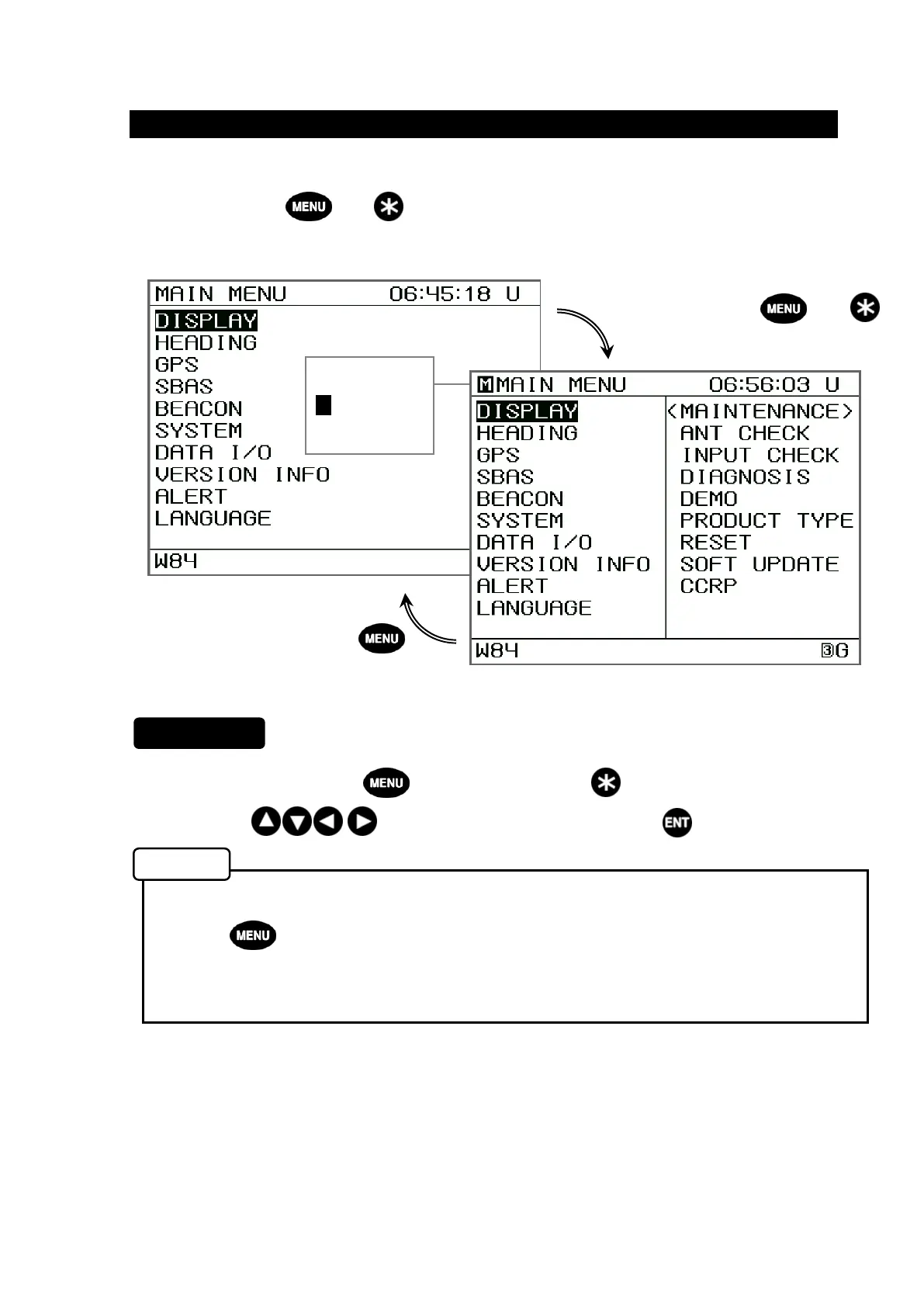
Press and hold both and for 3 seconds or more to display the Maintenance Main
Menu.
1. While holding down the key, press and hold the key for 3 seconds or more.
2. Use the keys to select an item, and press the key.
The Maintenance Menu disappears if one of the following is done. (be canceled)
• The key is pressed.
• The power is turned off.
• A screen other than the Settings menu is displayed for 3 min or more.
The following submenus are available.
• ANT CHECK: (Refer to 5.4.1) Displays sensor information.
• INPUT CHECK: (Refer to 5.4.2) Displays input information.
• DIAGNOSIS: (Refer to 5.4.3) Performs self-diagnosis on equipment.
• DEMO: (Refer to 5.4.4) Initiates equipment demonstration.
• PRODUCT TYPE: (Refer to 5.4.5) Sets unit as subdisplay, confirm the equipment
number.
• RESET: (Refer to 5.4.6) Restores all settings to their factory defaults.
• SOFT UPDATE: (Refer to 5.4.7) Updates software.
• CCRP: (Refer to 5.4.8) Allows CCRP settings.
Maintenance Main Menu
Procedure
Memo
Press and hold both and
In Maintenance
Mode,
M
mark is
displayed.


 To Next Page