5-14
5.3.1 Display Settings
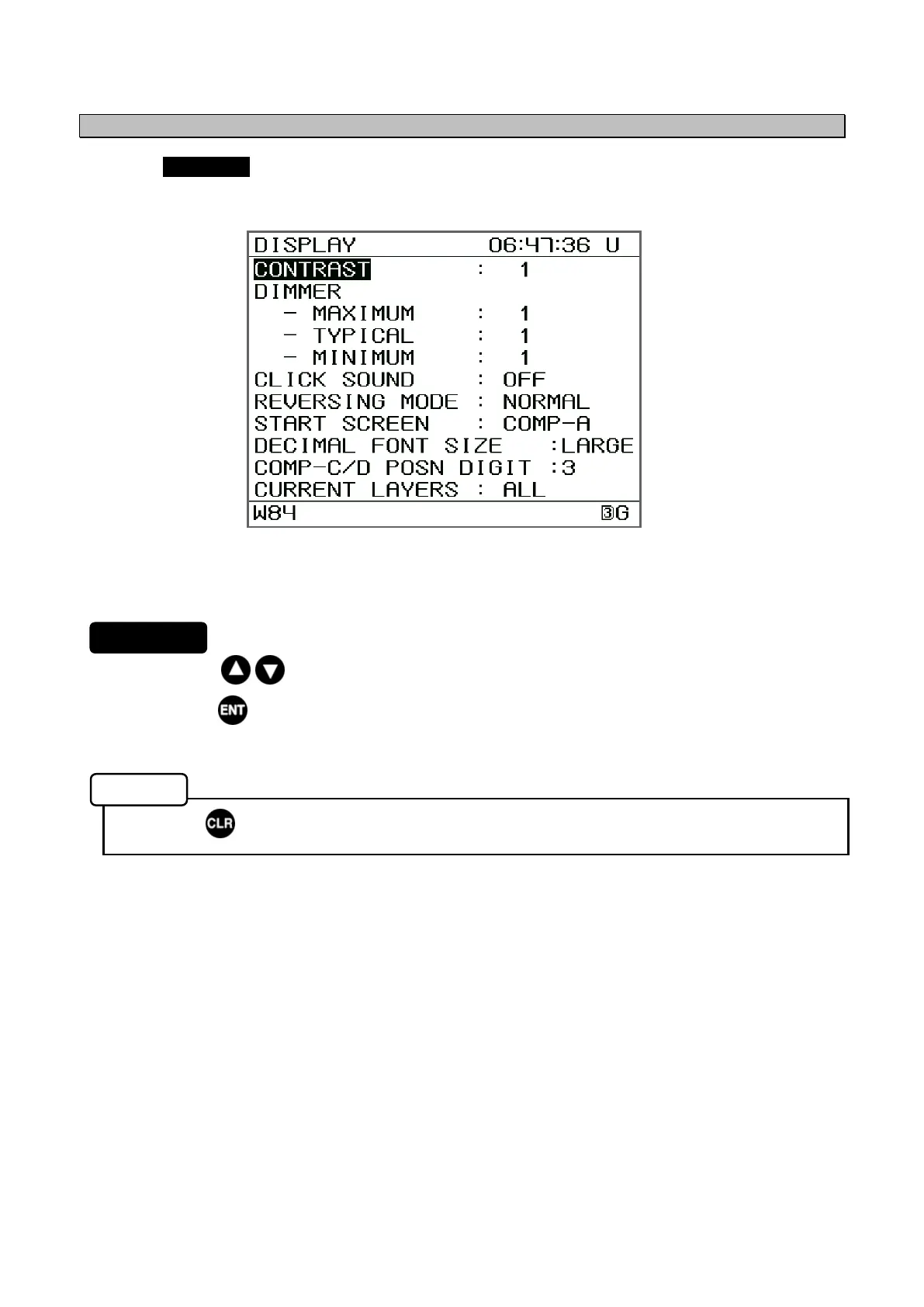
Selecting DISPLAY from the "5.3 Main Menu" displays the Setup Menu.
From the Setup Menu you can set the contrast, brightness levels, and change buzzer settings.
1. Press the keys to move the cursor and select an item.
2. Press the key to display the menu for the selected item.
• Press to return to the Main Menu.
The following submenus are available.
• CONTRAST: Adjusts LCD contrast. (Refer to 5.3.1.1)
• DIMMER: Adjusts LCD brightness. (Refer to 5.3.1.2)
• CLICK SOUND: Turns click sound on or off. (Refer to 5.3.1.3)
• REVERSING MODE: Reverses black and white of display screen. (Refer to 5.3.1.4)
• START SCREEN First screen after power up is selected.
The Screen allocated in the DISP key can be selected.
(Refer to 5.3.1.5)
• DECIMAL DISP SIZE: Select the display size of decimal numbers on the screen.
(Refer to 5.3.1.6)
• COMP-C/D POSITION DIGIT: Select 3 or 4 digits for displaying the current position on
the Compass screens C/D. (Refer to 5.3.1.7)
• CURRENT LAYERS: Select the layer of current for displayed. (Refer to 5.3.1.8)
Setup Menu
Procedure
Memo


 To Next Page